Detailed workflow
Property Management Software in Kenya
RentalDesk brings properties, tenants, rent invoices, payments and owner reports into one cloud workspace. It helps Kenyan landlords and property agencies answer the daily questions: who has paid, who owes rent, and what needs follow-up?
Use it for residential buildings, shops, offices and mixed-use portfolios, with tenant and property records connected to your collection and reporting workflows.
From M-Pesa payment to a clear tenant balance
- Set up your portfolio: add properties, units, tenants, lease terms and opening balances.
- Bill tenants: generate rent invoices and track due dates, utilities and other charges.
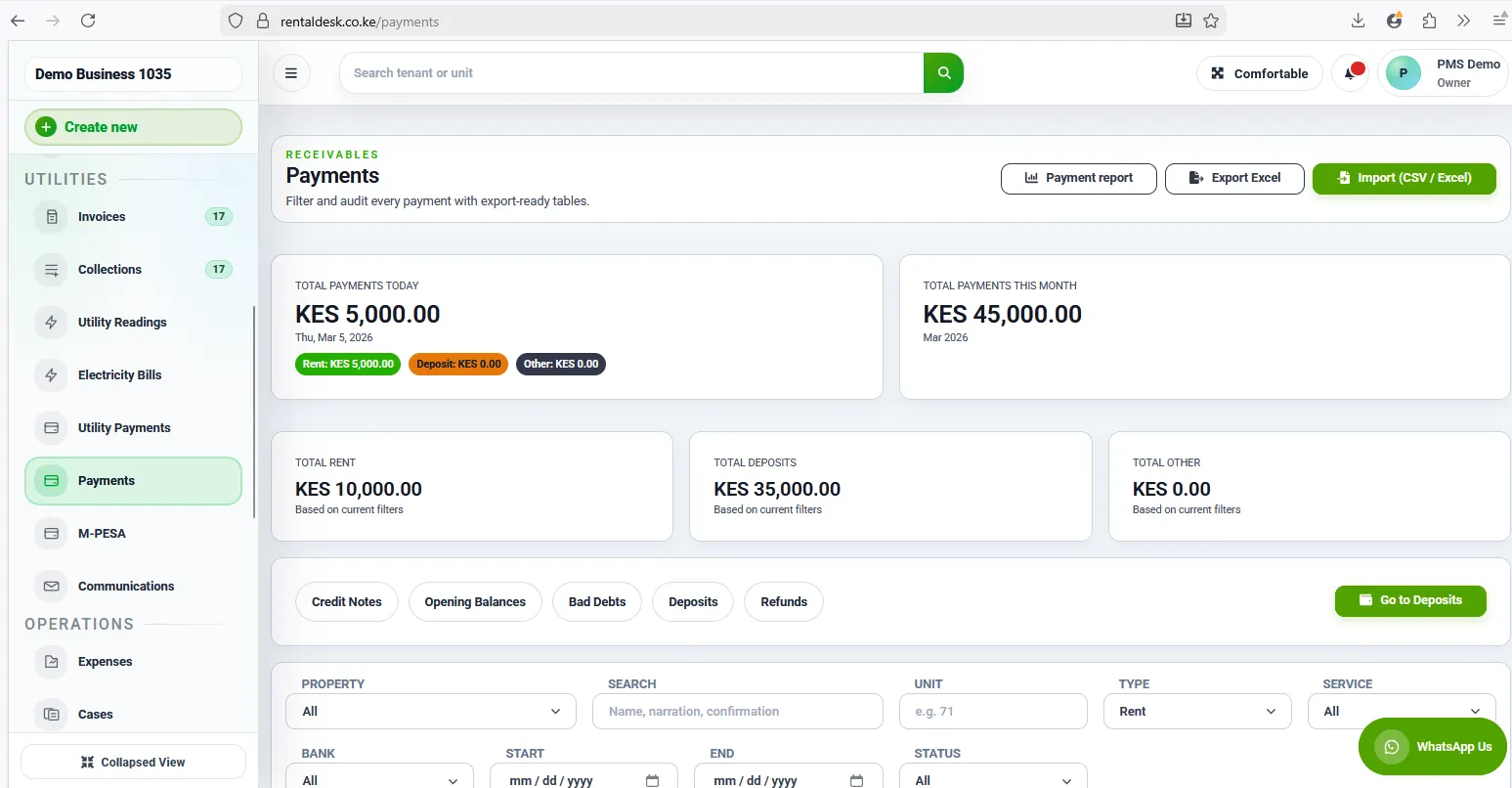
- Collect and match payments: use configured M-Pesa Paybill, Till or STK workflows, then review payments against the right tenant and invoice.
- Review exceptions: check unmatched transactions and part-payments before completing reconciliation.
- Follow up and report: review arrears, receipts, tenant statements and owner reports from the same records.
M-Pesa automation depends on your payment setup and integration configuration. Your team can also record manual payments and review reconciliation exceptions. Explore the M-Pesa rent collection workflow.
Tools for landlords and property agencies
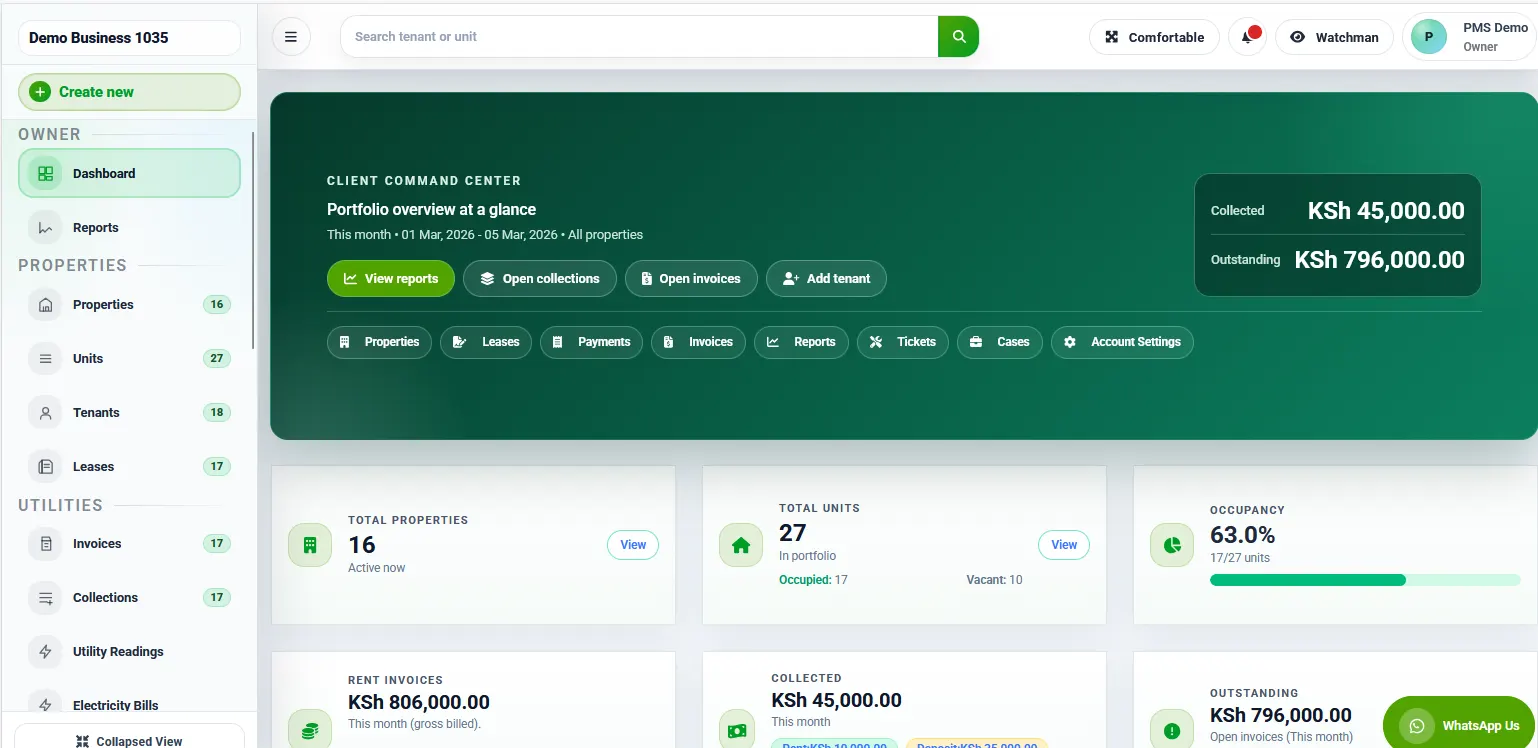
- Properties and units: organize buildings, occupancy, vacancies and rent amounts.
- Tenants and leases: keep contact details, deposits, lease dates and balances together.
- Rent invoices and arrears: track paid, part-paid and overdue accounts for daily follow-up.
- Utilities: manage readings, charges and tenant utility bills alongside rent.
- Owner statements: report collections, expenses and management fees for landlord reporting.
- Portals and maintenance: give tenants and landlords controlled access and track repair requests.
Browse RentalDesk features or explore workflows for property agencies.
See the RentalDesk workspace
Pricing and getting started
Compare the current plans, unit limits and included features on the RentalDesk pricing page. Choose a plan that fits your portfolio and confirm the payment integrations and reporting tools you need.
Start with your property and tenant records, then check opening balances and payment references before using live collection workflows. Start free to explore the workspace.
Frequently asked questions
Does RentalDesk support M-Pesa rent payments?
Yes. RentalDesk supports M-Pesa collection workflows, payment tracking and reconciliation. Automatic matching depends on your configured integration and tenant references; unmatched payments need review.
Can I manage more than one property?
Yes. You can organize multiple properties and units in one portfolio, with tenants, invoices and payments linked to the appropriate records. Check the current plan limits on the pricing page.
Can tenants and landlords access their records?
RentalDesk has tenant and landlord portals with controlled access. Tenants can review invoices, balances and receipts, while landlords can view the property and reporting information made available to them.
Can RentalDesk replace my rent spreadsheet?
RentalDesk combines tenant records, invoicing, payments, arrears and reporting in one system. When moving from spreadsheets, verify your tenant details and opening balances so the new ledger starts with accurate records.