
Tenant contact records help a Kenyan property team send the right message to the right person. When phone numbers are scattered across notebooks and personal phones, a simple reminder can take too long or reach an outdated contact. A repeatable review makes everyday communication easier while limiting unnecessary access to personal information.
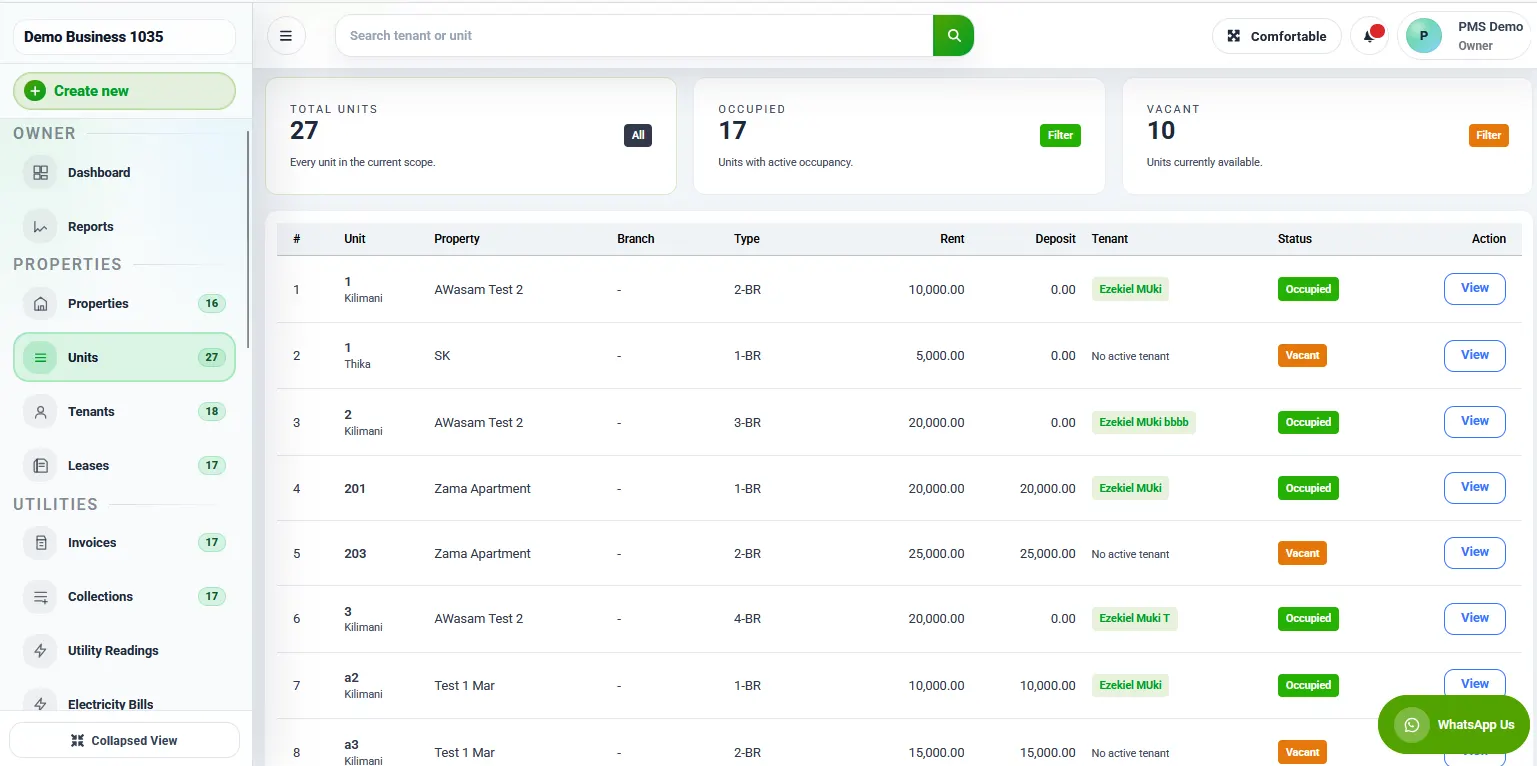
1. Give tenant contact records a consistent structure
Structure tenant contact records with the same fields for each tenancy: property, unit, tenant name, preferred contact and date last confirmed. Distinguish the tenant from an authorised representative instead of replacing one name with another whenever someone calls.
Agree which record is the operational source for your team. If two spreadsheets and a personal phone all contain different numbers, staff may unknowingly use the oldest version. Keep a clear process for reporting and resolving conflicts.
2. Confirm changes through a known channel
When someone requests a contact change, verify it through your established process before updating the record. A new message from an unfamiliar number should not automatically redirect all tenancy communication. Record who checked the change and when it took effect.
Avoid placing identity documents or private contact lists in an open messaging group. Give staff only the information they need for their role and use the access arrangements supported by your chosen system. Confirm available controls during a RentalDesk feature review.
3. Separate communication from payment allocation
A tenant may pay from a different phone, but that does not automatically mean the tenancy contact should change. Match payments using the documented allocation process and keep contact maintenance as a separate task.
Review the tenant balances guide when payment references need investigation. A clean contact record helps you ask the right person for clarification without changing the financial record prematurely.
4. Review records at sensible handover points
Check the details when a tenancy begins, when an authorised change is received and before an important communication campaign. Record a review date even when no change is required. This tells colleagues that someone has actually checked the entry.
For commercial units, remember that the contact person may manage a salon using Prim or a shop using Vega. Their business software does not replace the landlord’s tenancy record, and no automatic integration should be assumed.
5. Give the next staff member a clear process
For tenant contact records, write down where the current record lives, who can amend it and how disputed details are handled. A staff handover should explain the process without copying every tenant’s personal details into another file.
Use the multi-property daily workflow to assign ownership across several buildings. Each property should have a responsible person, with a backup who can follow the same procedure.
A practical example
A property manager receives a message asking for future reminders to go to a new number. The team checks the request using its existing verification method, records the effective date and updates the authorised record. Staff then use the confirmed number for future communication.
If the request cannot be verified, it stays pending with an owner and a next action. The team does not silently overwrite the old record or broadcast the uncertainty to unrelated tenants. This makes the decision traceable and reduces confusion.
Questions for a software demonstration
Ask how contact changes are recorded, which users can edit them and how a tenancy is distinguished from a unit. Confirm which functions are available in the current plan rather than assuming that every feature shown in a demonstration is included.
Read the software setup guide before importing records. Tenant contact records become useful when the team trusts their accuracy and follows one maintenance process.
Tenant contact records: a practical review worksheet
Start the review with a list of active tenancies and the location of the current operational record. The purpose is to identify where information needs checking, not to collect more personal information than the team needs. Tenant contact records should support a defined task, such as sending an authorised maintenance update or asking a tenant to clarify a payment reference.
A useful worksheet can show the property, unit, review status, responsible staff member and next action. Keep the actual private contact details in the approved system rather than duplicating them across several working files. This makes the review easier to coordinate while limiting the number of places that need updating when a detail changes.
Mark the confidence of each entry
Distinguish a recently confirmed entry from one that has not been checked for a long time. Avoid a blanket statement that all records are accurate merely because they have been imported successfully. An import can preserve an old error perfectly. The review should tell the team which tenant contact records have been checked and which still need attention.
Use understandable statuses such as confirmed, awaiting clarification and change under review. Define what each status means so that different staff do not use the same label for different situations. A record should move to confirmed only when the agreed check is complete, with a date and the person responsible for the decision.
Identify the communication purpose
A phone number provided for a particular operational purpose should not automatically become a contact for every campaign or unrelated business service. Before sending a message, confirm that the communication is appropriate for the tenancy relationship and the organisation’s policies. Staff should know whom to ask when the intended use is unclear.
The review of tenant contact records is also a chance to remove operational confusion. If a representative receives maintenance updates while the tenant handles account questions, record that distinction clearly. Do not assume that the person who answered the most recent call has authority to make every decision about the tenancy.
How to handle a request to change tenant contact records
Receive the request through the channel used by your organisation and record the date. Capture the requested change without immediately overwriting the current information. The staff member handling the request should know the verification process and have a clear route for questions that fall outside their authority.
Use a known method to confirm the request. The exact method will depend on your organisation’s arrangements, but it should not rely entirely on information supplied by the unfamiliar requester. Where the request concerns an authorised representative, check the scope of the authority rather than assuming that an earlier conversation covers every future change.
After verification, update the operational tenant contact records and note the effective date. Notify relevant staff through the approved process without broadcasting private details to people who do not need them. If a scheduled communication has already been prepared, check whether its recipient list needs review before it is sent.
If verification fails or remains incomplete, keep the request pending and assign a next action. Do not silently reject it without a record, and do not silently accept it to clear a queue. A pending request should have an owner so that the tenant can receive a useful response when they follow up.
Worked example: a tenant uses a new phone
A tenant sends a maintenance request from a new number and asks the team to use it for future messages. The caretaker records the request and passes it to the staff member authorised to maintain tenant contact records. The team follows its verification procedure before changing the main record.
Meanwhile, the maintenance issue itself still needs an owner. The team should not lose the repair request simply because the contact update is pending. Keep the two tasks connected but distinct: one concerns the operational issue, while the other concerns who should receive future communication.
Once the update is confirmed, the authorised staff member records the date and checks that the current tenant is still linked to the correct property and unit. The team then uses the confirmed contact according to the agreed communication preferences. This avoids turning a routine phone change into conflicting records across several staff members’ devices.
Worked example: a representative contacts the manager
A person says they are helping a tenant and requests a copy of the account statement. The fact that the person knows the unit number does not by itself settle whether the statement should be shared. Staff should follow the organisation’s process for checking authority and the type of information that can be disclosed.
Tenant contact records can make this easier when the scope of an authorised representative’s role has been recorded clearly. For example, an operational contact may be available to arrange access for repairs, while account communications remain with the tenant. The record should not blur those responsibilities.
If the authority is unclear, record the query and refer it to the responsible manager. Avoid placing the statement into a group conversation as a convenient workaround. The manager can decide what evidence is needed and ensure that the request receives a response without unnecessarily exposing the tenant’s information.
Tenant contact records during staff changes
When a staff member leaves or changes responsibilities, identify the operational information held in personal notebooks or devices. Follow the organisation’s approved process for bringing necessary records into the authorised system. Do not simply circulate an entire phone contact list, which may contain unrelated personal information.
Assign a receiving person who can check that the transferred operational details match the relevant properties and units. Tenant contact records should remain usable after a staff change, but that does not mean every informal note should be retained indefinitely. Review the purpose and usefulness of the information under the organisation’s retention practices.
The handover should explain how new changes will be reported, who can approve them and where unresolved requests are tracked. A new staff member needs the process as much as the data. Without that explanation, the team may quickly recreate the same scattered records that the handover was meant to resolve.
Questions for the receiving staff member
- Can you identify the current operational record for each property?
- Do you know who can authorise a contact update?
- Can you distinguish tenants from representatives and emergency contacts?
- Do you know how to report an unverified change?
- Can you find the date and result of the most recent review?
- Do you understand which information should stay out of group messages?
Use these questions to check understanding rather than to create another copy of tenant contact records. If a staff member cannot answer one, improve the procedure or training material. A consistent process makes future updates easier and reduces dependence on one experienced employee.
Preparing tenant contact records for a software import
Before importing, review the structure of the source file. Check that each row refers to the intended tenancy and that property and unit labels are consistent. A tenant’s name alone may not be enough to distinguish two records, especially where spelling varies or several people share similar names.
Ask the software provider which fields are required, which are optional and how changes are handled after import. Use an approved sample before committing the full dataset. Confirm how tenant contact records will be associated with tenancy history so that an older occupant is not accidentally treated as the current resident.
Keep a record of the import date, source and person who checked the result. Compare a representative set of entries against the approved source, including one with a representative and one with a recently changed number. The aim is to verify the mapping, not merely to count how many rows were uploaded.
Do not treat every blank field as a failure
A blank optional field may be appropriate if the information is not needed or has not been provided. Staff should not invent data to make a screen look complete. Ask which missing fields actually prevent the intended workflow and resolve those through the normal review process.
Similarly, tenant contact records should not accumulate unnecessary details just because software offers additional fields. Choose the information needed for your legitimate operational purposes and ensure staff understand how it is used. Confirm the system’s current capabilities and your organisation’s requirements before designing the final record structure.
Common questions about tenant contact records
Should a payment phone number replace the tenant’s contact?
Not automatically. A payment may be made by another person or through a different device. Investigate the payment through the established matching process and handle any requested contact change separately. Keeping these decisions distinct makes both the financial record and the communication record easier to explain.
How often should the team review the list?
Choose a schedule appropriate to the portfolio and review at important events, such as the start of a tenancy or a verified change request. Avoid repeatedly contacting tenants without a clear purpose. Tenant contact records should show when a meaningful check occurred and what remains unresolved.
Can every employee edit the details?
Agree responsibilities before giving access. Ask the software provider which permissions are available in your current plan and use the controls that fit your operating process. Where a system cannot enforce a particular rule, decide how the team will handle the approval and review steps without pretending the control exists.
A final quality check before sending messages
Confirm the intended audience, the purpose of the message and the current source of the recipient information. Review any entries still marked as uncertain before relying on them for important communication. A targeted check is more useful than assuming a recent import made all tenant contact records accurate.
After sending an operational message, route failed delivery reports and correction requests back into the maintenance process. Do not leave them only in one employee’s inbox. This closes the loop between using tenant contact records and keeping them dependable for the next task.
Reviewing duplicate tenant contact records
Two entries that look similar should be investigated before they are merged. They may refer to different tenancies, a former occupant and a current occupant, or two people with similar names. Compare the property, unit, tenancy period and source of the details through the authorised process. Record the reason for any correction so that another staff member can understand it later.
Duplicate tenant contact records can also arise when a new enquiry is entered as if it were an active tenancy. Keep enquiries and confirmed tenancies distinguishable in your workflow. A person who asked about a vacant unit should not automatically receive messages intended for current residents. Ask the software provider how those stages can be represented in the current system.
When the review identifies an outdated operational entry, follow the organisation’s retention and access procedures rather than deleting history indiscriminately. The aim is to make the current contact clear while handling older information appropriately. Tenant contact records should be accurate for today’s communication without losing the context needed to explain a past update.
Finish by checking that staff know which entry to use. Correcting the central record will not help if an old list continues circulating as the daily reference. Communicate the location of the approved source and retire working copies through the normal process. This is a practical maintenance task that should have a named owner and a clear completion point.
Talk to RentalDesk
Discuss your requirements and the next practical step. Call 0725345345 or message us on WhatsApp.