
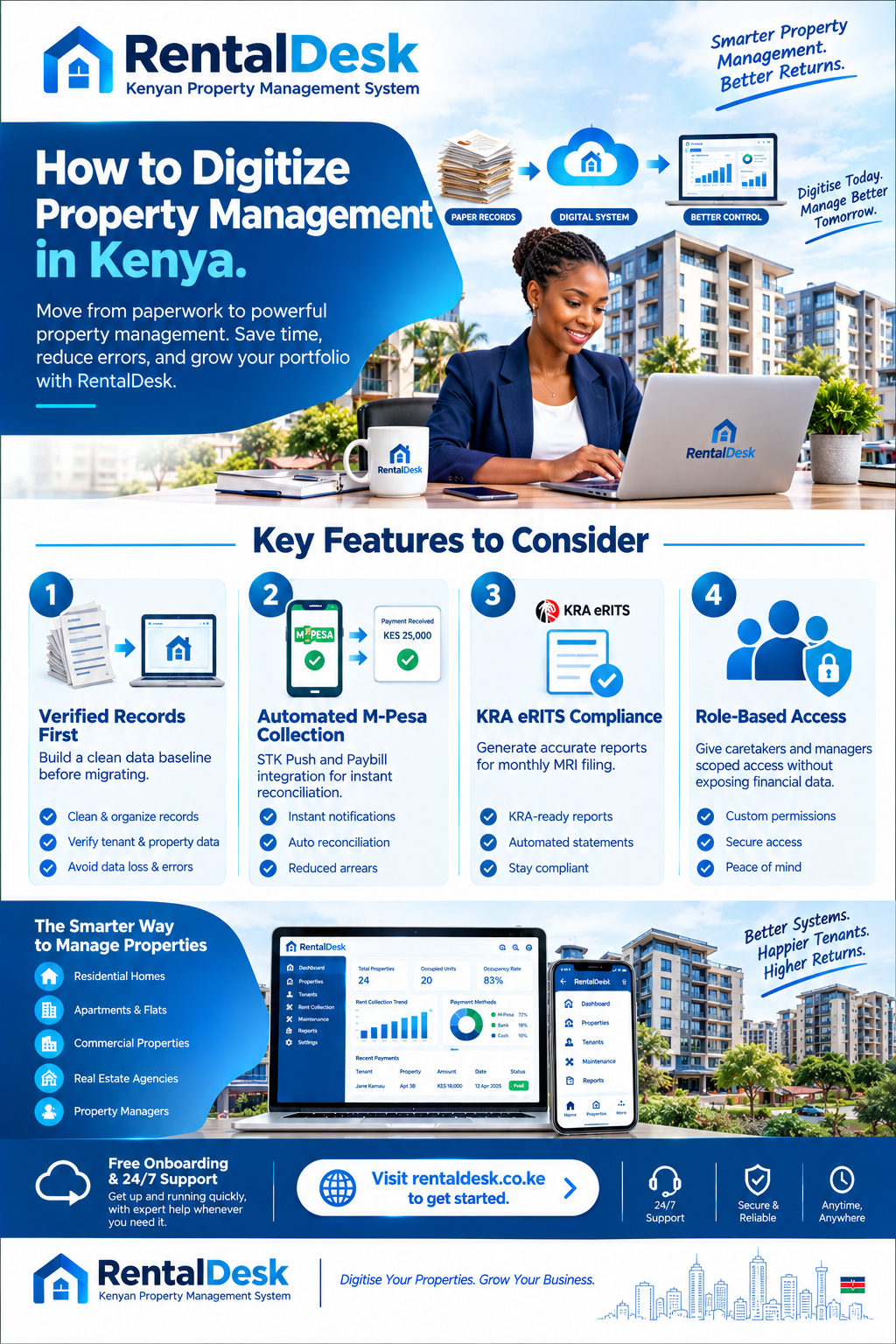
How to digitize property management in Kenya begins with an uncomfortable admission: the tools have existed for years, but most landlords have not used them. A 2023-2024 Real Estate survey by the Kenya National Bureau of Statistics found that just about 47.2 percent of real estate agents in Kenya use rent collection software . Meanwhile, over 90% of rent payments in urban Kenya flow through M-Pesa, with industry surveys consistently showing 80–90% of residential rent paid via mobile money . The gap between how tenants pay and how landlords record is the single largest operational inefficiency in Kenyan rental management. This guide is about closing it—not by buying software, but by digitizing the operation behind the software.
Why Digitizing Property Management Matters Now
The how to digitize property management in Kenya conversation has shifted from “nice to have” to “risk of non-compliance.” Three forces have converged.
Tenant expectations have hardened. Tenants now expect online receipts, mobile-based rent payments, maintenance responsiveness, and financial accountability. Local property tech has advanced, bringing tools that allow landlords to automate payments, communicate with tenants, track maintenance, and in some cases, link to micro-financing or insurance . A landlord still issuing handwritten receipts is competing against one issuing instant digital receipts from the same building.
KRA has digitized enforcement. The Kenya Revenue Authority launched the Electronic Rental Income Tax System (eRITS) in April 2025, a digital platform designed to simplify rental income tax compliance for property owners, landlords, and property managers . The platform supports voluntary compliance by integrating with eCitizen and GavaConnect, with anticipated future integration with Ardhisasa for geo-referencing and data verification of rental properties . The direction of travel is clear: KRA is building the infrastructure to match land records to tax declarations.
The land registry has gone digital. Since the launch of Ardhisasa in Nairobi in 2021, the State Department for Lands has progressively expanded the National Land Information Management System to Murang’a, Isiolo, and Mombasa . The digitisation programme has significantly reduced transaction timelines, enhanced transparency, and minimized opportunities for fraud . If land records are digital, rental records cannot remain analogue.
Understanding how to digitize property management in Kenya is therefore no longer about efficiency alone. It is about operating in the same reality as your tenants, your regulator, and your land registry.
Start With the Operation, Not the Software
The most common digitisation failure in Kenya is buying a system before designing the process. A landlord signs up for a platform, loads tenant names, discovers that half the balances are disputed, and abandons the system within three months. The software is blamed. The real failure was attempting to digitise chaos.
The how to digitize property management in Kenya process must begin with a documented operating model. Before touching any platform, write down five things: who performs each recurring task, which records are considered official, which decisions can be made locally, when the owner reviews routine results, and which events require immediate escalation.
For a landlord with a single building and a caretaker, the operating model is short. For a property manager handling fifty units across three satellite towns, it is a document. In both cases, the exercise reveals what the software must actually do—and, more usefully, what it must not.
Build a Verified Baseline Before You Digitise Anything
You cannot reconcile a payment against a balance you do not trust. The how to digitize property management in Kenya process therefore starts with verification, not data entry.
Verify the unit register. List every property, block, and rentable unit under one naming standard. Confirm which spaces are occupied, vacant, under repair, or otherwise unavailable. If the unit list differs between the caretaker, the manager, and the accountant, resolve the discrepancy physically. The differences between the three lists are usually where the money is leaking.
Verify tenant and tenancy records. Connect each occupied unit to the current tenant and agreed rental terms. Review start dates, recurring rent, service charges or utilities, deposits, notice periods, and any approved arrangement affecting the balance.
Verify opening balances. Every tenant balance must be a figure that both parties accept before it enters any system. Disputed balances are the trap. A contested figure loaded into a platform becomes permanent, and you will be arguing about it two years later. Resolve disputes now, in writing.
Clean data is more valuable than fast migration. A slower rollout with verified balances will outperform a quick rollout with contested ones in every scenario.
Digitise Payments First
If you digitise only one thing, digitise payments. M-Pesa has already solved the collection problem; the remaining problem is matching.
Move to a Paybill, not a Till or personal number
The how to digitize property management in Kenya process depends on clean payment data. A Paybill allows tenants to enter their unit number as the account reference, enabling automatic matching of payments to the correct tenant and unit. A Till Number has no account reference field, which means reconciliation by phone number or amount—both of which fail when a spouse, parent, or employer pays on the tenant’s behalf. A personal M-Pesa number is the worst option for any landlord intending to digitise, because it leaves no reliable identification trail at all.
Standardise the account reference format
The account reference is the foundation of automated reconciliation. Standardise it across all tenants and properties. If you manage multiple buildings, use a prefix that identifies the property: “KIL-A12” for Kilimani building A unit 12, “NAI-B04” for Nairobi West building B unit 4. Write this format into every lease and every reminder message. Inconsistent references are the single largest cause of unmatched payments in Kenyan rental portfolios.
Enable STK Push for reminders
RentalDesk supports M-Pesa STK Push, where tenants receive a pop-up on their phone to enter their PIN and complete payment instantly. The reminder message itself carries the payment prompt, which removes the two most common excuses: “I forgot” and “I don’t have your Paybill number.”
RentalDesk integrates directly with M-Pesa Paybill and STK Push. When a tenant pays, the system captures the amount, phone number, account reference, and transaction ID, matches the reference to the correct tenant and unit, and updates the balance in real time. For landlords in areas like Westlands, Kilimani, and the CBD where manual payment methods lead to 35% rent delays, this automation directly addresses the largest source of lost income .
Handle part-payments and unmatched payments deliberately
Most reconciliation failures are not failures of technology. They are failures of policy. Decide in advance how part-payments are allocated, how unreferenced payments are surfaced for review, and who is authorised to reassign a payment. RentalDesk posts partial payments against the open invoice and leaves the balance open, ensuring accurate accounting even when tenants pay in installments. Unmatched payments are flagged for review rather than auto-posted, preserving the audit trail.
Automate Invoicing, Reminders, and Receipts
The how to digitize property management in Kenya process must extend beyond payment capture to the full billing cycle.
Automated invoicing. RentalDesk generates invoices for all tenants across all properties automatically, regardless of portfolio size. Invoices are sent via SMS, email, and portal notifications, eliminating the manual invoicing that consumes hours each month.
Automated reminders. The reminder ladder should escalate without manual intervention. RentalDesk sends a friendly heads-up before the due date, a neutral reminder on the day, and progressively firmer messages after the due date. Most arrears are recovered at the first polite reminder, which is exactly the stage that manual systems skip when the landlord is busy.
Digital receipts. RentalDesk issues receipts automatically after payment verification. Receipts are sent via SMS, WhatsApp, or email and include the transaction ID, payment date and time, amount paid, and outstanding balance. This eliminates the “I paid” versus “I didn’t receive it” disputes that consume disproportionate time in manual operations.
Digitise Maintenance and Evidence
Maintenance is where digitisation produces the fastest visible return, because it is where tenants feel the difference.
RentalDesk allows tenants to submit maintenance requests through the tenant portal with photos and descriptions. The landlord or manager assigns the request to a local vendor or caretaker, approves the quotation, and tracks completion. Every step is recorded with timestamps and evidence.
The how to digitize property management in Kenya framework should require evidence for every completed job. This is not about suspicion. It is about protecting honest employees and ensuring that payment is released for work that was actually delivered. A written record of what was approved and what was completed prevents disputes and makes remote oversight credible.
Define a spending threshold below which the local team can act without waiting for owner approval. Above that threshold, a quotation is submitted for sign-off. This keeps small issues from becoming expensive ones while preserving control over material expenditure.
Digitise Tenant Records and Lease Documentation
The how to digitize property management in Kenya process must bring tenant and lease records into the same system as payments and maintenance. Otherwise, you have digitised transactions without digitising the context that gives them meaning.
RentalDesk stores tenant profiles including names, contact details, National ID numbers, KRA PINs, lease agreements, and payment history. Lease tracking features allow landlords to manage start and end dates, renewals, and deposits, with automated alerts before lease expiry.
Document storage is equally important. RentalDesk securely stores lease agreements, tenant ID copies, move-in and move-out inspection reports, and compliance certificates. This centralisation makes documents accessible when needed for audits, disputes, or regulatory inspections—and it removes the humidity-and-insects risk that destroys paper files in many Kenyan offices .
Digitise Compliance and KRA Reporting
The how to digitize property management in Kenya framework must treat tax compliance as a first-class requirement, not an annual afterthought.
The Monthly Rental Income (MRI) tax applies to residential rental income between KES 288,000 and KES 15 million annually, at a rate of 7.5% of gross income . The introduction of eRITS does not change these compliance requirements, but it makes accurate record-keeping more important, because the system integrates with government digital platforms and anticipates geo-referencing rental properties against taxpayer declarations .
RentalDesk generates KRA-compliant financial reports, making monthly filing straightforward. The platform tracks rental income, expenses, and arrears, providing the accurate records needed for MRI returns and reducing the risk of penalties associated with inaccurate or late filings.
Digitise the Owner Reporting Layer
The how to digitize property management in Kenya process should produce better reporting, not just faster reporting. The difference matters.
A manual report tells the owner what the manager remembers to say. A digital report tells the owner what the system actually recorded. RentalDesk generates rent collection summaries, arrears aging reports, income and expense statements, and property performance reports automatically. These reports are drawn from the same verified records used for daily operations, which means the numbers are consistent and defensible.
For diaspora landlords managing properties from abroad, this reporting layer is the difference between oversight and blind trust. RentalDesk is cloud-based, allowing landlords to access property data from anywhere—on desktop or mobile—with secure storage and backups.
Give Your Local Team Scoped Access, Not Full Access
The how to digitize property management in Kenya process must extend to how your local team interacts with the system. A caretaker who can see the landlord’s full financial picture is a liability, not an asset.
RentalDesk provides role-based access controls. Caretakers can see tenant names and unit numbers, rent status (paid or unpaid), open repairs, current vacancies, and tenant contact information. They cannot see total rent collected, deposit balances, owner statements, KRA filings, or properties outside their assigned scope. This structure reduces the risk of errors, protects sensitive information, and allows landlords to delegate confidently.
The 90-Day Digitisation Plan
A phased transition works better than a big-bang switch. The how to digitize property management in Kenya framework should follow a structured timeline.
Days 1 to 30: Verify and document
Complete the property, tenant, and financial baselines. Resolve discrepancies. Set up your M-Pesa Paybill or confirm that your existing one can be connected to a management platform. Write down the authority matrix and escalation triggers.
Days 31 to 60: Configure and test
Set up RentalDesk with your verified data. Configure automated invoicing and reminders. Train your local team on the caretaker and manager views. Run the system alongside your existing process for two weeks and compare the results. Count the manual interventions—that number predicts your monthly workload with any system.
Days 61 to 90: Go live and review
Switch off the old process. Hold a weekly review for the first month to catch configuration issues early. Review the exception reports daily. By the end of the 90 days, you should have a working digital operation that does not depend on any single person being present, awake, or available.
Common Digitisation Mistakes to Avoid
The how to digitize property management in Kenya journey has predictable failure modes.
Migrating messy data. Loading disputed balances and inconsistent tenant names transfers problems rather than solving them. Clean first, migrate second.
Choosing software before defining process. A platform cannot compensate for an undefined operating model. The authority matrix and escalation triggers come before the subscription.
Digitising payments but not maintenance. A landlord who reconciles M-Pesa digitally but still handles repairs through WhatsApp has digitised the easy half of the operation.
Giving everyone full access. Role-based access is not a feature. It is the control that makes delegation safe.
Treating compliance as separate from operations. KRA reporting should be a by-product of normal record-keeping, not a quarterly reconstruction exercise.
Why Digitisation Pays for Itself
The how to digitize property management in Kenya argument is ultimately financial. A landlord managing 30 units who reconciles M-Pesa payments manually spends 4–6 hours per month on reconciliation alone . At 50 units, it becomes a half-day exercise that repeats every month. At 200 units, it is a full-time job .
Digitisation converts that time into system time. It also converts cash-flow uncertainty into real-time visibility. The history generated by digital tools can provide credible alternative credit histories, enabling property owners to access loans for renovations, bridge financing during tenant turnover, or mortgages for property expansion . A landlord with clean digital records is a more investable landlord.
How RentalDesk Fits the Digitisation Framework
RentalDesk is built specifically for the Kenyan market, addressing the practical requirements of digitisation rather than the theoretical ones.
M-Pesa integration. RentalDesk connects directly to M-Pesa Paybill and STK Push, capturing and reconciling payments automatically.
Automated billing. RentalDesk generates invoices, sends reminders, and issues receipts without manual intervention.
Maintenance workflows. RentalDesk handles the full chain from tenant request to vendor assignment to completion evidence.
KRA-ready reporting. RentalDesk produces financial reports suitable for MRI filing and audit purposes.
Role-based access. RentalDesk gives caretakers, managers, and owners different levels of visibility, protecting sensitive data while enabling delegation.
Cloud access. RentalDesk is accessible from anywhere, which makes it suitable for diaspora landlords and managers overseeing multiple locations.
The Future of Digitised Property Management in Kenya
The how to digitize property management in Kenya landscape is accelerating. The global AI in real estate market was valued at approximately $1.96 billion in 2025 and is projected to reach $7.61 billion by 2033, driven by rising adoption of predictive analytics, automated property management, and AI-driven customer engagement tools . In Kenya, this shift is unfolding within a uniquely mobile-first environment, with mobile penetration standing at over 140 percent in 2025 .
The next phase of digitisation will not be about replacing manual processes. It will be about using the data those processes generate to make better decisions: which tenants are at risk of default, which properties are underperforming, which maintenance issues are recurring, and which rent reviews are justified by market evidence.
The landlords who digitise first will not simply have tidier records. They will have an operational advantage—lower arrears, faster maintenance, better tenant retention, and a compliance position that withstands scrutiny.
How to Get Started
Implementing the how to digitize property management in Kenya framework is straightforward with RentalDesk .
Step 1: Verify your baseline. Complete the property, tenant, and financial verification before loading any data.
Step 2: Sign up for RentalDesk. Visit RentalDesk and choose a plan that matches your portfolio size. The Free Lite plan supports one property with up to five units; Starter covers up to 99 units; Estate Manager supports 100–999 units.
Step 3: Configure M-Pesa collection. Set up your Paybill or STK Push connection and standardise your account reference format.
Step 4: Invite your team. Create user accounts with role-based permissions. Train caretakers on the mobile workflows they will use daily.
Step 5: Activate automation. Turn on invoicing, reminders, and receipts. Configure the reminder ladder and late-fee rules.
Step 6: Establish your review routine. Set daily, weekly, and monthly review schedules. Use the RentalDesk dashboard to monitor exceptions and performance.
Step 7: Review and refine. After the first month, adjust your authority matrix, escalation triggers, and reporting expectations. Digitisation is an operating model, not a one-time installation.
- How to digitize property management in Kenya
- How to digitize property management in Kenya
- How to digitize property management in Kenya
- How to digitize property management in Kenya
- How to digitize property management in Kenya
- How to digitize property management in Kenya
- How to digitize property management in Kenya
- How to digitize property management in Kenya
- How to digitize property management in Kenya
- How to digitize property management in Kenya
- How to digitize property management in Kenya
- How to digitize property management in Kenya