A rent receipt correction should make the payment record easier to understand without hiding what happened before. A tenant may report a wrong unit reference, an incorrect name, or a receipt that appears twice. The office needs to identify the actual error before editing anything, because changing a document label is different from changing a payment allocation or account balance.
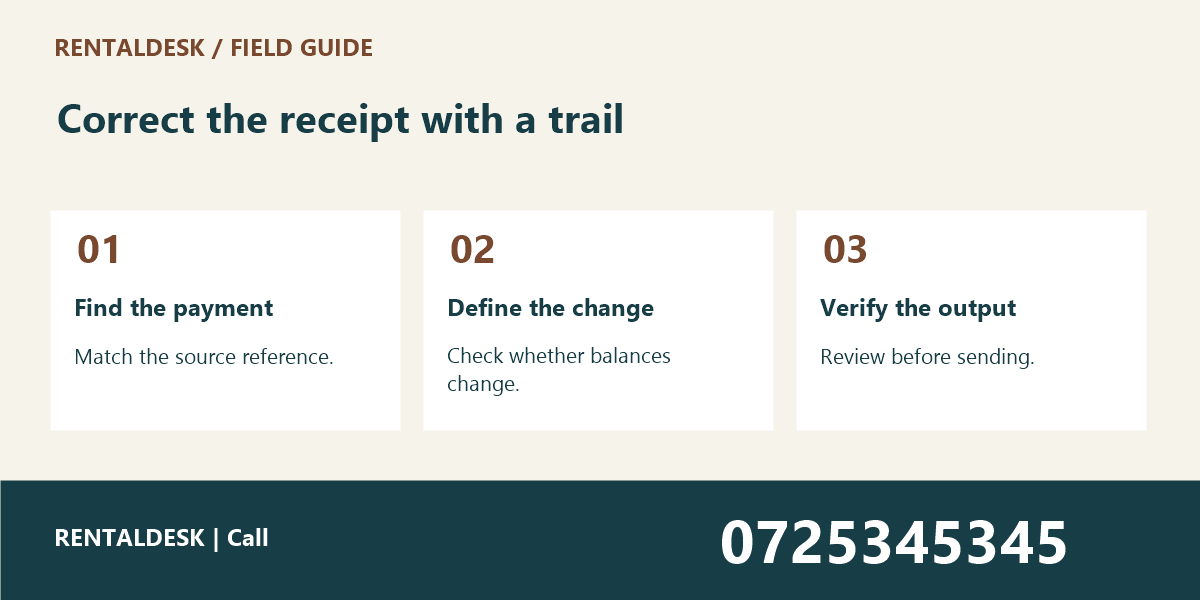
This guide outlines an administrative review process for Kenyan rental teams. Follow your organisation’s accounting controls and software instructions for any actual adjustment. For help organising rental records and discussing your workflow, visit RentalDesk or call 0725345345. Keep the original evidence available throughout the review.
1. Define the rent receipt correction request
Ask the person reporting the issue to identify the receipt and explain what appears wrong. Record the receipt reference, relevant property, unit, and date. A complaint that “the receipt is wrong” does not tell the reviewer whether the problem concerns the amount, recipient, reference, period, or display format.
Separate the visible document from the underlying transaction. A misspelled name on a receipt may leave the payment amount and allocation correct. A payment assigned to the wrong unit is a different problem. Start by classifying the issue so that the reviewer follows the appropriate process instead of making a broad edit that changes unrelated information.
Do not infer the correction solely from a screenshot. Screenshots can be cropped, duplicated, or separated from the original record. Use the approved payment and receipt records to establish what was issued. Retain the report as supporting context, but confirm the transaction in the source system.
A rent receipt correction request should have an owner and a status. “Received,” “under review,” and “resolved” communicate different stages. A clear status helps staff answer follow-up calls without guessing whether a colleague has already changed the record.
2. Rent Receipt Correction: Match the receipt to the source payment
Compare the receipt with the payment identifier, date, amount, and recorded payer information available through your approved sources. Use the full transaction reference where required by your process. Similar amounts on the same day do not prove that two entries represent the same payment.
Check the building as well as the unit. Two properties can each have a Unit A1, and a shorthand reference can be ambiguous. The rent reference errors guide explains why identifying the correct account comes before allocation. A receipt review should use that same discipline.
If the payment cannot yet be identified confidently, keep the issue pending and request the missing information through the normal channel. Do not create a replacement receipt merely to close the support request. A document issued without a verified source can create another record that later needs correction.
Keep financial evidence within the authorised review process. Avoid forwarding full statements or unrelated transaction lists to broad staff groups. The reviewer needs enough information to identify the payment, but other tenants’ details and unrelated activity should not be included unnecessarily.
3. Rent Receipt Correction: Determine whether the ledger is affected
Once the payment is matched, establish whether the error is only in the receipt presentation or also in the account record. This distinction determines who should approve the next action. A formatting correction may follow one workflow, while a change to allocation or value may require a separate controlled adjustment.
Do not edit a balance merely to make it match a requested receipt. The balance should follow the verified transactions and authorised adjustments. If the record appears inconsistent, investigate the entries that produced it. A receipt is evidence of a recorded event; it should not be used as a shortcut around the underlying accounting process.
Check whether another receipt or correction already exists. A tenant may forward an older version after the office has issued an updated document. Comparing reference, issue time, and status can prevent the same issue from being processed twice. Confirm which document is current before creating another.
For commercial tenants using a separate sales system such as Vega, distinguish their business receipts from the landlord’s rent receipts. The systems serve different records and responsibilities. Do not assume a payment entry in one automatically proves the state of a rent account in the other.
4. Rent Receipt Correction: Follow the approved correction method
Use the method supported by your software and internal controls. Depending on the issue, this may involve a revised document, a void-and-reissue process, or a separate authorised adjustment. Confirm the appropriate approach with the responsible administrator or accounts reviewer rather than improvising an unsupported edit.
Preserve traceability between the original receipt and the corrected record. A colleague should be able to understand why the correction occurred, who approved it, and which document should now be used. Avoid deleting the original history simply because the replacement looks cleaner.
Record a specific reason. “Corrected building reference after review” is more useful than “updated.” Keep the explanation factual and proportionate. If the issue is still disputed or uncertain, state that accurately rather than writing a final conclusion that the evidence does not support.
Apply only the authorised change. If the request concerns one receipt field, do not simultaneously alter tenant contact details, payment dates, or unrelated allocations without the appropriate separate instruction. Narrow corrections are easier to review and less likely to create unexpected consequences elsewhere.
5. Rent Receipt Correction: Verify the result before sending it
Open the corrected receipt and compare it with the authorised instruction. Check the reference, property, unit, date, amount, and relevant recipient details. Do not rely only on a success message from the editing screen. The output document may use a template or cached value that needs a separate check.
Where the ledger was affected, have the appropriate reviewer confirm the resulting entries and balances through the approved process. This is particularly important when a payment moves between accounts. Both the source and destination records need to make sense after the correction.
Check that the old and new document statuses are clear. If both appear current, recipients may use different versions in later discussions. Follow the system’s supported way of showing which record has been superseded or voided. Do not use an informal filename alone as the only indication of status.
Test any download or sharing link intended for the recipient. Confirm that it opens the correct document and does not expose a folder containing unrelated records. A correct receipt sent through an overly broad link can still create a privacy problem and confuse the recipient about which file to use.
6. Rent Receipt Correction: Explain the correction clearly to the recipient
Use a concise message that identifies the receipt and explains the specific correction. State whether the change affects only the document details or also reflects an authorised account adjustment. Avoid language that suggests a new payment was received when the office has only corrected the presentation of an existing one.
Send the document through the verified contact channel in the tenant record. If the person asks for delivery to a new number or address during the same conversation, follow the contact-change verification process first. Urgency is not a reason to send private account information to an unverified destination.
Give the recipient a clear way to raise a remaining question. A correction message should not force them to retell the entire issue to another colleague. Include the relevant reference and contact route, while keeping the message free of unrelated account details.
For software workflows that need a more structured correction request or approval history, Zama describes custom business-system services. Treat verification, permissions, audit history, and document access as requirements to discuss directly. Do not assume a custom integration already exists between separate platforms.
7. Rent Receipt Correction: Close the issue and review recurring causes
Close the rent receipt correction request after the saved record, output document, and communication have been checked. Record the final outcome and responsible reviewer. If a further accounts decision remains pending, keep that task visible rather than marking the entire matter complete prematurely.
Review repeated errors by cause. Wrong unit references, duplicate imports, unclear account identifiers, and manual typing mistakes may need different improvements. A short monthly review can identify which part of the process causes the most avoidable work. Use actual records with personal details removed when training staff.
Do not measure the process only by how quickly tickets are closed. A rushed correction that creates a second error costs more time later. Useful checks include whether the source payment was identified, whether the authorised change was narrow, and whether the final document was verified before sending.
Keep issued reports in mind. If a correction affects a reporting period already shared with an owner, follow the organisation’s report-correction process. The owner report cutoff guide explains the importance of stating which activity a report includes and when that snapshot was taken.
Rent Receipt Correction: A fictional example: correct label, unchanged payment
Suppose a verified payment belongs to Building P014, Unit U03, but the generated receipt displays U04 because of a document field error. The reviewer confirms that the payment is already allocated correctly in the ledger. The approved action is therefore to correct the receipt field through the supported process, preserve the original reference, and verify the output.
In this example, changing the account balance would introduce an unnecessary error. The reviewer should state that the payment allocation remained unchanged and that the document reference was corrected. The recipient then understands why a replacement was issued without assuming another payment or refund occurred.
Now consider a different situation: the payment itself was allocated to the wrong account. That requires the appropriate authorised ledger process before the resulting receipt can be verified. The similar-looking complaint leads to a different action because the source records show a different underlying problem.
A short rent receipt correction checklist
Record the request reference, original receipt, source payment, property and unit, reported error, verified findings, ledger impact, authorised action, approving person, corrected document reference, final checks, recipient channel, and closure date. Use the checklist to support your existing controls rather than create a competing payment record.
When training staff, use fictional payments and test documents. Ask the trainee to explain whether the issue affects the receipt label, the payment record, or both. The ability to make that distinction is more valuable than memorising a sequence of buttons without understanding what the correction changes.
Rent Receipt Correction: Frequently asked questions
Rent Receipt Correction: should the original receipt be deleted?
Follow the software’s supported correction process and your organisation’s recordkeeping requirements. Preserve the traceability needed to understand the change. Do not delete history simply to prevent someone from seeing that an error occurred.
Rent Receipt Correction: does a corrected receipt mean another payment was received?
Not necessarily. It may document a correction to an existing transaction. The message and record should make that distinction clear, and the source payment identifier should support the explanation.
Rent Receipt Correction: can the caretaker approve every correction?
Use the roles and approval limits established by your organisation. A caretaker may provide useful evidence, but changes affecting financial records should follow the appropriate review and authorisation process.
Rent Receipt Correction: Test the handover between support and accounts
Review one fictional rent receipt correction with both the person receiving the complaint and the person authorised to review the financial record. The first person should capture the receipt reference and reported problem accurately. The reviewer should be able to identify the source transaction and explain what, if anything, needs changing.
If the handover requires several calls to establish basic facts, improve the request form. Add the missing reference or clarify the question rather than asking for an entire account history by default. The best handover gives the reviewer the relevant evidence while keeping unrelated private information out of the discussion.
After the sample correction, ask another colleague which receipt is current and why. If the answer depends on knowing the original reviewer personally, the record is not yet clear enough. Improve the status or explanation so that the next person can understand the outcome from the saved record. This check helps prevent old versions from returning in later conversations.
Rent Receipt Correction: what belongs in a team handover?
Include the original receipt, verified payment, authorised change, current document, and review outcome. Keep the rent receipt correction handover in the agreed shared record. Ask the incoming colleague to identify the next action without relying on a private conversation, and resolve any ambiguity before responsibility changes.
Rent Receipt Correction: Build a clear correction trail
A reliable rent receipt correction process starts with the source payment and ends with a verified document. Keep the scope narrow, preserve the reason, and explain the outcome clearly. To discuss organising rental administration with RentalDesk, call 0725345345.