
A property key register helps rental teams know which key was issued, who received it, why it was needed, and when it came back. Without that record, a viewing can start with a search through drawers and phone calls to yesterday’s caretaker. A simple register gives managers a reliable handover process while keeping sensitive access information in an appropriate, restricted place.
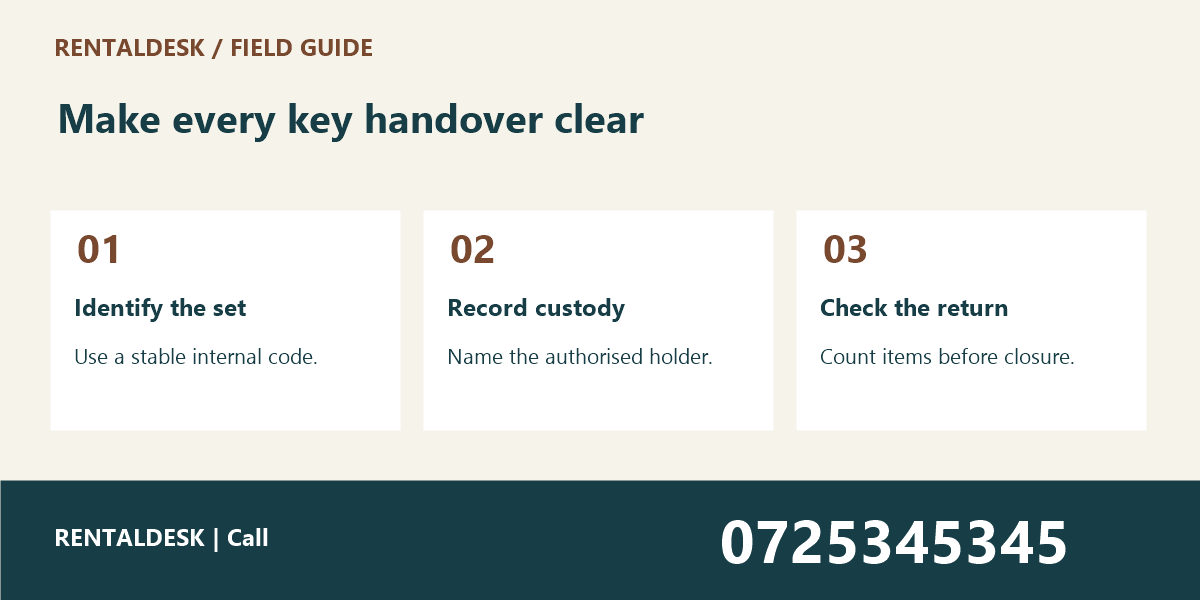
The aim is to record custody clearly, not to publish a map of how to enter every building. Use neutral identifiers on key tags and store the matching property details securely. This guide explains seven practical steps for Kenyan property teams. For help organising your rental operations, visit RentalDesk or call 0725345345.
1. Property Key Register: Give each key set a stable reference
Start by defining what you are tracking. A set may contain a unit key, a gate key, and an access device. Record the number and type of items in that set without putting unnecessary access details on an exposed tag. A stable reference such as a controlled internal code makes the set identifiable throughout its working life.
Avoid naming sets only after the current tenant or caretaker. People change, but the physical items and their custody history still need to be understood. Link the set reference to the appropriate building and unit within the restricted register. Keep naming consistent across the office, caretaker records, and any approved digital system.
Before creating a new entry, check whether the set already exists. Two records for the same set can make it look as though a missing item is available elsewhere. If you discover duplicates, investigate and reconcile them through your normal process, preserving the history needed to explain earlier handovers.
A property key register should identify items without exposing a complete access route to an unauthorised person. Do not attach a full address, resident’s name, access code, and key description together on a public tag. Separate the practical need to recognise a set from the sensitive information that explains where it works.
2. Property Key Register: Establish a physical opening inventory
Count the sets physically present before relying on an old spreadsheet. Compare each set with its recorded contents and note discrepancies. A register that starts with unverified assumptions will carry those errors into every later handover. Plan the count at a time when routine viewings and contractor visits will not interrupt it constantly.
Use two people for the initial reconciliation when your staffing allows it. One person identifies the set and reads the reference; the other checks the record. This is especially helpful when labels are faded or several sets look similar. Do not test unidentified keys on occupied premises without an authorised arrangement.
Record exceptions honestly. “Location not yet confirmed” is better than marking an unlocated set as available. Assign the discrepancy to a responsible manager and agree the next action. The response to a missing key depends on the access risk and your established security procedure, rather than a generic instruction to wait indefinitely.
Inventory should cover access devices as well as metal keys where relevant. A returned key does not necessarily mean that every issued item has been returned. Keep counts explicit so that staff can compare what left the office with what came back, and refer technical access-control questions to the appropriate responsible person.
3. Property Key Register: Record the reason and authority for issue
Every issue should have a clear business purpose, such as an agreed viewing or approved maintenance visit. Record who authorised the issue and who received the set. A familiar face is not a substitute for the agreed process. The person handing over the key should be able to explain why the recipient is entitled to receive it.
Use a job or appointment reference when one exists. This connects the handover to the work without repeating unnecessary personal information in the key register. For a viewing, link to the relevant appointment. For maintenance, link to the job record and authorised scope rather than simply writing “contractor.”
Keep access permission separate from possession. Having a key does not by itself establish permission to enter an occupied unit. Staff should follow the arrangements and applicable requirements governing the visit. The register records custody; it does not replace the process for arranging lawful and appropriate access.
If transport is part of a site visit, arrange it independently from the key issue. A service such as Dereva provides a place to explore driver options, but transport arrangements do not authorise a driver or any other third party to receive property access items. Confirm responsibilities directly with the people involved.
4. Property Key Register: Agree a return time before the set leaves
A return deadline makes the handover actionable. “After the viewing” can mean different things when appointments change. Record an agreed date and time, along with the person or office expected to receive the set. If the office will be closed, use an approved arrangement rather than improvising an insecure drop-off location.
Give the recipient a concise handover summary. Include the set reference, item count, purpose, and return arrangement. Avoid sending sensitive access information to a group chat that includes people who are not involved. The summary should confirm the transaction without distributing more information than the recipient needs.
For multiple visits, decide whether the set remains with one authorised person or is returned between appointments. Either process can be documented, but informal transfers between colleagues create gaps. If custody changes, record the new handover rather than assuming the original recipient remains responsible for items they no longer hold.
Use the viewing confirmation message guide to make appointment details clear before the visit. A well-confirmed appointment reduces last-minute confusion, while the property key register explains the separate question of who holds the required set.
5. Property Key Register: Check the returned items physically
Close an issue entry only after the returned set has been checked. Compare the reference and item count with the original handover. A message saying “left at reception” should trigger a receiving check, not an automatic assumption that every item has been returned in good condition.
Record who received the set and when. If the recipient notices a broken tag, damaged item, or missing component, note that exception before placing the set back into circulation. Do not mark the set as ready for another viewing until the appropriate person has reviewed the issue.
Keep “returned” distinct from “available.” A returned set may still need inspection, relabelling, or another action. Clear statuses prevent a colleague from promising an appointment based on a key that is physically present but not ready to use. Choose a small number of statuses and define them for the whole team.
When a unit is being prepared for advertising, coordinate the key check with the current condition record. The vacant unit photos guide helps teams confirm that images belong to the correct premises. Matching the appointment, unit record, and key reference reduces avoidable errors at the door.
6. Property Key Register: Review overdue issues and unexplained transfers
Set a routine time to review outstanding entries. The review should identify sets past their agreed return time, entries with no recipient, and transfers that were mentioned in a message but never recorded. Assign each exception to someone who can act rather than leaving a growing list for the next shift.
Contact the recorded holder through the agreed channel and document the response. If the return time changes, record the new arrangement and the person who approved it. Avoid silently extending deadlines simply to make the overdue list look clean. The register is useful because it reflects reality, including unresolved items.
A missing key can require an urgent security response. Follow the property’s established escalation process and involve the responsible manager promptly. This article does not prescribe a universal response because the implications differ between a store cupboard key, an occupied unit key, and a device that opens shared areas.
Review patterns after the immediate issue is handled. Repeated late returns may point to unrealistic appointment spacing, unclear handovers, or an unsuitable collection arrangement. Improve the process using the evidence. Do not solve an operational problem by removing the record that makes it visible.
7. Property Key Register: Keep the register usable across staff changes
A property key register should remain understandable when the usual caretaker is away. Document the naming convention, statuses, issue process, return process, and escalation contact. Store this short procedure where authorised colleagues can find it. A register that depends on one person’s memory will fail at the busiest moment.
Limit access to the people who need it for their duties. Review access when staff or contractors change roles. Avoid copying the entire register into personal messaging accounts or leaving printed lists beside publicly accessible keys. The same care applies whether the register is on paper, in a spreadsheet, or in property software.
Schedule periodic physical checks rather than assuming the opening inventory remains correct forever. The frequency should match your volume of handovers and risk. Record the date, reviewer, and unresolved differences so that the next check starts from a clear position.
For organisations managing group-owned properties, keep ownership reporting separate from day-to-day key custody. TAS describes tools for chama contributions, meetings, and member records. Group governance records may explain who approves a policy, while the property key register records the actual issue and return of access items.
Property Key Register: A sample handover record
An effective entry can contain the set reference, associated property record, item count, purpose, appointment or job reference, authorising person, recipient, issue time, expected return, actual return, receiving person, status, and exception notes. Include only fields your team can complete accurately and use in a real review.
For example, an authorised agent receives a two-item set for a scheduled vacant-unit viewing. The office records the handover and expected return. At return, a colleague checks both items, records receipt, and makes the set available again. If only one item comes back, the exception remains visible and is escalated through the agreed process.
Do not place genuine property addresses, access codes, or identifiable resident details in training examples. Use fictional records when showing a new staff member how to complete the form. This makes it possible to practise the workflow without spreading real access information beyond its intended audience.
Common questions about a property key register
Property Key Register: can we use a spreadsheet?
A controlled spreadsheet can support a small operation if staff use one agreed version and protect access appropriately. As handovers increase, review whether it gives you the history, permissions, and availability checks you need. A tool should fit the process rather than create several competing lists.
Property Key Register: should contractors sign for keys?
Use the acknowledgement method required by your organisation’s handover policy. The important point is that the record clearly identifies the recipient, issued items, purpose, and return arrangement. Confirm that staff understand how to capture and retain that acknowledgement consistently.
Property Key Register: what if a viewing is cancelled?
Update the appointment and check whether a key has already been issued. A cancelled calendar entry does not automatically bring the physical set back. Arrange its return or an explicitly approved revised use, and record the outcome in the property key register.
Property Key Register: Practise a shift change before relying on the register
Choose a quiet handover and ask the incoming colleague to locate one available set using only the property key register and the approved storage arrangement. Then ask them to identify one issued set and its expected return. This reveals whether the codes, statuses, and physical storage agree in practice.
If the colleague needs an explanation that is not recorded anywhere, improve the procedure. Perhaps two storage positions have similar names, or an old tag is still attached to a replacement set. Resolve the specific ambiguity and check again. Avoid adding a long general note that does not answer the practical question.
Keep a record of the training check without including unnecessary access details. A simple note that the issue-and-return process was demonstrated can be enough for an internal training record. The operational register remains the place for actual custody events. Separating training from real handovers prevents fictional examples from being mistaken for live key movements.
Property Key Register: what belongs in a team handover?
Include the current inventory, outstanding issues, return deadlines, restricted storage arrangement, and escalation contact. Keep the property key register handover in the agreed shared record. Ask the incoming colleague to identify the next action without relying on a private conversation, and resolve any ambiguity before responsibility changes.
Property Key Register: Make the next handover easier
Begin with a verified inventory and a simple issue-and-return process. Keep sensitive access details restricted, make overdue items visible, and ensure every exception has a responsible person. For a discussion about organising your rental workflows, contact RentalDesk on 0725345345.