
Landlord Dashboard for Property in Kenya: A Practical Guide to Remote Rental Oversight
A Landlord dashboard for property in Kenya should give an owner a dependable view of what is happening across rentals without requiring a new spreadsheet, a long WhatsApp conversation or a trip to every building. It should help answer the questions that matter each day: which units are occupied, which tenants have paid, what remains overdue, which M-Pesa transactions need review, what maintenance is open and whether the records are ready for an owner report.
That visibility is especially valuable when the owner lives outside Kenya, has several properties, works through a property manager or wants to separate oversight from daily administration. A dashboard does not replace the people who inspect buildings, speak with tenants and approve work. It gives those people and the owner a shared operating record so that decisions can begin with current information rather than conflicting updates.
This guide explains what a useful Kenyan landlord dashboard should show, how RentalDesk connects dashboard figures to units, tenants, charges, payments and property activity, and how landlords can use the information without treating every number as automatically correct. It is written for individual owners, diaspora landlords, foreign owners with Kenyan rental property, developers retaining completed units and teams managing portfolios on behalf of owners.
What is a landlord dashboard for property in Kenya?
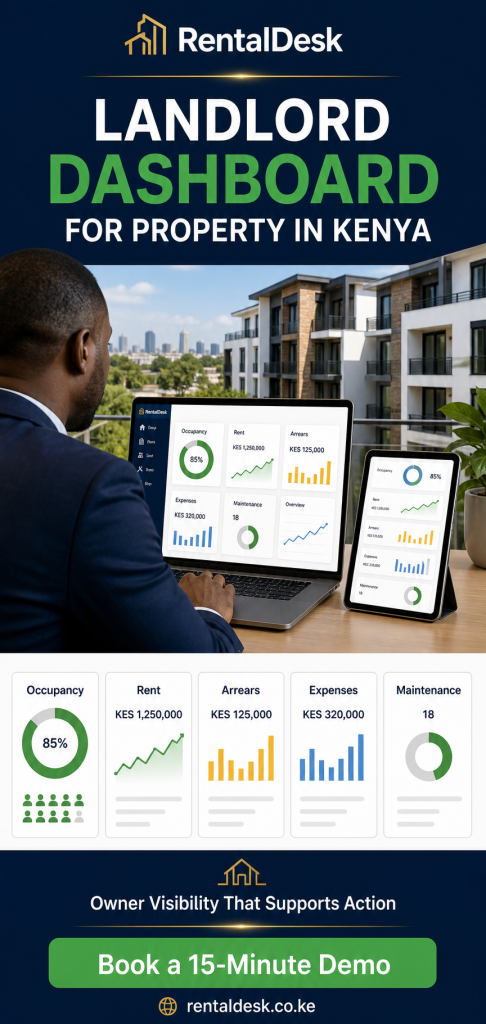
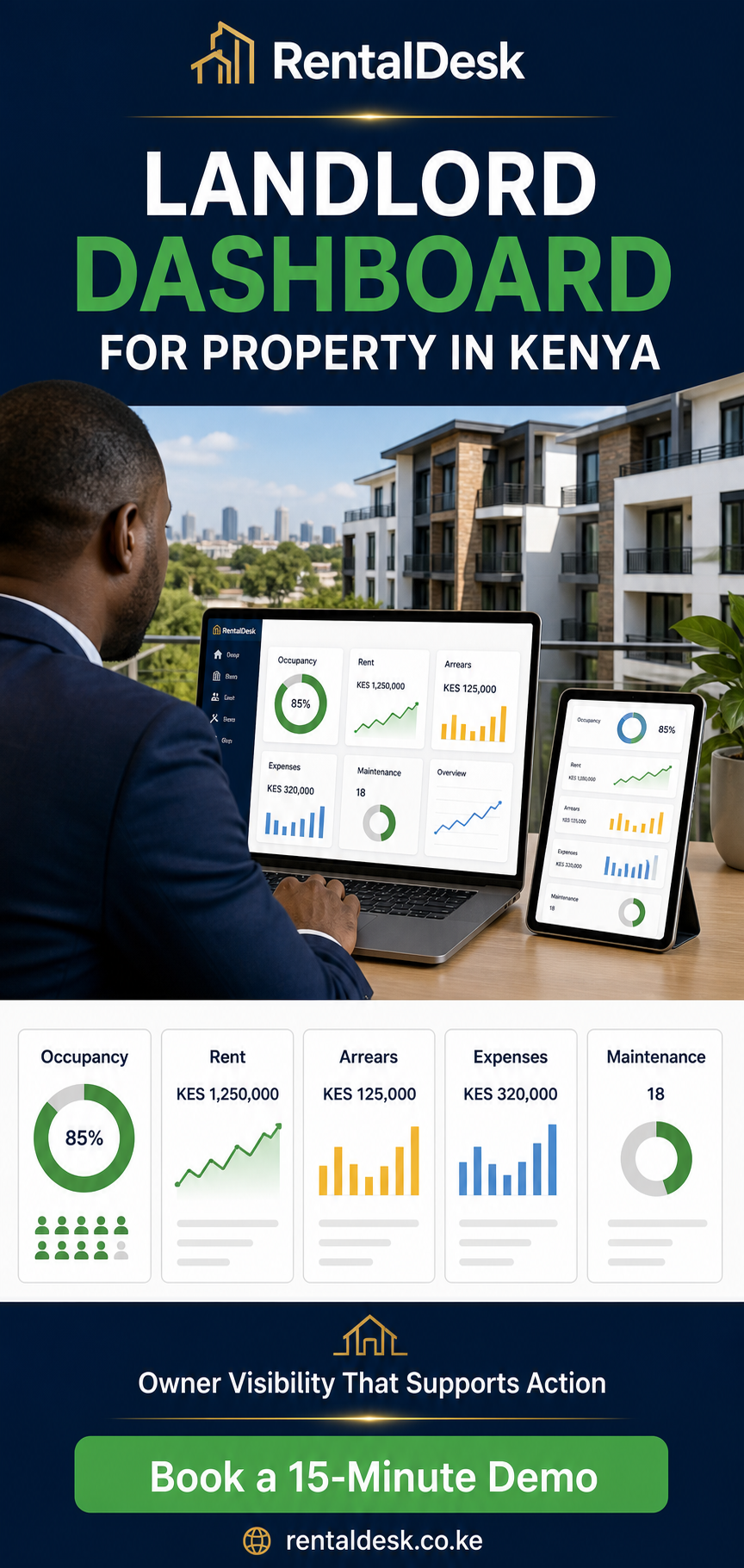
A landlord dashboard is a visual summary of selected rental records. It brings important figures and exceptions into one place so that an authorised user can understand the portfolio before opening individual tenant, unit or transaction records. Depending on the configured workflow, a dashboard may summarise properties, blocks, units, occupancy, charges, recorded payments, balances, arrears, maintenance activity and reporting status.
The word dashboard can be misleading when it is used for a page containing attractive charts that are not connected to reliable records. A serious dashboard is not a separate presentation assembled at the end of the month. Its figures should be derived from the same property structure, tenant accounts, invoices, receipts, payment records and expense entries used by the operational team. When a user needs to investigate a number, the underlying record should be available to an appropriately authorised person.
RentalDesk provides a cloud-based workspace for Kenyan rental operations. Owners and authorised teams can organise properties and units, maintain tenant records, record charges and payments, monitor balances, coordinate maintenance and produce reports. The dashboard is useful because those activities are connected. Prospective buyers can review the broader RentalDesk feature set before deciding which view and workflow fits their portfolio.
A dashboard is not a substitute for controls
No software view should be treated as infallible. A dashboard reflects the records entered, imported or received through configured integrations. If a tenant pays with an incorrect reference, a staff member records a charge against the wrong unit, or an expense has not yet been approved and entered, the summary may require investigation. Good use therefore combines fast visibility with reconciliation, exception review, permissions and periodic checks.
The dashboard should tell the owner where to look, not encourage the owner to ignore the underlying detail. For example, a collections figure may show money recorded during a period, while a separate tenant balance explains what the payment settled. An arrears total may be accurate according to posted charges but still require the team to review an approved payment plan. Clear definitions matter.
The operational questions a useful dashboard should answer
The best dashboard is not the one with the greatest number of widgets. It is the one that helps the owner and management team act. Before configuring any software, write down the questions that currently cause delay or uncertainty. They often fall into five groups.
1. What does the portfolio contain?
- How many properties, blocks and units are currently recorded?
- Which units are occupied, vacant, reserved or under attention?
- Which property or owner does each unit belong to?
- Are the correct rent and recurring charges attached to each tenancy?
2. What has been billed and paid?
- What charges were raised for the current period?
- How much has been recorded as paid?
- Which transactions remain unmatched or require a person to review them?
- Which tenant accounts show partial payments, overpayments or outstanding balances?
3. Where is action required?
- Which tenants require an arrears follow-up?
- Which maintenance requests are open, assigned, awaiting approval or completed?
- Which utility or service-charge entries are missing or disputed?
- Which leases, deposits or tenant records require attention?
4. How is each property performing?
- What is the occupancy level for each building?
- How do collections and arrears compare across properties?
- What expenses or maintenance costs were recorded?
- Can the owner inspect a rent roll, tenant ledger, receipt or expense detail behind the summary?
5. Can the owner trust the process?
- Who is allowed to view, enter, approve or change records?
- Are exceptions visible, or are they hidden inside private messages?
- Is there an audit trail for important activity?
- Can the team close the month using a repeatable checklist?
These questions turn the dashboard from a decorative report into an operating tool. They also reveal which information should remain at summary level and which information needs a route to supporting detail.
Portfolio, property and unit visibility
Every dashboard begins with a correct property structure. Rental records are difficult to interpret when buildings, blocks and units are named inconsistently. One employee may call a unit “A-4,” another may write “Block A House 4,” and a bank or M-Pesa reference may use a tenant name. A standard structure reduces these avoidable differences.
RentalDesk can organise multiple properties and units in one system. An owner can review the portfolio, then narrow the view to a building, unit or tenant where more detail is needed. This is useful for a landlord who owns apartments in different Kenyan towns, a developer retaining units across completed projects, or a foreign owner whose local team manages more than one building.
Start with the unit register
The unit register should be treated as foundational data. Each rentable unit needs a consistent identifier, property and block assignment where applicable, occupancy status and relevant tenancy information. The team should agree on naming before importing historical records. Changing names casually after payments have already been referenced can create confusion.
A good dashboard then presents counts in context. “Five vacant units” means little without knowing whether the portfolio has ten units or five hundred, how long the vacancies have lasted and whether some units are intentionally unavailable. The summary should prompt investigation rather than make assumptions about the cause.
Move from portfolio to property, not from message to message
Owners often receive updates one incident at a time: a tenant has paid, another needs a repair, a unit may be vacant. That makes it hard to understand the whole portfolio. A structured dashboard reverses the sequence. The owner first sees the portfolio picture, then opens exceptions requiring attention. Routine transactions remain recorded without consuming the entire conversation.
This layered view is important when responsibilities are divided. A caretaker may need unit and maintenance information. An accountant may need charges, payments and balances. A portfolio manager may need comparisons across buildings. The owner may need a concise overview and selected reports. Role design should reflect those needs.
Rent, M-Pesa payments and reconciliation on the dashboard
Kenyan rental operations frequently depend on M-Pesa, but a payment notification is not the same as a reconciled tenant account. The operational task is to connect money received to the correct tenant, unit and charge. Wrong account references, partial payments, payments made by relatives and overpayments all require a controlled process.
RentalDesk supports configured M-Pesa collection workflows, including Paybill, Till, STK and ZivoPay arrangements where applicable to the customer’s setup. The system can help bring payment information into the rental workflow, but it should not be marketed as if every transaction always matches itself perfectly. Exceptions still require review. The M-Pesa rent collection system overview explains the wider collection and reconciliation use case.
Collections need definitions
When a dashboard shows “collections,” the team should agree on what that means. Is it all recorded payments received during the date range? Does it include deposits? Are service charges separated from rent? Are reversed or corrected entries treated consistently? A clear definition prevents two managers from interpreting the same figure differently.
The dashboard should also distinguish a received transaction from an allocated payment where the workflow requires that distinction. If a transaction cannot be confidently matched, putting it into an exception queue is more responsible than forcing it onto the wrong tenant ledger. The owner can then see that money was received while the team completes the allocation.
Partial payments, overpayments and unmatched items
Real rental payments do not always follow a perfect monthly pattern. A tenant may pay in two instalments. Another may pay extra to cover a utility charge. A third may use an outdated reference. A useful landlord dashboard helps surface these cases while tenant ledgers retain the detail.
For the owner, the goal is not to personally resolve every exception. The goal is to know whether the team has a visible queue, an assigned responsibility and a reasonable review routine. Unmatched payments should not disappear in a private spreadsheet. Partial payments should not be reported as complete simply because some money was received. Overpayments should be reflected according to the configured accounting treatment.
From payment to receipt and ledger
A controlled workflow connects the recorded payment to a receipt and tenant ledger. The dashboard can summarise progress, while the ledger explains charges, payments and the resulting balance. This is more useful than relying on screenshots because the record remains attached to the tenancy and can be reviewed later by an authorised person.
Owners should ask how corrections work. If a payment is allocated incorrectly, the team needs a traceable method to correct it instead of deleting history without explanation. Auditability is part of financial confidence.
Arrears, balances and follow-up priorities
Arrears are rarely solved by looking at one total. A landlord needs to know which tenant owes money, what period or charge created the balance, whether a recent payment is awaiting reconciliation, and what follow-up has already occurred. A dashboard provides the starting point; tenant-level records provide the evidence.
An arrears view can help the team group outstanding balances by property, tenant or ageing period. The precise presentation depends on configuration, but the principle is consistent: prioritise work using current balances rather than memory. Managers can focus on meaningful exceptions while owners review portfolio exposure.
Do not confuse billed, collected and outstanding
Three figures often become mixed in manual reports. Billed amounts are charges raised. Collections are recorded payments. Outstanding balances reflect what remains after the applicable transactions and adjustments. They are related, but they are not interchangeable. The dashboard and reports should use labels consistently.
A tenant can have an outstanding balance even if a payment arrived during the month. A portfolio can collect more in one period because tenants settled older balances. A reported collection rate can be misleading if opening arrears, deposits or non-rent charges are mixed without explanation. Owners should insist on definitions before using ratios to judge staff or properties.
Use exceptions to guide conversations
The system cannot replace a fair, lawful tenant communication process. It can help the team identify accounts that require attention and maintain a more consistent record. Local staff remain responsible for confirming facts, following approved procedures and handling tenant circumstances appropriately.
For a diaspora owner, this separation is healthy. The owner can monitor arrears and ask informed questions without conducting every tenant conversation from another time zone. The local manager can act within agreed authority and document the outcome.
Occupancy, vacancy and leasing signals
Occupancy is a key indicator because a vacant unit generally cannot generate normal rent. Yet a single occupancy percentage does not explain the full position. The dashboard should help the user identify which units are vacant, when the status changed and whether the unit is ready, under maintenance or awaiting a leasing decision.
Owners should compare occupancy with rent and collections carefully. A fully occupied building may still have arrears. A building with a temporary vacancy may remain financially healthy. A newly completed development may be in a planned lease-up period. Context prevents rushed conclusions.
Keep statuses current
Occupancy reports are only as reliable as move-in, move-out and unit-status processes. When a tenant leaves, the team should close the tenancy appropriately, review the account and deposit record, update the unit and document necessary maintenance. When a new tenant enters, the correct unit, charges and dates should be established. Delayed updates produce misleading dashboard figures.
Review property-level patterns
A multi-property landlord can compare patterns without assuming that every building should perform identically. Persistent vacancies in one location may justify a closer review of rent, condition or leasing activity. Repeated short tenancies may prompt a service or tenant-fit discussion. The dashboard provides a signal; management still needs to investigate causes.
Maintenance, utilities and property expenses
Financial oversight is incomplete without operational context. A late repair can affect tenant experience, occupancy and future costs. A dashboard should therefore help authorised users see maintenance requests and their status, while the detailed record carries the description, photos where used, assignment, approvals, costs and progress.
RentalDesk supports maintenance request tracking so teams can record issues, assign responsibility and monitor status. Owners can review the maintenance request management workflow when defining how requests should move from report to completion.
Separate request, approval and completion
A reported problem is not automatically an approved expense, and an approved job is not automatically complete. A sound workflow distinguishes these stages. The local team can record the request, gather necessary information, request approval where required, assign work, update status and record the eventual cost. The dashboard then shows where delays or approvals require attention.
For an owner abroad, agreed approval thresholds are useful. Routine low-value work may be handled by the manager within policy, while larger expenditure requires owner approval. The software records activity, but the owner and manager must define the policy.
Utility and service-charge context
RentalDesk can support charges such as water, electricity, garbage, security, parking, service charges and shared bills according to the configured property workflow. The utility billing system guide explains how recurring and usage-related charges can be organised.
A dashboard may summarise billed and outstanding amounts, but disputes and meter issues still need review. The owner should know whether utility entries are complete for the period and whether exceptions are being resolved before relying on net-income conclusions.
Expenses need supporting records
Recorded expenses should be categorised consistently and linked to the relevant property where possible. A monthly total without descriptions can hide unusual activity. Conversely, a long list of receipts without categories makes portfolio analysis difficult. The dashboard should provide the high-level view and allow authorised users to reach supporting detail.
Roles, permissions and auditability
Not every user should have the same access. A caretaker may need to record maintenance issues but not see all owner financial reports. An accountant may need payment, ledger and reporting functions. A manager may need broader operational control. An owner may need portfolio oversight without performing routine entries.
RentalDesk supports role-based permissions and audit trails as part of its security approach. These controls help organisations limit access and review activity, but they still require thoughtful configuration. The security policy and trust information provide additional context.
Design access around responsibilities
Begin with the work each person must perform. Avoid granting broad access merely because it is convenient during setup. Review users when employees or service providers change roles. Remove access promptly when it is no longer required. Use individual accounts rather than sharing one login among several people.
The dashboard itself may need different views for different users. An owner may see consolidated performance. A property manager may see operational exceptions. A finance user may see reconciliation tasks. Permissions should protect sensitive information while allowing work to proceed.
Audit trails support questions, not accusations
An audit trail helps establish who performed an action and when. This is useful when correcting mistakes, explaining a changed balance or reviewing process compliance. It should be part of routine governance rather than used only when suspicion arises.
Auditability does not guarantee that fraud or error can never occur. It provides evidence and accountability that improve review. Owners should combine it with approvals, reconciliations, segregation of duties where practical and independent checks appropriate to the size of the portfolio.
How diaspora and foreign owners can use the dashboard
A landlord living in the United Kingdom, United States, Canada, Australia, UAE or another country faces a visibility gap. The building is in Kenya, tenants often pay in Kenyan shillings through local channels, and physical work must be completed locally. The owner may also review records in a different time zone.
A Landlord dashboard for property in Kenya reduces that gap by giving the owner controlled online access to current rental records. It does not remove the need for a trusted local operating team. Instead, it makes the team’s work more visible and gives both sides a consistent basis for discussion.
Agree on a responsibility map
The owner and local manager should document who handles tenant onboarding, rent follow-up, payment exceptions, maintenance inspections, supplier approval, expense entry and month-end reporting. The dashboard then reflects work performed under that arrangement. Without this responsibility map, alerts may be visible but nobody may own the next action.
Use time-zone-friendly review
The owner does not need to call Kenya each time a payment arrives. A sensible routine is to review key figures and exceptions at agreed intervals, then hold a focused meeting for decisions. Urgent physical or safety matters should follow a separate escalation process. Routine operations can remain in the system until the scheduled review.
Ask for evidence behind unusual figures
If collections fall, arrears rise or a maintenance cost is unusually high, the owner can open relevant records or request supporting documents from the authorised team. The conversation becomes specific: which units, which charges, which period and which approved work? This is more productive than asking for a general update.
Owners who need controlled access rather than only a management summary can also read the guide to an owner portal for rental properties in Kenya. The portal and dashboard concepts overlap, but they answer different questions: the dashboard summarises performance; the portal defines the owner’s wider access experience.
A practical dashboard review routine
Software creates value when it becomes part of a repeatable operating rhythm. The following routine can be adapted to portfolio size and staffing. It is a starting point, not a mandatory policy.
Daily operational review
- Check new payment exceptions and unmatched M-Pesa transactions.
- Review urgent maintenance requests and overdue assignments.
- Confirm move-ins, move-outs or unit-status changes recorded that day.
- Escalate matters that exceed the local team’s authority.
The owner does not necessarily perform this review. In many portfolios, the local property or finance team handles it and escalates only material issues.
Weekly management review
- Review collections, reconciled payments and remaining exceptions.
- Inspect significant tenant balances and follow-up status.
- Review vacancies, upcoming changes and leasing activity.
- Check maintenance ageing, approvals and recorded costs.
- Confirm that utility and expense entries are current.
A weekly review is useful for catching incomplete records before month-end. It should result in named actions and due dates rather than a general promise to “follow up.”
Monthly owner review
- Confirm the period’s charges and payment reconciliation are complete.
- Review rent roll, collections, arrears, occupancy, expenses and maintenance.
- Compare important changes with the previous period and approved expectations.
- Document unresolved exceptions and the responsible person.
- Approve or acknowledge the owner reporting pack according to policy.
A dashboard supports this meeting, but the final monthly pack should contain the reports and explanations needed by the owner. The dedicated month-end reporting guide for overseas owners provides a fuller checklist.
Implementing a dashboard with reliable data
Moving from spreadsheets to a shared platform is not only a technical exercise. It requires decisions about property structure, opening balances, user roles and operating routines. Rushing the setup can reproduce old confusion inside a new interface.
Step 1: define the portfolio structure
List properties, blocks and units using agreed names. Identify ownership or management groupings. Record which units are occupied and which are vacant. Resolve obvious duplicates before import.
Step 2: prepare tenant and tenancy data
Confirm the tenant attached to each occupied unit, current rent, recurring charges, start dates and relevant contact details. Historical information should be cleaned sufficiently to support the intended reporting period.
Step 3: agree on opening balances
Opening balances need a clear effective date and approval. Importing an unexplained balance makes future arrears reports difficult to defend. Keep source schedules or sign-off records according to the organisation’s policy.
Step 4: configure payment and exception workflows
Decide how M-Pesa and other payments enter the system, how references should be used, who reviews unmatched items and how corrections are authorised. Test common cases, including partial and overpayments, before relying on the dashboard.
Step 5: assign roles
Create individual access based on responsibilities. Test what each role can view and do. Include the owner’s access requirements, especially where several owners or properties are managed in the same environment.
Step 6: run parallel checks
During a controlled transition, compare selected charges, receipts, balances and reports with approved source records. Investigate differences. Avoid operating two permanent systems indefinitely, but use a defined validation period before retiring the old process.
Step 7: document the review routine
Write down daily, weekly and monthly responsibilities. Specify the month-end cut-off, approval steps and reporting schedule. A dashboard becomes dependable when the team knows how the underlying records are maintained.
How to compare landlord dashboard software in Kenya
A buying decision should go beyond screenshots. Ask the vendor to demonstrate the path from an operational event to the dashboard and then back to supporting detail. Use realistic examples from your portfolio.
Test property and unit structure
Can the system represent your buildings, blocks and units without awkward workarounds? Can authorised users move from a portfolio summary to a property and unit? Can several properties or owners be kept organised?
Test tenant ledgers and balances
Ask the vendor to show a charge, payment, receipt and resulting tenant balance. Then test a partial payment and an incorrect reference. Observe how the exception is identified and corrected.
Test M-Pesa reconciliation honestly
Confirm which M-Pesa setup applies, what information is received, how matching works and what happens when it cannot match. Avoid a product demonstration that uses only perfect transactions. Exceptions reveal the quality of the workflow.
Test reports behind the dashboard
Request a rent roll, arrears report, tenant ledger, invoice, receipt, deposit information, expense report, utility report and occupancy view where these are relevant to your operation. Check whether totals can be explained.
Test access and accountability
Ask how staff roles are configured, how owner access is separated and what audit information is available. Review security documentation. Confirm how access is removed when a user leaves.
Test implementation support
Ask what data is required, how imports are prepared and how opening balances are validated. Establish who is responsible on both sides. Confirm the selected plan on the current RentalDesk pricing page, because prices and plan details can change.
Common dashboard mistakes to avoid
Adding every possible metric
Too many figures can hide the exceptions that matter. Begin with a small set connected to decisions, then add detail when there is a clear owner and action.
Using percentages without definitions
A collection or occupancy percentage should have a documented numerator, denominator, period and treatment of adjustments. Otherwise, comparisons may be misleading.
Ignoring unmatched payments
A high collections figure is not enough if transactions remain unallocated. Review the exception queue and tenant ledgers before concluding that accounts are complete.
Giving everyone administrator access
Broad access increases risk and makes accountability harder. Configure roles around real responsibilities and review them periodically.
Treating the dashboard as the monthly report
The dashboard is an active summary. A monthly reporting pack may require defined cut-offs, supporting schedules, explanations and owner acknowledgement. Use each tool for its intended purpose.
Frequently asked questions
Can a landlord view Kenyan rental property from another country?
Yes. A cloud-based platform can give an authorised owner remote access to configured property, tenant, payment, balance and reporting information. Physical inspection, tenant engagement and maintenance still require a local operating arrangement.
Does the dashboard automatically prove every M-Pesa payment is correct?
No. Configured payment workflows can improve visibility and matching, but wrong references, partial payments, overpayments and other exceptions may need human review. The dashboard should surface those cases rather than conceal them.
What should a diaspora landlord check first?
Begin with occupancy, current-period charges, reconciled collections, unmatched transactions, tenant balances, material arrears, open maintenance and unusual expenses. Then review the reports or records supporting any unexpected figure.
Can different staff members have different access?
RentalDesk supports role-based permissions. The organisation should configure users according to responsibility and avoid shared accounts. Exact access should be confirmed during setup.
Is a dashboard the same as an owner portal?
Not exactly. A dashboard is the summary view of selected performance and exceptions. An owner portal is the wider controlled experience through which an owner may access dashboard information, statements, reports and relevant records.
Can the system manage maintenance?
RentalDesk supports recording and tracking maintenance requests, assignment, status and related costs or approvals according to the configured process. The software does not physically inspect or repair the property.
Will a dashboard replace a property manager?
No. It helps owners and managers work from shared information. People still handle inspections, tenant communication, approvals, supplier coordination and local decisions.
How often should the owner review the dashboard?
The appropriate frequency depends on portfolio size and delegated authority. Local teams may review operational exceptions daily, managers weekly and owners weekly or monthly. Urgent matters should follow a separate escalation policy.
Can RentalDesk cover several properties?
RentalDesk supports multi-property operations. During the demo, show the required ownership and management structure so the team can confirm the most suitable configuration.
Does RentalDesk provide tax or legal advice?
No. RentalDesk organises rental operational records and reports. Owners should obtain Kenyan and home-country tax, legal, banking and regulatory advice from qualified professionals where required.
Turn visibility into a better operating routine
A Landlord dashboard for property in Kenya is most valuable when each figure connects to a maintained record and a responsible person. Property and unit structure establishes what is being managed. Charges and payments explain the money. Reconciliation and ledgers explain balances. Maintenance and expense records explain property activity. Roles and audit trails support accountability.
For a local landlord, that means less time assembling information. For a diaspora or foreign owner, it means a clearer way to oversee Kenyan rental property across distance. For a manager, it means priorities can be drawn from shared records rather than scattered instructions. The software provides the framework; a disciplined operating routine makes the framework useful.
Book a RentalDesk demonstration to review the dashboard, M-Pesa reconciliation, tenant ledgers, maintenance and reports against the practical needs of your Kenyan rental portfolio.