
A tenant contact change can look like a small administrative task, yet an unverified update can send maintenance messages or account information to the wrong person. A tenant may replace a lost phone, change an email address, or ask that a different household member receive appointment notices. Rental teams need a process that keeps communication accurate without confusing a contact update with a change to the tenancy itself.
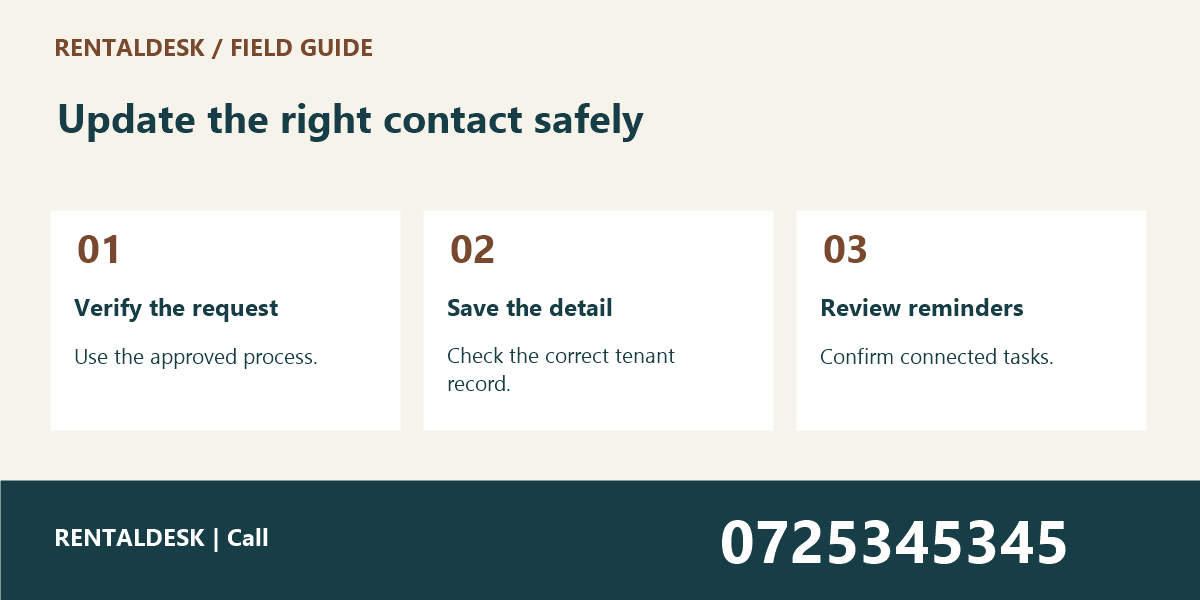
This tenant contact change guide gives Kenyan property teams seven practical checks for handling a new phone number or email address. Adapt them to your existing identity checks, privacy procedures, and software permissions. For help organising tenant records and daily property work, explore RentalDesk or call 0725345345.
1. Tenant Contact Change: Identify exactly what the tenant wants changed
Start by distinguishing the contact field from the person or agreement it belongs to. A new mobile number is not necessarily a new tenant. An alternative maintenance contact is not automatically authorised to receive account statements. Ask which detail needs updating and which communications the tenant expects to receive there.
Record the building and unit using your approved identifiers. Similar names and repeated unit numbers across properties can cause a correct phone number to be saved against the wrong record. Confirm the property context before editing. If the request comes through a general inbox, avoid assuming that the sender’s display name identifies the correct tenant.
A tenant contact change should have a clear scope. It might replace the primary phone number, add an alternative number, or update an email address while leaving phone communication unchanged. Writing the intended scope in a short note helps the person making the edit avoid changing unrelated fields.
If the request concerns who occupies the unit, who holds the agreement, or who is responsible for payments, route it through the appropriate separate process. Contact administration should not become an informal way to alter tenancy arrangements. Keep those decisions with the authorised staff who normally handle them.
2. Tenant Contact Change: Verify the request through an approved method
Use your organisation’s established verification procedure before changing the destination for private communications. The right method depends on the information held and the circumstances of the request. Do not invent a shortcut just because the message sounds urgent or includes details that could be known by someone else.
Where the existing contact channel remains available, it may form part of your approved verification process. If a tenant reports that the old phone is lost or inaccessible, use the documented alternative route. Ask only for the information your process actually requires, and keep any sensitive material in the approved system.
Do not request account passwords, payment PINs, or one-time login codes to prove that a tenant owns a new number. Those credentials are not ordinary contact-update information. If your system has a verification feature, use it according to its documented purpose rather than asking someone to forward security codes in a casual chat.
Record the method and outcome of verification without copying unnecessary personal data into a free-text note. A colleague should be able to see that the approved check occurred, who performed it, and when. The record should not become a collection of sensitive attachments that nobody needs later.
3. Tenant Contact Change: Check the new detail for accuracy
Read the new phone number back or use another approved confirmation method. Small transcription errors can send messages to an unrelated person. Preserve the appropriate country code format in your system and check whether the field expects a local or international representation. Be consistent rather than mixing formats unpredictably.
For email addresses, confirm the spelling of both the name and the domain. Watch for an omitted letter or an address copied with extra spaces. Do not silently “correct” an unfamiliar address based on what seems more likely. Ask the tenant to confirm the intended destination through the agreed verification process.
Keep separate fields for separate purposes when your system supports them. A business email, an alternative household phone, and a primary personal number may have different intended uses. A free-text note containing several numbers can leave staff unsure which one to select for an urgent maintenance appointment.
Check for existing duplicate entries before adding a new contact. The same number may already appear as an alternative on the correct record. Duplication can create repeated reminders or confuse an export. Resolve the record carefully without assuming that matching numbers prove two tenant records should be merged.
4. Tenant Contact Change: Apply the update in the agreed source record
Choose one authoritative place for tenant contact details. If staff maintain competing spreadsheets, phone address books, and software records, a correct update in one place may leave the others wrong. Identify the system your team uses as the source, then follow the approved process for connected records.
Only staff with the appropriate responsibility should make the change. After editing, read the saved value back from the record rather than relying on the text that was typed into a form. A validation warning, unsaved screen, or interrupted connection can leave the old value in place even when the operator believes the task is complete.
Record the change date and responsible staff member where your system allows it. Preserve the history required by your organisation’s policy. Do not keep outdated details indefinitely merely because storage is available; equally, do not erase a useful audit trail without following the established retention process.
If a custom portal needs a better contact-change workflow, Zama describes business systems and portal development services. Discuss verification, permissions, and change history as requirements. A new form alone does not solve the problem if anyone can edit a destination without the appropriate checks.
5. Tenant Contact Change: Review connected reminders and appointments
A tenant contact change may affect scheduled messages that were prepared before the update. Check whether your software uses the current contact record when sending or stores a separate destination when the message is created. Do not assume the answer without testing the actual workflow or consulting the system’s support team.
Review upcoming maintenance visits and viewing arrangements involving that contact. Staff may have copied an old number into an appointment note. Update the relevant operational records through the normal process so that the caretaker is not still calling the previous destination while the office uses the new one.
The viewing confirmation message guide explains how to keep appointment details clear. For an existing tenant, apply the same discipline to a maintenance appointment: correct date, location, responsible person, and agreed contact route. Keep private access information out of unnecessarily broad messages.
Check any exported contact lists used by authorised staff. If an export is a temporary working copy, replace or retire it according to your process. The goal is to prevent the old address from quietly returning during the next import or being used for a message after the main record has been corrected.
6. Tenant Contact Change: Confirm completion without oversharing
Send an appropriate confirmation once the update has been saved and verified. State what category of detail changed and when it takes effect. Avoid including a full account statement, identity document, or unrelated household information simply to acknowledge a contact update. Keep the confirmation limited to its purpose.
If your procedure calls for notifying the previous contact channel, follow that procedure carefully. The appropriate notification may depend on whether the old device was lost, compromised, or simply replaced. Do not improvise a message that exposes the new details to someone who should no longer receive them.
Tell relevant colleagues that the source record has been updated, rather than encouraging them to maintain their own informal copy. A short task note can direct staff to the current record. This helps preserve one reliable source and reduces the risk of several different numbers circulating in group chats.
For commercial tenants, remember that their customer-facing contacts are a separate responsibility. A salon using PRIM may update its booking contact, while the landlord updates the tenant record. One change should not be assumed to update the other system automatically. Confirm any integration instead of inventing one.
7. Tenant Contact Change: Close exceptions and review delivery problems
Mark the request complete only when the saved record, relevant connected tasks, and confirmation steps have been checked. If verification is still pending, use an accurate intermediate status. “Requested” and “verified” should not mean the same thing in your team’s workflow.
When a message fails after the update, investigate the delivery result without assuming the tenant supplied false information. A formatting problem, temporary network issue, or system configuration can also cause failure. Record the observation and use the approved contact route to resolve it.
Review repeated contact-change problems as a process issue. Frequent errors may indicate that staff are copying numbers manually between several places or that the update form is unclear. Improve the workflow and training using actual examples with personal details removed.
Periodically check whether staff still need access to tenant contact records. Role changes and temporary assignments can leave unnecessary access in place. Follow your organisation’s access-review process and retain only the information needed for legitimate property operations. This makes everyday administration easier to manage consistently.
A tenant contact change checklist
Use a short checklist covering the request date, tenant record, building and unit, field to change, approved verification method, verification result, new detail, responsible editor, saved-record check, affected appointments, confirmation, and closure status. Keep the checklist proportionate to your operation and avoid collecting information merely because a blank field exists.
Try the process using a fictional record before training staff. Ask one colleague to submit a sample request and another to process it. Check whether the editor can distinguish a primary contact update from adding an alternative recipient, and whether the next staff member knows which record to use.
Document how to handle a request that cannot yet be verified. Staff should know where to escalate it and how to explain the next step politely. A clear pending process is better than either refusing every unusual request or making an unverified change under pressure.
Tenant Contact Change: Frequently asked questions
Tenant Contact Change: does changing a phone number change the tenant’s balance?
It should be treated as a contact administration task. Do not alter payment allocations or account balances as part of the update unless a separate authorised process requires a specific correction. The rent reference errors guide addresses the different task of identifying and allocating a payment correctly.
Tenant Contact Change: can a family member request the change?
Follow your established authorisation and verification process. A relationship claim alone should not determine access to private records. Clarify whether the person is submitting a request for review or is already authorised to make that particular change.
Tenant Contact Change: what if the tenant cannot access the old number?
Use the approved alternative verification route. The process should support legitimate changes without requiring access to a lost device, while still protecting the record from an unauthorised update. Escalate cases outside the standard procedure to the responsible manager.
Tenant Contact Change: Check the process at the next staff handover
Ask the incoming colleague to find the current approved contact without relying on a personal phone address book. If they select an old export or an unverified message instead, the workflow needs clearer guidance. The source record should be obvious to anyone authorised to use it.
Use a small review sample to identify whether contact changes are being closed before connected tasks are checked. A saved number may be correct while an appointment note still contains the previous one. Correct that specific gap and explain how staff should avoid repeating it. Do not solve the problem by copying the new detail into more uncontrolled lists.
When a tenant contact change is unusual, keep the reason for escalation concise and factual. State which verification step remains unresolved and who will review it. This helps the next colleague continue the work without asking the tenant to repeat sensitive information unnecessarily. A clear pending note is often the most useful outcome until the authorised reviewer can decide the next step.
Tenant Contact Change: what belongs in a team handover?
Include the verified request, saved contact field, connected tasks checked, and any pending review. Keep the tenant contact change handover in the agreed shared record. Ask the incoming colleague to identify the next action without relying on a private conversation, and resolve any ambiguity before responsibility changes.
Tenant Contact Change: Keep communication tied to accurate records
A careful tenant contact change process protects the usefulness of every later reminder and appointment. Define the request, verify it, check the new detail, save it in the correct record, and review connected tasks. For help discussing a practical rental administration workflow, contact RentalDesk on 0725345345.