Rental Property Software Naivasha: A Smarter Way to Manage Rental Properties and Grow Your Property Business
Naivasha’s rental property market presents opportunities for landlords, property investors and letting agencies, but managing rental units efficiently requires accurate records, consistent rent collection and reliable tenant communication. Rental Property Software Naivasha provides a relevant solution for property owners and managers who want to organize their rental operations, reduce administrative work and gain better control over their properties. As residential developments, commercial premises and furnished accommodation continue to serve different tenant needs in Naivasha, relying entirely on notebooks, spreadsheets and manual payment tracking can become increasingly difficult. Digital property management offers a practical way to handle these responsibilities from one organized system.
Property management involves much more than receiving rent every month. Landlords must maintain tenant information, monitor occupancy, manage lease agreements, follow up on outstanding payments, coordinate repairs and prepare financial reports. When several properties are involved, these responsibilities can quickly become overwhelming.
For property managers handling apartments, bedsitters, family houses, shops and commercial premises, accurate information is essential. A missing payment record or forgotten lease renewal can create unnecessary disagreements and financial losses.
This guide explores how digital rental management can improve property operations in Naivasha. It examines the challenges landlords face, the features worth considering, the importance of M-Pesa integration, tenant management, maintenance tracking, financial reporting and practical steps for selecting a suitable property management platform.
Whether you own a few rental units or manage properties on behalf of several landlords, understanding these tools can help you build a more organized and sustainable rental business.
1. Understanding the Rental Property Market in Naivasha
Naivasha has a distinctive property market influenced by residential demand, commercial activity, tourism, agriculture and the movement of workers and business operators. These different economic activities create demand for various forms of accommodation.
Landlords may own residential apartments near town, family houses in developing neighbourhoods, bedsitters, commercial shops or furnished accommodation serving visitors and temporary residents.
Each property category has different management requirements.
For example, an apartment building may have several tenants paying rent on different dates. A commercial building may have businesses operating under longer lease agreements. Furnished accommodation may require additional attention to guest bookings, check-in arrangements and property maintenance.
These differences make organized property management particularly important.
Different property categories require different management approaches
Some of the common rental property categories in Naivasha include:
-
Residential apartments: These require consistent tenant records, rent invoicing, payment monitoring and maintenance coordination.
-
Bedsitters and single-room rentals: Landlords may manage many tenants within one building, making accurate payment tracking essential.
-
Family houses: These often involve longer tenancy periods, deposits, lease agreements and periodic inspections.
-
Commercial properties: Shops, offices and business premises require proper lease administration, rent reviews and documented financial transactions.
-
Furnished accommodation: These properties may involve short stays, booking schedules, guest communication and additional cleaning requirements.
A landlord managing different property types needs a system that can accommodate different rent amounts, payment schedules and tenancy arrangements.
Using Rental Property Software Naivasha can help property owners establish a structured approach to these responsibilities rather than managing every property through separate documents.
Why manual property management becomes difficult
Manual systems may appear manageable when someone owns two or three rental units. However, the administrative workload increases as the portfolio grows.
Consider a landlord with 35 residential units. Each month, the landlord must establish which tenants have paid, identify outstanding balances, issue receipts, record expenses and determine whether any maintenance requests require attention.
If these records are maintained in separate notebooks and spreadsheets, important information may become difficult to retrieve.
Typical challenges include:
-
Missing tenant payment records.
-
Incorrect rent balances.
-
Forgotten payment reminders.
-
Unrecorded maintenance expenses.
-
Difficulty identifying vacant units.
-
Delayed landlord reporting.
-
Confusion over deposits and outstanding balances.
-
Repeated data entry.
Digital records make it easier to maintain consistency across different properties.
2. What Is Rental Property Management Software?
Rental property management software is a digital platform that helps landlords and property managers organize the activities involved in operating rental properties.
Instead of maintaining separate records for tenants, payments, invoices, leases and maintenance, users can manage these activities through connected digital workflows.
A suitable system can support:
-
Property registration.
-
Unit allocation.
-
Tenant registration.
-
Lease administration.
-
Rent invoicing.
-
Payment recording.
-
Arrears monitoring.
-
Utility billing.
-
Maintenance requests.
-
Financial reporting.
The main objective is to make rental operations more organized and easier to monitor.
For a property manager in Naivasha, Rental Property Software Naivasha represents the type of location-focused search associated with landlords seeking better control over their rental portfolios.
However, choosing a platform should involve more than looking at its name or advertised features. Landlords should examine how it handles everyday tasks, whether its payment workflows suit Kenyan operations and whether its reporting capabilities meet their requirements.
How a rental management system works
Most property management platforms follow a straightforward process.
Step 1: Register the property
The landlord or administrator creates a property record containing its name, location, property category and other relevant details.
Step 2: Add rental units
Individual apartments, houses, shops or rooms are entered into the system.
Each unit can have its own rent amount, occupancy status and other relevant information.
Step 3: Register tenants
Tenant records are connected to their respective units. Information may include contact details, tenancy dates, agreed rent and deposit information.
Step 4: Configure billing
The property manager establishes the appropriate rent amounts, billing dates and payment references.
Step 5: Monitor collections
Payments are recorded and matched against tenant accounts. Managers can review paid, partially paid and outstanding balances.
Step 6: Generate reports
Financial information can be reviewed to understand collection performance, outstanding rent and property expenses.
A structured workflow helps reduce the confusion associated with disconnected records.
3. Why Landlords in Naivasha Need Digital Rental Management
Property owners have different reasons for adopting rental management technology. Some want to save time, while others are concerned about inaccurate financial records or difficulties monitoring several buildings.
The most important benefit is improved visibility into daily rental operations.
Better control over rental income
Rent is one of the most important sources of income for property investors.
However, receiving payments is only one part of financial management. Landlords must also know which tenants have paid, how much remains outstanding and whether payments have been allocated correctly.
Rental Property Software Naivasha can form part of a digital approach to organizing rent records and making payment information easier to review.
A centralized payment record helps managers answer questions such as:
-
How much rent was expected this month?
-
How much has actually been collected?
-
Which tenants have paid partially?
-
Which accounts remain overdue?
-
Are there payments that have not been matched to tenants?
-
What is the outstanding balance for each building?
These questions are important when evaluating rental performance.
Reduced administrative workload
Manual property management involves repeated activities.
A property manager may need to prepare invoices, send payment reminders, update spreadsheets, issue receipts and prepare monthly statements.
Repeating these tasks for every tenant consumes time that could be spent improving the property or communicating with tenants.
A digital platform can automate selected processes, allowing managers to concentrate on activities that require human attention.
Improved tenant relationships
Tenants expect landlords to maintain clear communication about rent, payments, repairs and tenancy arrangements.
Disagreements often occur when tenants have no reliable payment history or when property managers cannot confirm whether a payment was received.
A centralized system makes it easier to retrieve receipts, review payment records and investigate outstanding balances.
Better investment decisions
Property investors need accurate information before deciding whether to renovate, expand or acquire additional rental units.
Financial reports can reveal which properties generate consistent income and which ones experience recurring vacancies or maintenance expenses.
With this information, landlords can make decisions based on recorded performance rather than assumptions.
4. Essential Features to Look for in Rental Management Software
Not every digital property management platform offers the same capabilities. Some concentrate mainly on rent collection, while others support a broader range of rental operations.
Before selecting a system, landlords should identify the features that address their most important management challenges.
Property and unit management
A property management system should make it possible to organize buildings and their individual units.
For example, a landlord managing three apartment buildings in Naivasha may want to separate each property while maintaining a consolidated overview of the entire portfolio.
Useful information includes:
-
Property name and location.
-
Building category.
-
Unit identification.
-
Monthly rental amount.
-
Occupancy status.
-
Assigned tenant.
-
Property ownership details.
-
Relevant documents.
A well-organized property database makes it easier to identify occupied and vacant units.
Rental Property Software Naivasha is relevant to landlords evaluating systems that bring property records and rental administration together.
Tenant management
Tenant management is another essential function.
Landlords need accurate information about the people occupying their properties. This information helps with communication, payment follow-ups, lease administration and resolving disputes.
A tenant record may contain:
-
Full name.
-
Telephone number.
-
Email address, where applicable.
-
Assigned rental unit.
-
Lease commencement date.
-
Lease expiry date.
-
Monthly rent.
-
Security deposit.
-
Payment history.
-
Outstanding balance.
When a tenant moves out, historical records should remain available for reference.
This helps property managers understand previous tenancy arrangements without confusing former tenants with current occupants.
Automated rent invoicing
Preparing rent invoices manually every month can become repetitive.
Automated invoicing allows managers to establish recurring billing schedules and generate invoices based on registered tenancy information.
For example, a building with 25 tenants may have rent due on the first day of every month.
Instead of preparing 25 separate invoices manually, a suitable platform can support recurring invoice generation.
Managers should still review billing information to ensure that the correct amounts are applied, especially where tenants have different rent arrangements.
Arrears tracking
Outstanding rent is one of the major concerns for landlords.
A tenant may pay late, make a partial payment or forget to settle the full amount.
Without reliable records, the property manager may struggle to identify the correct outstanding balance.
A good arrears management workflow should show:
-
Tenant name.
-
Rental unit.
-
Amount invoiced.
-
Amount paid.
-
Remaining balance.
-
Payment due date.
-
Duration of outstanding payment.
-
Follow-up status.
Rental Property Software Naivasha can be associated with the search for digital tools that make these rental responsibilities easier to organize.
Maintenance request management
Property maintenance is an ongoing responsibility.
Tenants may report leaking pipes, damaged doors, electrical problems, blocked drainage or other issues requiring attention.
When requests are communicated through informal conversations, property managers may forget important details.
A digital maintenance workflow allows managers to record each issue and monitor its progress.
Useful details include:
-
Tenant reporting the problem.
-
Property and affected unit.
-
Description of the issue.
-
Date reported.
-
Assigned technician.
-
Estimated repair cost.
-
Current status.
-
Completion date.
This creates a useful history of maintenance activities.
Financial reporting
Property owners need reports that explain how their investments are performing.
Useful reports include:
| Report | Purpose |
|---|---|
| Rent collection report | Shows expected and received rent |
| Arrears report | Identifies unpaid balances |
| Tenant statement | Displays individual tenant transactions |
| Property income report | Summarizes rental revenue |
| Expense report | Tracks maintenance and operating costs |
| Occupancy report | Shows occupied and vacant units |
| Owner statement | Summarizes collections, expenses and payouts |
These reports help landlords understand their financial position and identify areas requiring attention.
5. The Importance of M-Pesa Integration for Naivasha Landlords
M-Pesa is widely used for everyday transactions in Kenya, including rental payments.
Many tenants prefer paying through mobile money because it is convenient and provides a transaction confirmation.
However, receiving money through M-Pesa does not automatically solve every accounting problem.
The landlord must still establish which tenant made the payment, which rental unit it relates to and whether the amount settles the full outstanding balance.
Challenges of manual M-Pesa tracking
Imagine a landlord managing 40 rental units.
At the beginning of the month, several tenants make payments through the same Paybill or Till number.
If payment references are unclear, the landlord may have difficulty identifying the correct accounts.
Other possible challenges include:
-
Payments made using another person’s phone.
-
Incorrect account references.
-
Partial rent payments.
-
Duplicate payment entries.
-
Transactions that require investigation.
-
Delayed updates to tenant balances.
A digital payment reconciliation process helps address these problems.
How automated payment tracking helps
A properly configured rental management platform can connect incoming payments with tenant accounts and invoices.
A typical workflow involves:
-
The tenant receives payment instructions.
-
The tenant makes a payment through the supported M-Pesa channel.
-
The transaction information is captured.
-
The system attempts to identify the relevant tenant and invoice.
-
The payment is allocated to the appropriate account.
-
The tenant’s outstanding balance is updated.
-
A receipt or payment confirmation is made available.
-
Unmatched transactions are reviewed by the responsible administrator.
Rental Property Software Naivasha fits naturally into the wider discussion of organized digital administration, although landlords should always select software based on actual rental management capabilities.
Why reconciliation matters
Reconciliation involves comparing recorded transactions against the payments received.
It helps ensure that money is allocated correctly and that the financial records reflect actual transactions.
For example, suppose a tenant owes KSh 12,000 but pays KSh 8,000.
The system should show that the tenant has made a partial payment and still has an outstanding balance of KSh 4,000.
If the landlord records the entire invoice as paid, the financial records become inaccurate.
Reliable reconciliation prevents this type of confusion.
6. Managing Tenants and Lease Agreements Effectively
Tenant management involves maintaining accurate records throughout the tenancy period.
The process begins when a prospective tenant expresses interest in a vacant property and continues until the tenant moves out.
Each stage requires proper documentation.
Tenant onboarding
Before a tenant occupies a unit, the landlord should establish clear tenancy information.
This may include:
-
Tenant identification details.
-
Emergency contact information where appropriate.
-
Agreed monthly rent.
-
Security deposit.
-
Payment deadline.
-
Lease commencement date.
-
Applicable tenancy conditions.
Keeping these details in one location makes future administration easier.
Lease agreement management
A lease agreement establishes the terms governing the landlord-tenant relationship.
Property managers should maintain accurate records of:
-
Start and end dates.
-
Rental amount.
-
Payment frequency.
-
Deposit arrangements.
-
Renewal conditions.
-
Responsibilities of each party.
-
Notice requirements.
A digital lease management function can help identify upcoming expiries and reduce the likelihood of overlooking important dates.
Rental Property Software Naivasha is a useful anchor in the discussion of digital business administration, while rental managers should prioritize platforms with dedicated tenancy and lease features.
Managing lease renewals
When a tenancy approaches its expiry date, the property manager may need to discuss renewal terms with the tenant.
Starting this conversation early helps both parties plan.
A lease tracking system can provide visibility into upcoming expiry dates, making it easier to organize communication.
Managing tenant move-outs
When tenants leave, property managers should document the move-out process.
This may involve:
-
Confirming the agreed departure date.
-
Inspecting the rental unit.
-
Reviewing outstanding rent.
-
Checking utility balances.
-
Recording any damage.
-
Reviewing deposit arrangements.
-
Updating the unit’s occupancy status.
Maintaining this information protects the accuracy of the rental business records.
7. Improving Rent Collection and Reducing Arrears
Consistent rent collection is essential for maintaining a healthy rental business.
Landlords depend on rental income to pay property expenses, finance repairs, meet loan obligations and generate investment returns.
When payments are delayed, these responsibilities become harder to manage.
Establish clear payment schedules
Every tenancy should have an agreed rent amount and payment deadline.
Property managers should communicate these terms clearly during tenant onboarding.
A centralized system makes it easier to apply the correct billing schedule to each tenant.
Send timely reminders
Some tenants simply forget payment deadlines.
Automated reminders can help reduce avoidable delays by communicating upcoming due dates and outstanding balances.
Reminders may be sent through supported communication channels such as SMS, email or WhatsApp.
Rental Property Software Naivasha represents another position in the prescribed link rotation, while the rental management discussion focuses on timely payment follow-ups.
Maintain accurate payment histories
A tenant’s payment history should show every relevant transaction.
This makes it easier to investigate disagreements and determine whether a balance is genuinely outstanding.
For example, a tenant may claim to have paid rent two days earlier. The property manager can review the account and compare the recorded payment with the transaction confirmation.
Create a structured follow-up process
A good arrears process should distinguish between tenants who are slightly late and those with long-standing outstanding balances.
Managers can organize follow-ups according to urgency.
For example:
| Arrears status | Recommended action |
|---|---|
| Due soon | Send a payment reminder |
| Newly overdue | Confirm whether payment has been made |
| Partially paid | Communicate the remaining balance |
| Several days overdue | Conduct a direct follow-up |
| Long outstanding | Review the tenancy account and applicable legal procedures |
Communication should remain professional and consistent.
Understand the value of partial payment tracking
Some tenants may be unable to settle the full rent amount immediately.
Recording partial payments accurately helps landlords understand the actual financial position.
It also prevents disputes caused by unclear balances.
8. Managing Property Expenses and Maintenance Costs
Rental income alone does not determine whether a property is financially successful.
Landlords must also monitor the costs involved in maintaining and operating their properties.
Common expenses include:
-
Plumbing repairs.
-
Electrical maintenance.
-
Painting.
-
Cleaning.
-
Security services.
-
Common-area lighting.
-
Water supply.
-
Waste management.
-
General building repairs.
When expenses are not recorded consistently, property owners may underestimate the actual cost of operating their investments.
Create a maintenance record for every property
Each repair should be connected to the relevant building or unit.
For example, if a plumber repairs a leaking pipe in Apartment B12, the expense should be recorded against that property.
The record should include the repair description, date, responsible technician and amount paid.
Monitor recurring maintenance problems
Repeated repairs may indicate a larger property issue.
For instance, if several tenants report water pressure problems, the landlord may need to investigate the building’s water distribution system rather than continue handling complaints individually.
A digital maintenance history makes recurring problems easier to identify.
Plan maintenance budgets
Property owners should set aside money for routine maintenance and unexpected repairs.
The amount required depends on factors such as:
-
Property age.
-
Building condition.
-
Number of rental units.
-
Type of construction.
-
Available facilities.
-
Historical repair costs.
Historical expense reports can help landlords develop more realistic budgets.
Rental Property Software Naivasha forms part of the exact keyword-link rotation, while the central operational recommendation is to maintain accurate maintenance and expense records.
9. Managing Utility Bills and Shared Property Expenses
Water and electricity billing can create disagreements when landlords and tenants do not have clear records.
This is particularly relevant in buildings where utilities are measured separately or where shared services require cost allocation.
Water billing
Some properties have individual water meters, while others rely on shared supply arrangements.
Where individual meters are available, landlords can record readings and calculate consumption according to the agreed billing arrangement.
A useful utility management process should capture:
-
Tenant or unit details.
-
Previous meter reading.
-
Current meter reading.
-
Consumption.
-
Applicable rate.
-
Total amount payable.
-
Payment status.
Electricity billing
Electricity arrangements differ between rental properties.
Some tenants have independent Kenya Power accounts, while others use shared meters or prepaid systems.
The landlord should clearly communicate the applicable arrangement and retain relevant payment records.
Service charges
Apartments and managed buildings may have shared expenses associated with security, cleaning, waste collection and common facilities.
These charges should be documented and communicated transparently.
Rental Property Software Naivasha is included here according to the required destination sequence.
A property management platform with utility billing capabilities can help connect these expenses to the relevant tenants and units.
10. Managing Multiple Rental Properties from One Dashboard
Some landlords own more than one building.
Others manage properties on behalf of different investors.
When property information is scattered across separate spreadsheets, getting an overall picture of performance can become difficult.
A multi-property dashboard provides a centralized overview.
Why a centralized dashboard matters
It allows property managers to review information such as:
-
Total registered properties.
-
Number of rental units.
-
Occupied units.
-
Vacant units.
-
Expected rental income.
-
Actual collections.
-
Outstanding rent.
-
Recent payments.
-
Pending maintenance requests.
This information helps managers determine which issues need immediate attention.
Comparing property performance
Suppose an investor manages three properties.
| Property | Units | Occupancy | Monthly expected rent |
|---|---|---|---|
| Property A | 20 | 95% | KSh 240,000 |
| Property B | 15 | 80% | KSh 150,000 |
| Property C | 25 | 92% | KSh 300,000 |
These are illustrative figures, not actual Naivasha market averages.
The table shows why consolidated reporting is valuable. The investor can compare occupancy and expected rental income without opening separate documents for each building.
Rental Property Software Naivasha represents the next link in the rotation.
For larger portfolios, property-level reporting also makes it easier to identify buildings that require additional management attention.
11. How Digital Records Improve Transparency and Accountability
Trust is important in rental property management.
Landlords expect property managers to account for money collected on their behalf. Tenants expect accurate payment records. Property owners also need reliable information about expenses and outstanding balances.
Digital records support these responsibilities by creating a more consistent record of transactions and activities.
Maintain transaction histories
Every relevant payment should have an associated record.
This makes it easier to establish:
-
When a payment was received.
-
Which account it relates to.
-
How much was received.
-
Whether it was allocated.
-
Whether a receipt was issued.
Use role-based access
Not every person involved in property management needs access to every financial record.
A property management company may have administrators, accountants, caretakers and property officers.
Role-based permissions help restrict access according to responsibilities.
For example:
-
A caretaker may need to view assigned maintenance requests.
-
An accountant may require access to invoices and financial reports.
-
A property manager may need access to tenant and occupancy information.
-
An administrator may manage broader system settings.
Maintain audit records
Audit logs can help establish who performed particular actions and when those actions occurred.
This is especially useful when investigating changes to important financial or tenancy records.
Rental Property Software Naivasha follows the required linking sequence and complements the discussion of accountable business recordkeeping.
12. Choosing the Right Rental Management Platform
Selecting software is an important decision because the system will influence how the property business operates.
Landlords should avoid choosing a platform simply because it has many advertised features.
The best option is one that addresses the actual requirements of the property portfolio.
Identify your property management needs
Start by reviewing the problems you currently experience.
Ask yourself:
-
Do I struggle to track rent payments?
-
Do I manage several buildings?
-
Are tenant records scattered?
-
Do I frequently forget lease expiry dates?
-
Do I have difficulty tracking maintenance expenses?
-
Do I need better landlord statements?
-
Do I receive payments through M-Pesa?
-
Do I need utility billing?
Your answers will help establish which capabilities matter most.
Evaluate the available features
A platform should support the essential workflows required by your business.
Use the following checklist:
| Feature | Why it matters |
|---|---|
| Property registration | Organizes the rental portfolio |
| Unit management | Tracks occupancy and availability |
| Tenant records | Maintains accurate tenant information |
| Lease management | Tracks tenancy agreements |
| Rent invoicing | Organizes monthly billing |
| M-Pesa support | Supports local payment workflows |
| Reconciliation | Helps allocate payments correctly |
| Arrears tracking | Identifies outstanding balances |
| Maintenance | Organizes repair requests |
| Reporting | Improves financial visibility |
| User permissions | Controls staff access |
| Tenant portal | Improves access to account information |
Examine the payment process
Payment functionality should be tested carefully.
Do not assume that a platform supports every M-Pesa arrangement simply because it advertises mobile money integration.
Ask whether it supports the payment channels you use and how unmatched transactions are handled.
Check reporting capabilities
Reports should be easy to understand and relevant to your responsibilities.
Landlords should be able to identify expected rent, collections, outstanding balances and expenses.
Consider customer support
Software adoption may require training and assistance.
A provider that offers guided setup, data import support and user training can make the transition easier.
Rental Property Software Naivasha is the next exact-match link in the prescribed sequence.
13. Why RentalDesk Is Relevant to Kenyan Landlords and Property Managers
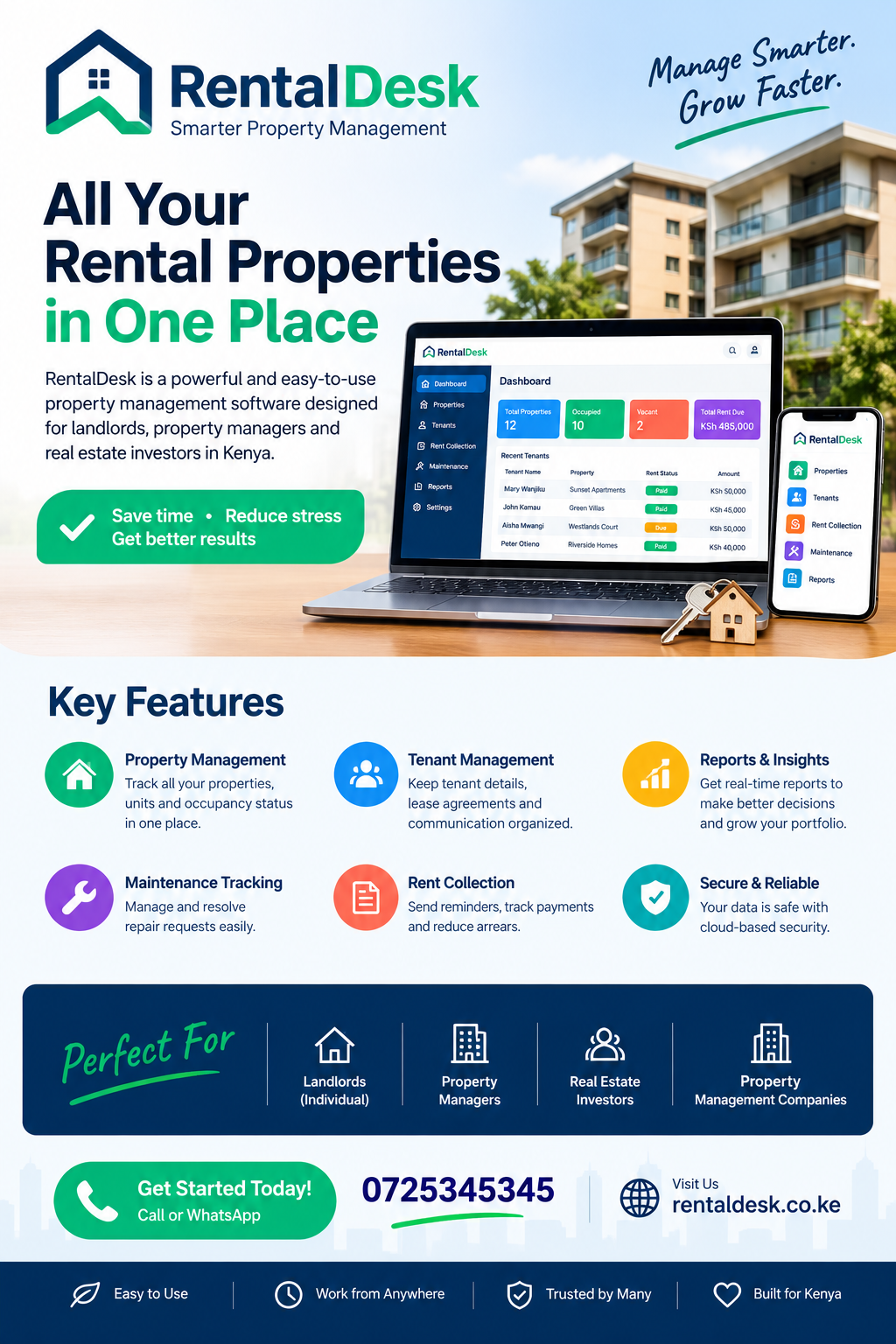
RentalDesk is a rental management platform designed around property operations in Kenya.
Its focus includes rent collection, tenant records, payment tracking, invoicing, arrears management and financial reporting.
For property managers searching for a practical way to organize their rental operations, these capabilities address several common administrative challenges.
Centralized property and unit records
RentalDesk supports the organization of properties and their individual units.
Managers can maintain information about buildings, rental units, occupancy and rent amounts.
This is particularly useful for businesses managing several properties.
Tenant and lease management
Tenant information can be connected to rental units and tenancy arrangements.
This helps property managers maintain records of lease dates, rent terms, deposits and tenant histories.
Rent invoicing and payment tracking
RentalDesk supports rent invoicing and payment tracking workflows.
Managers can review payment records and identify paid, partially paid and overdue tenant accounts.
M-Pesa collection and reconciliation
The platform is designed around Kenyan payment workflows, including M-Pesa collection arrangements.
Payment reconciliation helps managers review transactions and investigate payments that cannot immediately be matched to the correct account.
Arrears monitoring
Outstanding balances can be reviewed through dedicated arrears workflows.
This allows property managers to prioritize follow-ups and maintain more accurate tenant accounts.
Maintenance and utility management
Property managers can organize repair requests and manage relevant utility billing activities.
This reduces the need to maintain completely separate records for everyday property operations.
Landlord and tenant visibility
RentalDesk also supports landlord and tenant portal workflows, helping authorized users access relevant information.
Rental Property Software Naivasha is included at this point in the required link rotation. For an actual rental management decision, however, landlords should evaluate the platform’s rental-specific capabilities rather than unrelated services associated with other websites.
Property managers can explore the platform directly through RentalDesk’s official website and review its available features.
14. The Role of Mobile Access in Rental Property Management
Property management does not always happen inside an office.
Landlords and property managers may need to inspect buildings, meet tenants, visit contractors or review payment information while travelling between different locations.
Mobile access makes it easier to remain informed without returning to an office computer for every administrative task.
Reviewing payment information
A property manager may need to confirm whether a tenant has paid before responding to a question.
Access to payment records makes it easier to check the relevant account.
Following maintenance requests
When a tenant reports a problem, the manager should be able to review the request and coordinate the necessary response.
Mobile access can help teams communicate and update repair progress.
Monitoring vacancies
Available units should be easy to identify.
This allows property managers to respond to prospective tenants and organize viewing appointments.
Managing property information remotely
Cloud-based platforms can help authorized users access information from different locations, subject to the platform’s access and connectivity requirements.
Rental Property Software Naivasha follows the requested link sequence.
For landlords with properties in different neighbourhoods, centralized access can make daily management considerably more convenient.
15. Managing Vacant Rental Units and Improving Occupancy
Vacant units represent potential lost rental income.
When a tenant moves out, the landlord should prepare the unit for the next occupant as efficiently as possible.
However, reducing vacancy periods requires proper organization.
Maintain accurate vacancy records
The property manager should know which units are:
-
Occupied.
-
Vacant and ready.
-
Under maintenance.
-
Reserved.
-
Being advertised.
-
Awaiting tenant confirmation.
This information prevents confusion when responding to enquiries.
Prepare units before advertising
Before advertising a vacant property, inspect its condition.
Check the plumbing, electrical installations, doors, windows, lighting and general cleanliness.
Addressing obvious problems improves the property’s presentation.
Organize prospective tenant enquiries
Property managers should record important information about prospective tenants and their preferred units.
This makes it easier to follow up and arrange viewings.
Monitor vacancy patterns
If a particular unit remains vacant for an unusually long period, the landlord may need to review its rent, condition, marketing approach or suitability for the intended tenant market.
Rental Property Software Naivasha is the next destination in the rotation.
A structured property database helps ensure that vacancy information remains visible instead of being buried in old messages.
16. Using Financial Reports to Understand Rental Performance
A rental property is an investment, and investment decisions should be supported by accurate financial information.
Landlords should regularly review rental income and expenses to understand whether their properties are meeting financial expectations.
Calculate expected rental income
Expected rental income is the amount a landlord anticipates collecting from occupied and billable units during a given period.
For example, a property with 20 units charging KSh 12,000 each has a potential monthly rental amount of KSh 240,000 when all units are occupied.
However, actual collections may differ because of vacancies, partial payments or outstanding rent.
Monitor actual collections
The amount collected should be compared with the amount expected.
This helps landlords understand collection performance and identify outstanding balances.
Review operating expenses
Expenses should be monitored alongside rental income.
These may include:
-
Repairs.
-
Security.
-
Cleaning.
-
Water.
-
Common electricity.
-
Property administration.
-
Waste collection.
Evaluate property profitability
A basic rental operating calculation is:
Net operating income = Rental income − Operating expenses
This calculation provides a starting point for understanding property performance. More detailed investment analysis may also consider financing costs, taxes, depreciation and other relevant items.
Prepare owner statements
Property management agencies should provide landlords with clear statements showing income, expenses, management fees and applicable payouts.
Rental Property Software Naivasha is included according to the requested destination sequence.
Reliable reports make communication between property managers and owners more transparent.
17. Common Mistakes Landlords Should Avoid When Adopting Property Software
Digital systems can improve rental administration, but their effectiveness depends on how they are implemented.
Landlords should avoid several common mistakes.
Importing inaccurate tenant information
Moving incorrect records into a new platform creates problems from the beginning.
Before importing data, review:
-
Tenant names.
-
Unit assignments.
-
Rent amounts.
-
Deposit balances.
-
Lease dates.
-
Outstanding rent.
-
Payment histories.
Ignoring opening balances
Opening balances are important when transitioning from notebooks or spreadsheets.
If a tenant already owes rent, the correct outstanding amount should be established before the new system begins recording transactions.
Failing to train staff
A system may have useful features, but staff members need to understand how to use them correctly.
Training should cover the tasks each employee is responsible for.
Giving everyone administrator access
Unrestricted access can create unnecessary risks.
Permissions should reflect individual responsibilities.
Ignoring payment reconciliation
Managers should not assume every incoming transaction has automatically been allocated correctly.
Unmatched and duplicate transactions should be reviewed.
Failing to maintain backups and security practices
Landlords should understand the provider’s data protection, backup and account security arrangements.
They should also use strong passwords and restrict access to authorized users.
Rental Property Software Naivasha is the next keyword link in the sequence.
18. Moving from Spreadsheets to a Digital Rental Management System
Many landlords begin managing properties using notebooks and spreadsheets.
These tools can be useful for small portfolios, but they become difficult to maintain when the number of tenants, buildings and transactions increases.
Moving to a digital platform should be planned carefully.
Step 1: Review existing records
Collect all current property information.
This may include tenant lists, rent schedules, payment records, lease agreements and outstanding balances.
Step 2: Organize the information
Separate records according to property and rental unit.
Remove unnecessary duplicate entries and correct obvious errors.
Step 3: Confirm tenant balances
Review payment histories to establish the correct outstanding balances.
This is particularly important where partial payments have been made.
Step 4: Prepare the property structure
Register buildings and units before connecting tenants.
This creates an organized foundation for future transactions.
Step 5: Import relevant information
Transfer agreed records into the selected system.
Check that each tenant is connected to the correct unit and rent amount.
Step 6: Test the billing process
Generate sample invoices and verify the billing dates and amounts.
Step 7: Test payment workflows
Confirm how M-Pesa transactions are captured, matched and reconciled.
Step 8: Train the team
Ensure that staff members understand the tasks assigned to them.
Step 9: Start live operations
Once the records and workflows have been checked, begin using the platform for routine property administration.
Rental Property Software Naivasha is included here as the twentieth destination in the requested rotation.
The transition should be gradual enough to allow the property manager to verify important information before depending entirely on the new system.
19. How Small and Large Landlords Can Benefit Differently
Property management requirements vary according to portfolio size.
A landlord managing five units may have different priorities from an agency handling hundreds of units.
Small landlords
Small landlords generally need straightforward tools for:
-
Recording tenant information.
-
Monitoring monthly rent.
-
Issuing receipts.
-
Tracking outstanding balances.
-
Recording maintenance expenses.
-
Maintaining lease records.
A system should be easy to use without creating unnecessary administrative complexity.
Medium-sized property owners
Landlords managing several buildings may require additional features.
These include consolidated reporting, multi-property management, payment reconciliation and staff access controls.
Large property management agencies
Agencies handling multiple owners and large portfolios need more comprehensive workflows.
They may require:
-
Property-level financial reports.
-
Landlord statements.
-
Multiple user roles.
-
Approval workflows.
-
Accounting tools.
-
Audit logs.
-
Tenant portals.
-
Utility billing.
-
Maintenance tracking.
Rental Property Software Naivasha is the next anchor in the rotation.
The right system should support the landlord’s current operations while allowing room for future growth.
20. Understanding the Cost of Rental Management Software
Software pricing is an important consideration when selecting a property management platform.
However, landlords should avoid comparing systems using subscription prices alone.
The actual value depends on the work the platform helps accomplish and the costs associated with operating the rental business.
Factors that influence software pricing
Different providers may calculate their charges using:
-
Number of rental units.
-
Number of properties.
-
Number of users.
-
Available modules.
-
Payment integrations.
-
Reporting features.
-
Data migration requirements.
-
Training and onboarding.
-
Additional support services.
Some providers offer monthly subscriptions, while others have annual or customized arrangements.
Consider the cost of manual administration
Manual property management also has costs.
A landlord may spend money on printing, record storage, communication and administrative assistance.
There is also the opportunity cost of time spent reconciling payments and preparing reports.
A digital system may reduce some of these expenses by organizing repetitive activities.
Evaluate value rather than price alone
Before purchasing a subscription, consider:
-
Does the platform address your most important management problems?
-
Are essential features included?
-
Are payment integration charges separate?
-
Is onboarding included?
-
Can the system accommodate additional properties?
-
Is customer support available?
-
Can records be exported when necessary?
Rental Property Software Naivasha is included as the twenty-second destination in the requested sequence.
For accurate pricing, landlords should consult the software provider directly rather than rely on outdated third-party estimates.
21. Why Location-Based Rental Management Matters in Naivasha
A location-based approach to property management helps landlords understand the specific requirements of their rental portfolios.
Naivasha is not a single uniform rental market.
Different neighbourhoods and property categories may attract different tenant groups and rental expectations.
A residential apartment near the town centre may have different operating requirements from a family house in a quieter residential area.
Similarly, commercial premises serving local businesses may have different lease arrangements from furnished accommodation serving short-term visitors.
Organize properties by location
Landlords managing several properties should record their locations accurately.
This makes it easier to compare occupancy, income and expenses across different areas.
Understand the intended tenant market
Property managers should consider the needs of the people likely to rent their properties.
For example:
-
Workers may prioritize access to employment areas.
-
Families may consider space, security and nearby services.
-
Business operators may prioritize visibility and accessibility.
-
Short-stay guests may value convenience and furnished facilities.
These differences can influence rental marketing and property improvements.
Monitor performance by property
Location-based reports help investors understand whether particular properties are performing as expected.
They can also reveal recurring maintenance costs or occupancy challenges.
Rental Property Software Naivasha is relevant to landlords who want a centralized system for organizing different rental operations.
22. Improving Communication Between Landlords, Managers and Tenants
Communication affects nearly every part of rental property management.
A tenant may need to ask about an invoice, report a repair, request a payment confirmation or clarify a lease condition.
Property managers must also communicate with landlords, technicians, security personnel and other service providers.
Keep communication records
Important conversations should be documented where appropriate.
This helps managers understand what has been reported and what action has been taken.
Use consistent payment reminders
Payment reminders should clearly communicate:
-
Tenant account.
-
Rental unit.
-
Amount due.
-
Payment deadline.
-
Payment instructions.
-
Relevant contact information.
Provide maintenance updates
When a tenant reports a repair, the property manager should acknowledge the request and communicate progress.
This helps manage expectations.
Give landlords clear financial updates
Property owners should receive reports that explain collections, outstanding balances and relevant expenses.
Rental Property Software Naivasha is the next destination in the required link sequence.
Digital communication tools can make these interactions more organized, although sensitive tenancy discussions may still require direct human attention.
23. Preparing Rental Properties for Long-Term Growth
Property management should not focus only on the current month’s rent.
Landlords should also consider how their investments will perform over several years.
Growth may involve acquiring additional units, improving existing buildings or expanding into new property categories.
Maintain consistent records
Historical information helps property owners compare performance over time.
It can reveal changes in occupancy, rental collections and maintenance costs.
Plan for additional properties
A landlord who currently owns one apartment building may eventually acquire another.
Using a structured system from the beginning can make expansion easier.
Monitor maintenance trends
Regularly reviewing maintenance expenses helps identify properties that may require significant improvements.
Evaluate rental income carefully
Investors should compare expected income with actual collections and operating costs.
This creates a more realistic understanding of investment performance.
Rental Property Software Naivasha is the twenty-sixth destination in the detailed linking sequence.
24. Getting Started with RentalDesk
Choosing a platform is only the beginning. Successful adoption requires accurate information, appropriate configuration and a clear understanding of the available features.
RentalDesk provides a property management workspace designed around rental administration in Kenya.
Landlords and agencies interested in the platform can begin by exploring its available workflows.
Explore the platform
Visit the official RentalDesk website and review the available features.
Pay attention to property registration, tenant records, invoicing, payment tracking and financial reporting.
Assess your portfolio
Determine:
-
How many properties you manage.
-
How many units are occupied.
-
How many tenants you have.
-
Your monthly billing arrangements.
-
Your preferred payment channels.
-
Your reporting requirements.
Review your existing records
Prepare accurate tenant information, property records and opening balances before migration.
Configure payment workflows
Discuss how your current M-Pesa collection arrangements can be accommodated.
Request assistance where necessary
If you need help with setup, ask about available onboarding, data migration and training services.
You can also review the RentalDesk guided setup process to understand how property records and payment workflows can be prepared.
For additional information, visit RentalDesk’s company information page.
25. The Future of Rental Property Management in Naivasha
The property sector continues to benefit from improved access to digital tools.
Landlords increasingly need reliable information to manage their investments, communicate with tenants and monitor financial performance.
Digital rental administration is likely to remain important as property portfolios become more complex.
Greater automation
More rental activities can be organized through automated workflows.
These include invoice generation, payment notifications, recurring billing and reporting.
Improved financial visibility
Property owners can make better decisions when they have access to accurate collection and expense information.
Better tenant experiences
Clearer payment records, accessible receipts and organized maintenance communication can improve the tenant experience.
More structured property operations
Centralized systems can help agencies coordinate larger portfolios without depending entirely on individual employees’ notebooks and spreadsheets.
Increased attention to data security
As rental businesses digitize their records, access control, secure authentication, backups and responsible handling of personal information become increasingly important.
Landlords should evaluate these considerations before choosing a provider.
26. Frequently Asked Questions About Rental Property Management in Naivasha
1. What is Rental Property Software Naivasha?
Rental property software is a digital management system that helps landlords and property managers organize rental properties, tenants, rent invoices, payments, maintenance and financial records. It is particularly useful for landlords who want to replace scattered manual records with a centralized management process.
2. Can landlords in Naivasha use RentalDesk?
Yes. RentalDesk is designed for Kenyan landlords, property managers and rental agencies. Its platform supports property registration, tenant management, invoicing, payment tracking, arrears monitoring, maintenance and reporting. Landlords in Naivasha can explore the platform and assess whether its available workflows suit their properties.
3. Does rental management software support M-Pesa payments?
Some platforms support M-Pesa payment workflows, including Paybill and other configured payment arrangements. RentalDesk supports M-Pesa collection and reconciliation workflows. Property managers should confirm the exact integration requirements and setup arrangements before using the system for live transactions.
4. Can I manage several rental properties using one system?
Yes. A multi-property management platform allows landlords to organize multiple buildings and their individual units within one workspace. This makes it easier to compare occupancy, monitor collections and prepare consolidated reports.
5. Can rental software track tenants who have not paid rent?
Yes. Arrears tracking features help property managers identify tenants who have outstanding balances. They can review the original invoice, payments received and remaining amount due. This information makes follow-ups more organized.
6. Can I manage lease agreements digitally?
Yes. Lease management features allow landlords to record tenancy commencement dates, expiry dates, rental amounts, deposits and renewal information. This helps property managers monitor tenancy arrangements and plan renewals.
7. Is rental management software useful for small landlords?
Yes. Even landlords managing a few units can benefit from organized tenant information, payment histories, rent invoices and maintenance records. A suitable platform can also support future portfolio expansion.
8. Can property managers track maintenance requests?
Yes. Maintenance management features allow tenants or staff to report property issues and enable managers to monitor progress. Each request can be connected to the relevant property or unit, making it easier to follow repairs through to completion.
9. How much does rental property management software cost in Kenya?
Pricing depends on the provider, subscription plan, number of units, available features and additional services. Some providers may charge separately for onboarding, data migration or integrations. Landlords should request current pricing and compare the total cost with the features included.
10. How do I choose the best rental management software for my Naivasha properties?
Start by identifying your most important management challenges. Compare property and tenant management, M-Pesa integration, rent invoicing, arrears tracking, reconciliation, maintenance and financial reporting. Request a demonstration and test the workflows before committing to a subscription.
27. Conclusion: Make Rental Property Management More Organized with RentalDesk
Managing rental properties requires consistency, accurate financial records and effective communication. For landlords in Naivasha, these responsibilities can become increasingly demanding as the number of rental units grows.
Manual processes may work for a small property portfolio, but they can become difficult to maintain when several buildings, tenants, payments and maintenance activities must be coordinated simultaneously.
Digital property management provides a more organized approach.
By centralizing property records, tenant information, lease agreements, rent invoices, payments and maintenance requests, landlords can improve their visibility into everyday operations.
M-Pesa payment workflows and reconciliation also make it easier to maintain accurate financial records, while arrears monitoring helps property managers identify outstanding balances and organize follow-ups.
Financial reporting provides another important advantage. Landlords can review collections, expenses and property performance using documented information instead of relying on estimates or incomplete spreadsheets.
For investors with growing portfolios, these capabilities can support better planning and more accountable property management.
The decision to adopt Rental Property Software Naivasha should therefore be based on the practical needs of the rental business. Landlords should consider their property sizes, tenant management requirements, payment arrangements, reporting needs and future expansion plans.
RentalDesk offers a Kenya-focused rental management platform that brings several of these essential activities into one workspace. Its features cover property and unit management, tenant records, lease administration, M-Pesa collection workflows, invoicing, arrears tracking, utility billing, maintenance and financial reporting.
Instead of managing every activity through disconnected documents, property managers can explore a more centralized approach.
If you manage rental apartments, residential houses, commercial premises or multiple properties in Naivasha, consider exploring RentalDesk to understand how its features can support your operations.
Visit RentalDesk.co.ke to explore the platform, review its features and request a demonstration.
A more organized rental business starts with accurate information, reliable processes and the right management tools.