
A property report checklist helps rental teams share information that the intended reader can understand. Start by confirming the property, reporting period and purpose. A correct figure can still confuse someone when its dates, included transactions or unresolved questions are unclear in the accompanying explanation. Use plain language so the recipient can distinguish confirmed outcomes from unresolved questions.
Use the landlord statement checklist to trace a sample amount to its supporting record. Distinguish completed reviews from items awaiting clarification. Ask the responsible person to resolve discrepancies instead of changing figures merely to make the report appear consistent.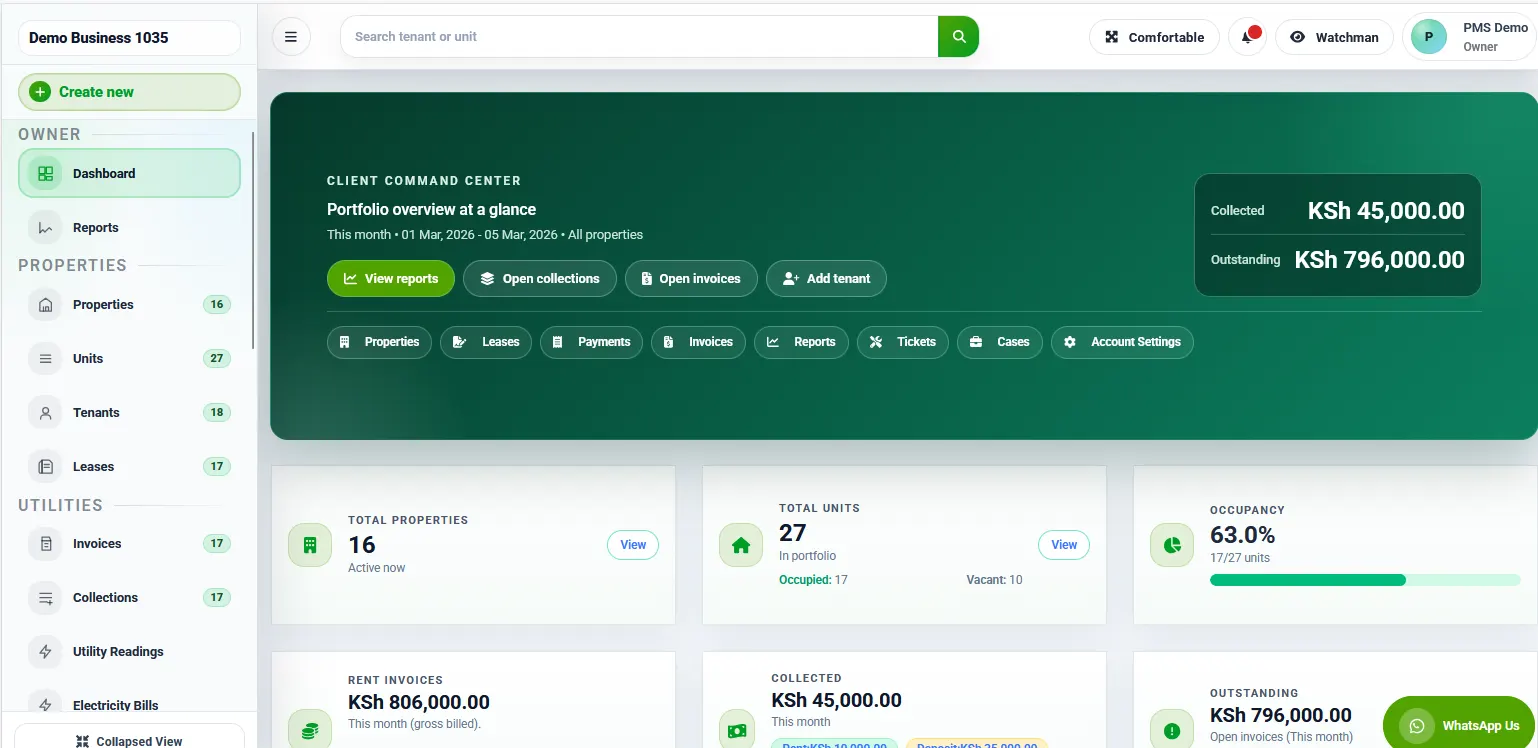
1. Define the purpose of your property report checklist
A property report checklist should begin with the question the report needs to answer. A manager reviewing outstanding operational work may need different information from a colleague checking a period’s activity. State the purpose before selecting a report or export. This helps the preparer choose an appropriate source and prevents an impressive-looking document from being used for the wrong decision.
Identify the intended recipient and their responsibility. Someone reviewing one building should not automatically receive unrelated portfolio information. Keep the content proportionate to the purpose and follow the organisation’s approved sharing process. Deciding the audience early also helps establish the level of explanation needed, particularly when the reader did not prepare the underlying records.
For a property report checklist, write the review question in plain language. “Which maintenance requests still need approval?” is more useful than a broad instruction to send the latest report. A clear question allows the reviewer to judge whether the selected information answers it and whether an additional source or clarification is required before sharing.
Separate preparation from approval where the process requires it. The person exporting information may not be the person authorised to confirm its interpretation or send it externally. Record who prepares, who reviews and who shares the final version. Clear responsibilities reduce the chance that a preliminary working document is mistaken for an approved report.
2. Confirm the property, period and selected filters
Use the property report checklist to check the property reference before reviewing the contents. Similar building or unit labels can make it easy to select the wrong scope. Confirm the period and any other filter that affects what appears. A report may be internally consistent while still describing a different property, date range or status selection from the one the recipient requested.
The property report checklist should show the selected scope in a way another colleague can understand. Record the relevant property or portfolio, reporting period and purpose. Where a report uses an as-of date rather than a date range, explain that distinction. Do not assume that every report treats dates in the same way; confirm the software’s behaviour where it matters.
Review filters that exclude information as carefully as those that include it. A status filter may omit completed actions or show only items awaiting a decision. That can be appropriate, but the reader should understand the scope. If the report does not clearly display the selection, add a suitable explanatory note through the organisation’s approved reporting process.
Before continuing with the property report checklist, compare the selected scope with the original request. Resolve a mismatch before analysing the content. It is easier to correct the property or period early than to explain a document that has already been reviewed and shared under an incorrect assumption.
3. Use an authoritative source and record its timing
In the property report checklist, identify the system or approved record from which the report is prepared. Avoid combining figures or statuses from unrelated copies without understanding their relationship. A spreadsheet downloaded earlier may differ from the current operational record because work continued after the export. The timing matters when a colleague tries to reproduce or explain the result.
A property report checklist should include the preparation time or version reference where appropriate. This does not make an incomplete source correct, but it explains the point at which the information was taken. Keep supporting references accessible to authorised reviewers so they can trace an unexpected item without requesting an entirely new collection of documents.
Distinguish source data from interpretation. A note explaining a discrepancy may be useful, but it should not silently replace the underlying record. Follow the supported correction process when information is wrong. If review is still pending, label the issue clearly and identify the responsible person rather than presenting an unverified adjustment as an established fact.
Use the property report checklist to ask whether expected updates were completed before preparation. A missing approval or unrecorded operational change can affect what the report shows. Confirm the relevant process with the responsible team. Do not claim the report reflects every recent event simply because it was exported a few minutes ago.
4. Investigate exceptions without inventing explanations
Look for information that needs clarification in the context of the report’s purpose. Examples may include an unfamiliar unit reference, an unexplained status or an item appearing in an unexpected period. An unusual entry is a reason to ask a focused question, not automatic proof of an error. Keep the review factual and tied to the approved source.
The property report checklist should record each unresolved question with an owner and next action. State what needs to be confirmed and which source or colleague can provide the answer. Avoid broad notes such as “check everything.” A specific question allows review to continue on confirmed information while preserving visibility of the remaining uncertainty.
Do not fill gaps with assumptions solely to make the report appear complete. If a reference is missing, investigate it through the normal process. If the purpose permits sharing a report with a disclosed limitation, obtain the appropriate review and explain the limitation clearly. Otherwise retain the document as a working version until the necessary checks are completed.
After clarification, update the property report checklist and follow the supported process for any source correction. If the report must be prepared again, identify the new version and review the affected scope. A correction made in one working copy should not leave the authoritative record unchanged and the next report vulnerable to the same question.
5. Check the explanation as carefully as the data
A report can be difficult to use even when its source information is correct. Explain the purpose, scope and any necessary limitations in language the recipient understands. Define unfamiliar abbreviations where they matter. Avoid adding a confident conclusion that goes beyond what the report establishes or implies that every operational issue has been independently investigated.
For a property report checklist, review whether commentary distinguishes facts, pending questions and proposed actions. “The item remains awaiting approval” describes a status. “The manager ignored it” makes a different claim that the report may not support. Use wording that helps the recipient decide what to do next without attributing motives or causes that have not been established.
Keep explanations connected to the relevant item or section. A long general note may be overlooked when the reader focuses on a particular property or action. Where the reporting process supports references, use them consistently. The reviewer should be able to connect a question or explanation to the underlying record without searching through unrelated messages.
Ask another authorised colleague to interpret a sample before finalising the property report checklist. If their understanding differs from the intended message, clarify the wording or scope. This is especially useful when the recipient does not work with the source system every day. A brief readability review can prevent unnecessary follow-up and misunderstanding.
6. Review recipients, privacy and the approved version
Confirm the recipient immediately before sharing. A familiar name or previous email thread is not enough if the report concerns a different property or purpose. Follow the organisation’s approved channel and access process. Check that the document contains only the information necessary for the intended review and does not include unrelated tenant or portfolio details.
A property report checklist should identify the approved version clearly. Working copies, corrected exports and final documents can otherwise become difficult to distinguish. Use the organisation’s naming and retention process, including the property and period where appropriate. Do not rely solely on a filename such as final-final to explain which copy has been reviewed.
Check attachments and linked records as well as the main document. An accurate summary can still point to an outdated or inappropriate file. Confirm that authorised recipients can access the necessary supporting information and that broader access is not being granted casually. The sharing method should match the sensitivity and purpose of the report.
Record the review and sharing action in the property report checklist where required by the process. Identify who approved the version and where the supporting reference is kept. Avoid copying private recipient information into an unnecessarily broad log. The goal is an understandable account of the approved report and the action taken, with appropriate access to its details.
7. Give outstanding questions a clear follow-up route
A report often leads to further work. Identify the action, owner and review date for questions that remain after the reader has considered it. Do not let a comment in the report become the only record of an operational task. Use the approved workflow so the responsible colleague can find the action and report progress.
The property report checklist should distinguish a request for explanation from a request to change a record. A recipient may ask why an item appears in a period without authorising any correction. Clarify the intended outcome before acting. Keep the source record accurate and use the supported process when a change is confirmed as necessary.
When a revised report is required, explain what changed and which version it replaces through the approved communication process. Retain relevant history according to the organisation’s rules. The reader should not have to compare several files manually to discover whether an important question was addressed. A concise revision note can make the follow-up much clearer.
Review recurring issues in the property report checklist periodically. If the same missing reference or unclear filter causes repeated questions, improve the preparation instructions or upstream records. The purpose is to make the next reporting cycle easier to complete accurately, not merely to add more checks that duplicate work without addressing its cause.
Worked example: the correct report with the wrong period
Imagine a fictional team preparing an operational report for one property. The selected report opens correctly, but its date range reflects an earlier request. A colleague reviewing only the entries might assume the information is current. The initial scope check catches the mismatch before the document is treated as the answer to the new request.
The property report checklist records the intended period and the corrected selection. The preparer generates the appropriate version and reviews any exceptions using the approved source. A second colleague confirms the property, period and explanation before sharing. The earlier working copy remains distinguishable so nobody accidentally sends it from a previous message thread.
This example does not depend on a particular screen or report feature. It illustrates why scope should be checked before content is interpreted. Confirm the available reporting functions and date behaviour with the software provider, especially when a report’s purpose differs from the example used during a demonstration.
A practical property report checklist template
Use fields for purpose, recipient role, property scope, period or as-of date, source, preparation reference, selected filters, exceptions, reviewer, approved version and next actions. Adapt the template to the report rather than requiring every field for every situation. Each check should help someone understand the document or make an appropriate decision.
Test the property report checklist with fictional examples. Include a report with the wrong property selection, one with an unresolved reference and one that is ready to share. Ask a colleague to identify the next action in each case. Differences in interpretation show where the instructions need clarification before a real reporting deadline depends on them.
Keep the template with the current reporting procedure and identify who maintains it. When the software or approved workflow changes, review the relevant instructions with the provider or responsible team. Avoid leaving old examples in ordinary use when they describe a different screen or decision process. A small current checklist is more useful than a large outdated manual.
Frequently asked questions
Does exporting a report mean it has been checked? No. An export provides information according to the source and selected settings. A property report checklist helps verify that the scope, explanations and sharing arrangements fit the intended purpose. The review still needs a responsible person.
Should every unusual entry be removed? No. Investigate the entry and confirm what it represents. An unexpected item may be valid. Use the supported correction process if the source is wrong, and avoid deleting or changing information merely to make the report look cleaner.
What if a question is unresolved at the deadline? Record the limitation and ask the appropriate reviewer how to proceed. The property report checklist should identify the owner and next action. Do not invent an explanation or present an incomplete review as finished.
What should a RentalDesk demonstration include? Ask the presenter to show a fictional report, its property and period selection, a relevant exception and the review process. Confirm which functions the proposed plan supports. Use the exercise to clarify your team’s responsibilities as well as the available software workflow.
Run the property report checklist before sending
Read the original request alongside the prepared document. Confirm that both describe the same property, period and purpose. Then ask whether the recipient can distinguish confirmed information from unresolved questions. A property report checklist should help the reader understand the result without needing a separate explanation of assumptions that were never written down.
Review the supporting references and the proposed next actions. An unresolved item should have a named owner and a clear question. If the document is a revised version, explain which earlier copy it replaces through the approved process. Keep that explanation with the property report checklist so a covering colleague can understand why another version exists.
Finally, check the recipient and attachment again at the point of sharing. Confirm that unrelated information has not been included and that the approved version is the one being sent. These practical property report checklist habits help connect careful preparation to the actual document the intended reader receives.
After sharing, record any response that creates a new action in the normal workflow. Do not leave the responsibility hidden in a private message thread where the next colleague cannot find it.
Discuss your reporting process
For separate website research, TAS and Awasa are additional resources. Verify their current services and availability directly. Their inclusion does not imply a reporting integration, and private tenant or owner information should remain within your authorised process.
Before securely sharing, check the recipient and remove information belonging to unrelated properties or people. Clearly identify the approved version and retain its supporting reference. Explore RentalDesk reporting information, confirming which functions are available in your plan. Record outstanding questions with named owners and review dates. Call 0725345345 to discuss your reporting workflow and prepare a demonstration using fictional examples that reflect your team’s ordinary work.