
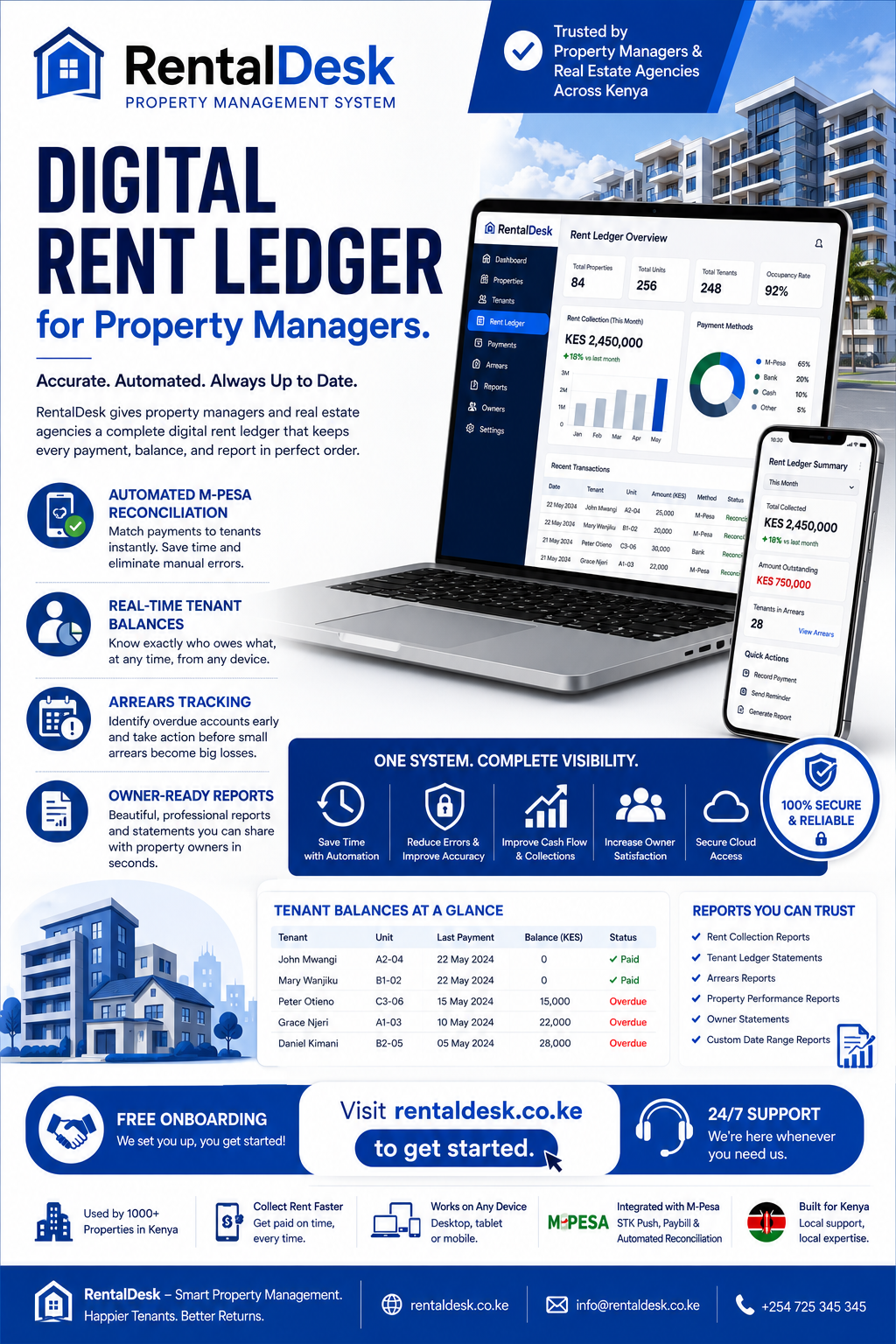
Digital rent ledger for property managers is no longer a luxury—it is a necessity for any property management firm handling multiple units, tenants, and property owners in Kenya. A rent ledger is the foundational record of every rental transaction, tracking what each tenant owes, what they have paid, and what remains outstanding. When managed manually through spreadsheets or notebooks, rent ledgers become error-prone, difficult to reconcile, and unreliable for reporting. RentalDesk provides a comprehensive digital rent ledger solution that automates reconciliation, ensures accuracy, and gives property managers real-time visibility into their entire portfolio .
Why a Digital Rent Ledger for Property Managers Matters
The digital rent ledger for property managers conversation is essential because rental records must be accurate, accessible, and auditable. Property managers handle dozens or hundreds of tenants, each with different payment dates, partial payments, arrears, and service charges. Without a structured system, payment confirmations can be missed, duplicated, delayed, or confused with personal transactions .
Manual rent ledgers create several problems. A property manager may need to check M-Pesa messages, identify the tenant, open a spreadsheet, locate the tenant, enter the transaction, calculate the remaining balance, update arrears, prepare a receipt, and update the monthly report. Repeat this process for hundreds of transactions and the administrative workload becomes unsustainable .
A proper digital rent ledger for property managers solves these problems by connecting properties, units, tenants, invoices, payments, balances, and reports in one integrated system. This reduces dependence on disconnected records and improves accuracy .
What a Digital Rent Ledger for Property Managers Should Do
Digital rent ledger for property managers should give property managers one place to track all rental income, tenant balances, arrears, expenses, and financial performance. A good system should show who has paid, who has not paid, how much each tenant owes, what expenses were recorded, and what the property earned during the month.
For property management companies, the challenge becomes bigger because one team may manage many landlords, properties, and units. A rent payment is not just money received—it has to be matched to the right tenant, property, invoice, month, and owner statement .
The system should preserve the original transaction information and record who resolved exceptions. If a tenant pays from another person’s phone or uses an incorrect account reference, the payment may need review before it is applied. The software should maintain a complete audit trail of all adjustments .
Key Features of a Digital Rent Ledger for Property Managers
When evaluating a digital rent ledger for property managers, look for features that address the unique challenges of managing rental portfolios. RentalDesk delivers all these capabilities.
Automated Rent Invoicing and Payment Capture
The foundation of a digital rent ledger for property managers is automated rent invoicing and payment capture. RentalDesk automatically generates recurring rent invoices for every tenant based on their billing cycle. Invoices are created on schedule, ensuring tenants receive professional billing documents without manual effort.
When a tenant pays via M-Pesa Paybill, Safaricom sends a secure callback to the platform with payment details and the tenant’s account reference. RentalDesk credits the tenant’s account instantly and applies the payment to any outstanding invoices—fully automated . This eliminates manual reconciliation and reduces reconciliation time from hours to minutes.
M-Pesa Integration and Reconciliation
A digital rent ledger for property managers must support M-Pesa workflows. RentalDesk supports M-Pesa STK Push, Paybill, and Till options, allowing tenants to pay instantly. The system is designed for Kenya-first rental operations, where M-Pesa is a major collection channel .
The system preserves the original transaction information including amount, reference, date, payer information, and allocation. If a payment cannot be automatically matched, it is flagged for review. The person who resolves the exception is recorded, maintaining accountability .
Real-Time Tenant Balance Tracking
A digital rent ledger for property managers must provide real-time visibility into tenant balances. RentalDesk updates tenant balances instantly when payments are received. Property managers can see exactly how much each tenant owes, what has been paid, and what remains outstanding.
When a tenant makes a partial payment, the ledger retains the unpaid balance rather than marking the month as fully settled. This prevents confusion and ensures arrears are accurately tracked .
Arrears Management and Aging Reports
Digital rent ledger for property managers must include arrears management. RentalDesk provides automated arrears reports with aging analysis (30, 60, 90+ days overdue). Managers can filter by property, tenant, age, and amount.
Arrears follow-up should remain professional and evidence-based. Staff should confirm the lease, invoices, payment history, and approved adjustments before contacting a tenant. A clear statement reduces arguments because it shows how the balance was calculated .
Digital Receipt Generation
A digital rent ledger for property managers should include automatic receipt generation. RentalDesk issues digital receipts automatically after payment verification. Receipts are sent via SMS, WhatsApp, or email and include transaction ID, payment date and time, amount paid, and outstanding balance.
Digital receipts reduce disputes because tenants can confirm what was paid and landlords can retrieve payment history quickly. They also improve professionalism and build trust .
Tenant Statements and Communication
The digital rent ledger for property managers should support tenant statements. RentalDesk allows property managers to generate tenant statements showing complete payment history, outstanding balances, and transaction details.
Staff can access tenant statements quickly when handling inquiries, reducing the time spent searching for information. Tenants can also access their statements through the tenant portal, reducing the number of inquiries property managers receive.
Multi-Property Ledger Consolidation
For property managers handling multiple buildings, the digital rent ledger for property managers must support consolidated reporting. RentalDesk allows property managers to organize multiple properties from a centralized platform .
The system supports:
-
Real-time rent collection status for every property
-
Full lists of paid and unpaid tenants
-
Arrears summaries per location
-
Property-level performance reports
-
Consolidated portfolio reports
Owner Reporting
A digital rent ledger for property managers must support owner reporting. RentalDesk generates property-level reports that property managers can share with owners.
The system distinguishes between property, owner, unit, tenant, invoice, and payment. This structure makes owner reporting and portfolio management easier . Property managers can produce rent collection summaries, arrears reports, income and expense statements, and property performance reports.
Role-Based Access
The digital rent ledger for property managers should include role-based access. RentalDesk provides user access controls that limit access based on user roles.
Owners may need portfolio reports, managers may handle tenants and billing, accountants may review financial records, and caretakers may work with maintenance items. Role-based access reduces the risk of every employee seeing or changing every record .
Audit Trail
A digital rent ledger for property managers must maintain a complete audit trail. RentalDesk logs every action taken by every user with timestamp and user identification.
Audit trails provide accountability when something goes wrong. They help identify training needs when users make mistakes. They support compliance with internal policies and external regulations. And they help resolve disputes by providing a clear record of what happened and who was responsible .
How RentalDesk Simplifies Rent Ledger Management
RentalDesk is built specifically for the Kenyan market, making it the ideal digital rent ledger for property managers. Here is how it transforms rent ledger management:
Centralized Dashboard
RentalDesk provides a single dashboard where property managers can see:
-
Total rent expected for the month
-
Total rent collected
-
Outstanding balances
-
Occupancy percentage
-
Total arrears
-
Cash flow summary
This centralized view reduces the need to check multiple spreadsheets, WhatsApp groups, or physical records .
Automated Reconciliation
Instead of manually checking M-Pesa messages and matching them to tenant records, RentalDesk automates the entire reconciliation process. Payments are automatically matched to the correct tenant and unit, reducing errors by up to 80%.
Real-Time Visibility
Property managers no longer wait until month-end to know who has paid. RentalDesk provides real-time visibility into rent collections, arrears, and tenant balances.
Remote Access
RentalDesk is cloud-based, allowing property managers to access the rent ledger from anywhere—on desktop or mobile. For agencies managing properties in different locations, this remote capability is invaluable .
Scalability
RentalDesk supports unlimited properties and units, making it suitable for property managers with one building or agencies with hundreds of units across multiple locations .
Reports Every Property Manager Should Review
A proper digital rent ledger for property managers generates reports that provide actionable insights. RentalDesk supports :
-
Rent billed versus rent collected
-
Paid, partially paid, and unpaid tenants
-
Arrears aging by tenant and property
-
Vacant and occupied units
-
Deposits and tenant credits
-
Property income and expense summaries
-
Maintenance status and repair costs
-
Owner statements and portfolio performance
-
Payment-method reconciliation
-
User adjustments and audit activity
Reports are valuable only when source data is complete. Establish a monthly closing routine: reconcile collections, review unmatched payments, confirm adjustments, enter expenses, check vacancies, and investigate unusual balances .
How to Get Started with a Digital Rent Ledger for Property Managers
Implementing a digital rent ledger for property managers is straightforward with RentalDesk :
Step 1: List Every Active Property and Unit
Before implementing a digital rent ledger, property managers should list every active property and unit. Confirm current tenants, rents, and lease dates.
Step 2: Prepare Opening Balances and Arrears
Prepare opening balances and arrears for each tenant. Clean tenant names and phone numbers. Do not migrate every spreadsheet without review—old files often contain duplicate tenants, inactive units, unclear balances, and inconsistent names .
Step 3: Define Payment and Reconciliation Rules
Define payment and reconciliation rules before going live. Choose user roles and approval permissions.
Step 4: Import or Enter Validated Records
Import or enter validated records into RentalDesk . Test billing with a small property first. Test full, partial, and unmatched payments.
Step 5: Train Staff
Train staff using real operating scenarios. Compare system balances with existing records. Go live with a documented support process .
Step 6: Establish Monthly Closing Routine
Once the system is live, establish a monthly closing routine. Reconcile collections, review unmatched payments, confirm adjustments, enter expenses, check vacancies, and investigate unusual balances. Once the period is clean, property managers can use the reports to make decisions about rent reviews, repairs, staffing, and investment .