
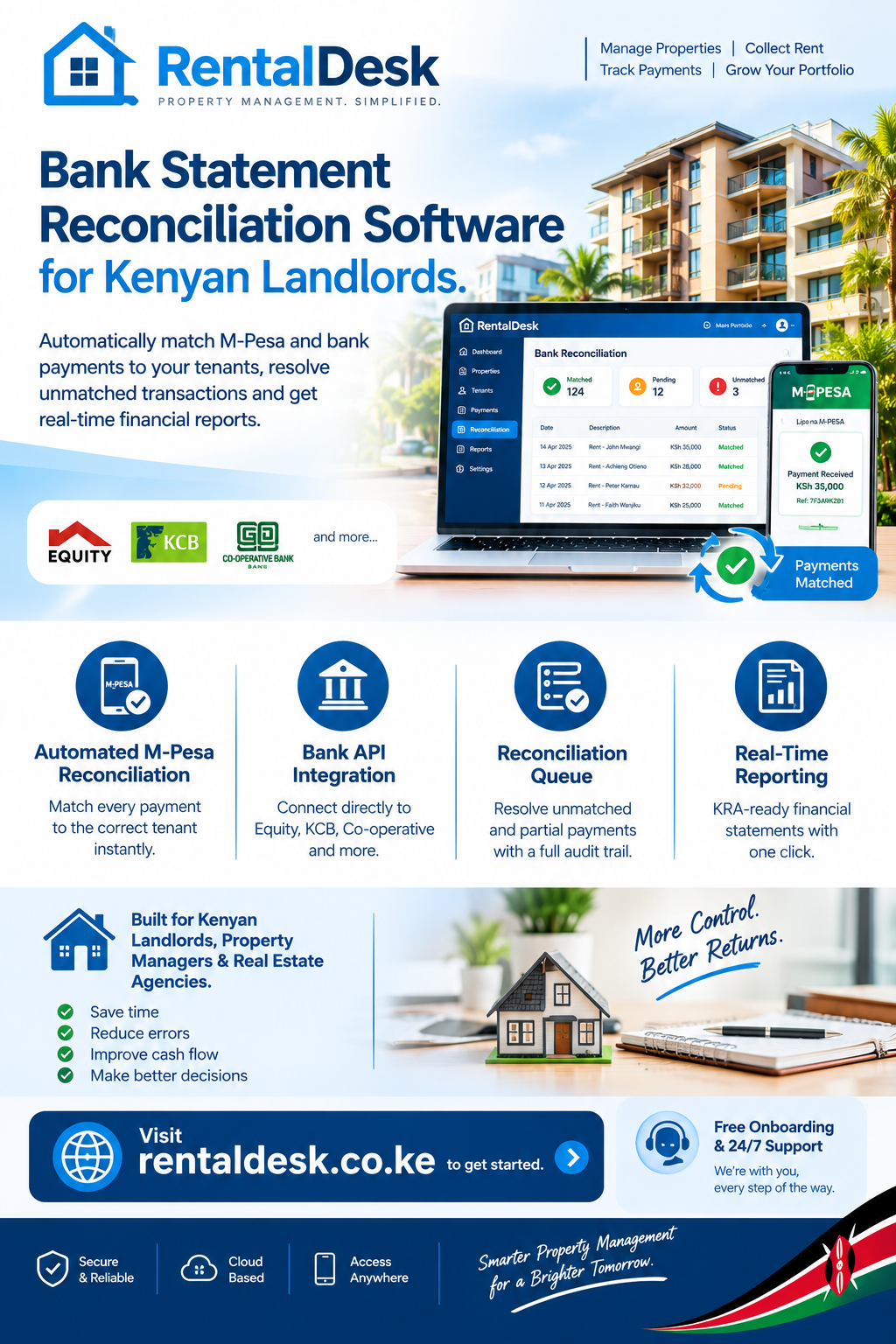
Bank statement reconciliation software has become an essential tool for Kenyan landlords and property managers seeking to eliminate manual reconciliation errors, save hours of administrative work, and gain real-time visibility into their rental income. In Kenya’s rental market, where over 90% of rent payments flow through M-Pesa and bank transfers, reconciling these transactions against tenant ledgers manually is not just time-consuming—it is a significant operational risk.
A landlord managing 30 units who manually reconciles M-Pesa payments typically spends 4–6 hours per month on reconciliation alone, according to surveys of Kenyan property managers. For landlords with 50 or more units, this becomes a full-time job. RentalDesk provides a comprehensive bank statement reconciliation solution designed specifically for the Kenyan market, helping landlords automate M-Pesa and bank reconciliation, track arrears, and manage properties from one centralized platform.
Why Bank Statement Reconciliation Software Matters in Kenya
The bank statement reconciliation software conversation is urgent because rental income is the lifeblood of any property business, and reconciliation is where that income is either captured accurately or lost in the chaos of manual bookkeeping. In practical Kenyan rental management, payments arrive from different phone numbers, some with the correct account number and some without, some in full and some in instalments—and at month-end you are matching them to tenants across a spreadsheet the long way round.
Manual reconciliation in rental management often leads to missed balances, duplicated receipts, wrong arrears reminders, unclear owner statements, and slow monthly reporting. When a portfolio grows, small record gaps quickly become serious problems. A tenant may pay partially, clear an old balance, send a payment reference late, report a repair, or ask for a receipt. If those updates are not captured in one place, landlords can lose track of rent, arrears, tenant balances, and owner reports.
The scale of the problem is significant. Kenyan property managers report that 90 percent of their time is spent on payment reconciliations. This is distracting and prone to errors. RentalDesk addresses these challenges by providing a centralized platform where all financial data is connected. A rent payment updates the tenant balance. The tenant balance supports arrears follow-up. Receipts connect to reporting. Reports help landlords understand what happened across each property. This integration is what makes RentalDesk the preferred choice for bank statement reconciliation software in Kenya.
What Bank Statement Reconciliation Software Should Do
Bank statement reconciliation software should give landlords one place to manage rental income, tenant balances, expenses, deposits, arrears, receipts, and reports. Instead of checking several notebooks and payment messages, the landlord should see the financial position of each unit clearly from a single dashboard.
A good system should show who has paid, who has not paid, how much each tenant owes, which expenses were recorded, what repairs were completed, and what the landlord earned during the month. This matters because property income can look healthy from M-Pesa messages while hidden arrears, unpaid bills, and repair costs are reducing the actual return. The goal is not just to digitize records—the goal is to improve control.
For landlords with many tenants, different payment dates, partial payments, and owner reporting expectations, a system like RentalDesk reduces risks by keeping the rental workflow in one place. This is a core benefit of bank statement reconciliation software.
How Bank Statement Reconciliation Works in Kenya
The bank statement reconciliation software process in Kenya involves comparing payments received via M-Pesa and bank transfers against tenant invoices and balances. The goal is to match every payment to the correct tenant, unit, and invoice, ensuring that balances are accurate and arrears are properly tracked.
The M-Pesa C2B Callback System
When a tenant pays via M-Pesa Paybill, Safaricom sends a C2B (Customer to Business) callback containing the amount, phone number, account number, and transaction ID. This callback arrives moments after the tenant pays. The reconciliation system reads the account number, looks up the matching tenant and invoice, and posts the payment.
This happens in seconds. The only place it breaks is when the account number is wrong, missing, or inconsistent. RentalDesk handles these exceptions through a reconciliation queue, where unmatched payments are flagged for review and can be resolved with a full audit trail.
Bank API Integration
For landlords with bank accounts at Equity, KCB, Co-operative Bank, Stanbic, or Standard Chartered, RentalDesk integrates directly with bank APIs. When deposits hit the bank account, the system captures the transaction and matches it to the correct tenant invoice without relying on SMS messages or manual statement downloads.
This integration enables automatic deposit reconciliation, eliminating the need for manual data entry. Every transaction is timestamped, stored with original details, and preserved in an immutable ledger for audit readiness.
Handling Partial Payments and Unmatched Transactions
Partial payments are the most common source of reconciliation error in Kenyan rental management. A tenant pays KSh 15,000 against a KSh 25,000 rent charge. A manual process either records it wrong, records it twice, or misses the balance entirely.
RentalDesk posts partial payments against the open invoice and leaves the balance open for follow-up. The next payment from the same tenant continues against the same invoice. Unmatched payments are flagged for review rather than auto-posted, preserving the audit trail.
Key Features of Bank Statement Reconciliation Software
When evaluating bank statement reconciliation software, look for features that address the unique challenges of the Kenyan rental market. RentalDesk delivers all these capabilities.
1. Automated M-Pesa Reconciliation
The foundation of bank statement reconciliation software is M-Pesa integration. RentalDesk connects directly to M-Pesa Paybill and STK Push, capturing and reconciling each payment automatically. When a tenant pays, the system extracts the amount, phone number, account reference, and transaction ID, matches the account reference to the correct tenant and unit, credits the tenant account, generates a receipt, and updates the dashboard in real-time.
2. Bank API Integration
RentalDesk integrates directly with APIs from top Kenyan banks including Equity, KCB, Co-operative Bank, Stanbic, and Standard Chartered. This enables automatic deposit reconciliation without relying on SMS messages or manual statement uploads.
3. Reconciliation Queue
The bank statement reconciliation software includes a reconciliation queue for unmatched, duplicated, or unclear transactions. RentalDesk flags these payments for review, allowing authorised staff to resolve them with a full audit trail. The system records who resolved the exception and when.
4. Partial Payment Handling
The bank statement reconciliation software must handle partial payments correctly. RentalDesk records the amount without marking the invoice fully settled. The remaining balance remains visible for follow-up, ensuring accurate arrears tracking.
5. Digital Receipt Generation
RentalDesk issues digital receipts automatically after payment verification. Receipts are sent via SMS, WhatsApp, or email and include the transaction ID, payment date and time, amount paid, and outstanding balance. This eliminates the “I paid” versus “I didn’t receive it” disputes that plague manual reconciliation.
6. Real-Time Payment Tracking
The bank statement reconciliation software provides real-time visibility into payment status. RentalDesk enables landlords to instantly see total rent expected, collected, outstanding balances, and total arrears across all properties.
7. Comprehensive Reporting
RentalDesk generates rent collection reports, income vs expense reports, arrears aging reports, and audit-ready financial statements. These reports are suitable for KRA filing and owner reporting.
8. Role-Based Access
RentalDesk allows landlords to assign different permissions for caretakers, accountants, property managers, and admin staff. Each user sees only what they are allowed to manage, reducing mistakes and increasing accountability.
Common Reconciliation Failures and How to Fix Them
The bank statement reconciliation software process must account for four predictable failure modes:
Failure 1: Wrong or Missing Account Number
The tenant types the wrong reference or skips it entirely. The payment lands in an unmatched queue until someone figures out whose it is. RentalDesk provides a clear dashboard of unmatched payments where you can quickly identify the tenant based on phone number, amount, and timing, and match the payment correctly.
Failure 2: Partial Payments
A tenant pays half the rent now and half on payday next week. A spreadsheet-based process either records it wrong, records it twice, or misses the second half. RentalDesk posts the partial amount against the open invoice and leaves the balance open. The next payment from the same tenant continues against the same invoice.
Failure 3: Duplicate Payments
Tenants pay twice—often because they didn’t get a receipt the first time and thought the payment failed. RentalDesk detects duplicates by transaction ID and flags the issue rather than auto-posting. This prevents overpayments and reduces reconciliation work.
Failure 4: Payments from a Third Party
A spouse, parent, or employer pays on behalf of the tenant. The phone number does not match the tenant record, and the account reference may be missing. RentalDesk records who resolved the exception and when, providing a full audit trail.
Paybill vs Till for Reconciliation
The bank statement reconciliation software process depends on clean payment data. A Paybill allows tenants to enter their unit number as the account reference, enabling automatic matching of payments to the correct tenant and unit. A Till Number has no account reference field, which means reconciliation by phone number or amount—both of which fail when a spouse, parent, or employer pays on the tenant’s behalf.
If you can choose, use Paybill. If you already have a Till, you can still reconcile—just with more care. RentalDesk supports both Paybill and STK Push, as well as bank transfers, providing flexible payment channels for tenants.
Benefits of Using Bank Statement Reconciliation Software
The bank statement reconciliation software offered by RentalDesk delivers numerous benefits:
Significant Time Savings
Manual reconciliation wastes time and leaves room for errors. RentalDesk connects directly to your mobile money and bank accounts, capturing and matching payments automatically. Reconciliation time drops from hours to minutes.
Improved Accuracy
Automated reconciliation eliminates manual data entry errors, ensuring that every payment is matched to the correct tenant and invoice. This improves the accuracy of financial records and reduces disputes.
Real-Time Visibility
RentalDesk provides real-time visibility into rent collections, arrears, and tenant balances. Landlords can see exactly who has paid, who hasn’t, and what remains outstanding at any moment.
Better Cash Flow Management
By automating reminders and reconciliation, RentalDesk helps landlords reduce arrears and improve collection rates. This ensures consistent cash flow and reduces the stress of chasing late payments.
Enhanced Compliance
RentalDesk generates KRA-ready reports, making tax filing straightforward. The platform tracks rental income, expenses, and arrears, providing the accurate records needed for MRI returns and avoiding penalties.
Scalability
Whether you manage one property or hundreds, RentalDesk scales with your portfolio. As you acquire new properties, you can add them to the system without increasing manual work.
How RentalDesk Simplifies Bank Statement Reconciliation
RentalDesk is built specifically for the Kenyan market, and bank statement reconciliation is at the core of the platform.
Automatic Payment Matching
When a tenant pays via M-Pesa Paybill or STK Push, RentalDesk captures the payment details and matches the account reference to the correct tenant and unit. Payments reflect instantly on the dashboard, improving accuracy and reducing arrears.
Bank Integration
RentalDesk integrates directly with APIs from top Kenyan banks, enabling automatic deposit reconciliation without relying on SMS messages. This ensures that every payment is captured and recorded accurately.
Reconciliation Queue
Unmatched, duplicated, or unclear transactions enter a review queue. Authorised staff can resolve them with a full audit trail, ensuring that no payment is lost or misallocated.
Comprehensive Reporting
RentalDesk generates rent collection reports, arrears aging reports, income and expense statements, and owner statements from the same verified records.
Cloud-Based Access
RentalDesk is cloud-based, allowing landlords to access financial data from anywhere—on desktop or mobile—with secure storage and backups.
How to Get Started with Bank Statement Reconciliation Software
Implementing bank statement reconciliation software is straightforward with RentalDesk :
Step 1: Sign Up for RentalDesk
Visit RentalDesk and create your account. Choose a plan that matches your portfolio size.
Step 2: Set Up Your Properties
Add your properties, units, and tenants to the system. Include all relevant details—tenant contact information, lease agreements, rent amounts, and payment schedules.
Step 3: Configure Payment Collection
Set up M-Pesa Paybill or STK Push for rent collection. RentalDesk provides step-by-step guidance for this process.
Step 4: Connect Your Bank
Share your bank account details with RentalDesk to enable automatic deposit reconciliation.
Step 5: Activate Automated Reconciliation
Once configured, RentalDesk automatically reconciles payments, updates tenant balances, and generates reports in real time.
Step 6: Monitor and Review
Use the RentalDesk dashboard to review reconciliation status, clear the unmatched queue, and monitor performance.
Real-World Impact of Bank Statement Reconciliation Software
The bank statement reconciliation software offered by RentalDesk has transformed how landlords manage their finances.
Case Example: Multi-Property Landlord
A landlord managing 15 units across Nairobi previously spent over 20 hours each month reconciling M-Pesa payments against tenant records. After implementing RentalDesk , reconciliation time dropped to under 2 hours monthly—a 90% time savings. Arrears were reduced by 45% within the first quarter.
Case Example: Property Management Company
A property management firm handling 200+ units for various owners struggled with generating accurate monthly owner statements. RentalDesk automated the entire reporting process, reducing report generation time from days to minutes.
Case Example: Diaspora Landlord
A diaspora landlord with multiple properties in Nairobi struggled to monitor rent collections and property expenses from abroad. RentalDesk provided complete visibility into property finances, allowing the landlord to make informed decisions without traveling to Kenya.