How to Manage Tenants with RentalDesk — The Ultimate Guide (SEO Optimized)
Managing tenants effectively is one of the biggest challenges property owners face — especially as your portfolio grows. Late rent payments, maintenance requests, lease renewals, and tenant communication can quickly become overwhelming without the right system in place.
That’s where RentalDesk comes in — an all‑in‑one tenant management platform designed to streamline the rental process, keep landlords organized, and improve the tenant experience.
In this comprehensive guide, we’ll walk you through how to manage tenants with RentalDesk, step by step. You’ll also get actionable tips that landlords can use immediately to boost efficiency, reduce disputes, and create a more professional rental operation.
Table of Contents
-
What Is RentalDesk?
-
Why Better Tenant Management Matters
-
Setting Up Your Account in RentalDesk
-
Adding Properties & Units
-
Tenant Onboarding and Lease Management
-
Rent Collection & Financial Tracking
-
Maintenance Requests & Workflow
-
Tenant Communication Tools
-
Reporting & Analytics
-
Best Practices for Effective Tenant Management
-
Common Tenant Management Challenges (Solved)
-
Final Tips — Maximize ROI with RentalDesk
1. What Is RentalDesk?
RentalDesk is a cloud‑based property management solution designed for landlords, property managers, and real estate investors. The platform combines property tracking, tenant management, communication tools, financial reporting, and maintenance workflows — all in a user‑friendly dashboard.
With RentalDesk, property owners gain clarity and control over every aspect of tenant management.
2. Why Better Tenant Management Matters
Before diving into the how‑to, let’s understand why managing tenants well is so crucial:
-
Improves tenant retention: Happy tenants stay longer.
-
Reduces late payments and disputes: Automated reminders and online payments help.
-
Protects your investment: Timely maintenance avoids costly property damage.
-
Saves you time: Efficient processes free you from manual tasks.
RentalDesk was created to address these exact pain points by centralizing tenant management.
3. Setting Up Your Account in RentalDesk
Getting started with RentalDesk is easy. Follow these steps:
Step 1: Sign Up
-
Visit the RentalDesk website.
-
Choose a subscription plan that matches your property size.
-
Verify your email and complete setup.
Step 2: Customize Your Settings
-
Set your business name and contact info.
-
Upload your logo for branded tenant communications.
-
Select your preferred currency and payment options.
🎯 Tips: Connect your bank account early — this ensures rent payments flow smoothly and securely.
4. Adding Properties & Units
Once your account is ready, the next step is listing your properties.
Add Your Property
-
Click “Properties” → “Add New Property”
-
Fill in the address, unit count, and photos.
Add Units
For each property:
-
Enter unit name/number
-
Set rent amount and due date
-
Specify lease terms and security deposit
RentalDesk organizes properties so you can view all units at a glance, helping you stay on top of availability and occupancy.
5. Tenant Onboarding & Lease Management
A smooth tenant onboarding process sets the tone for the relationship.
Invite Tenants
-
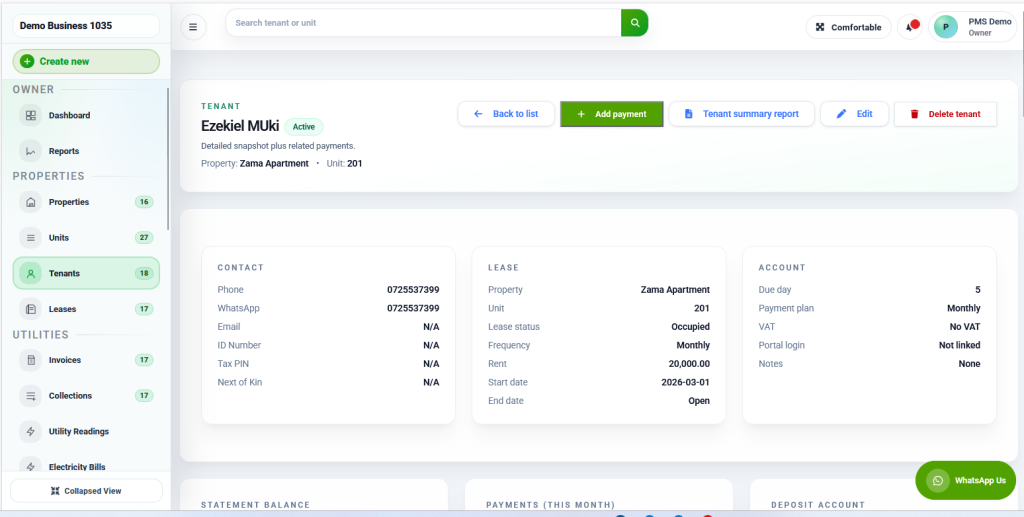
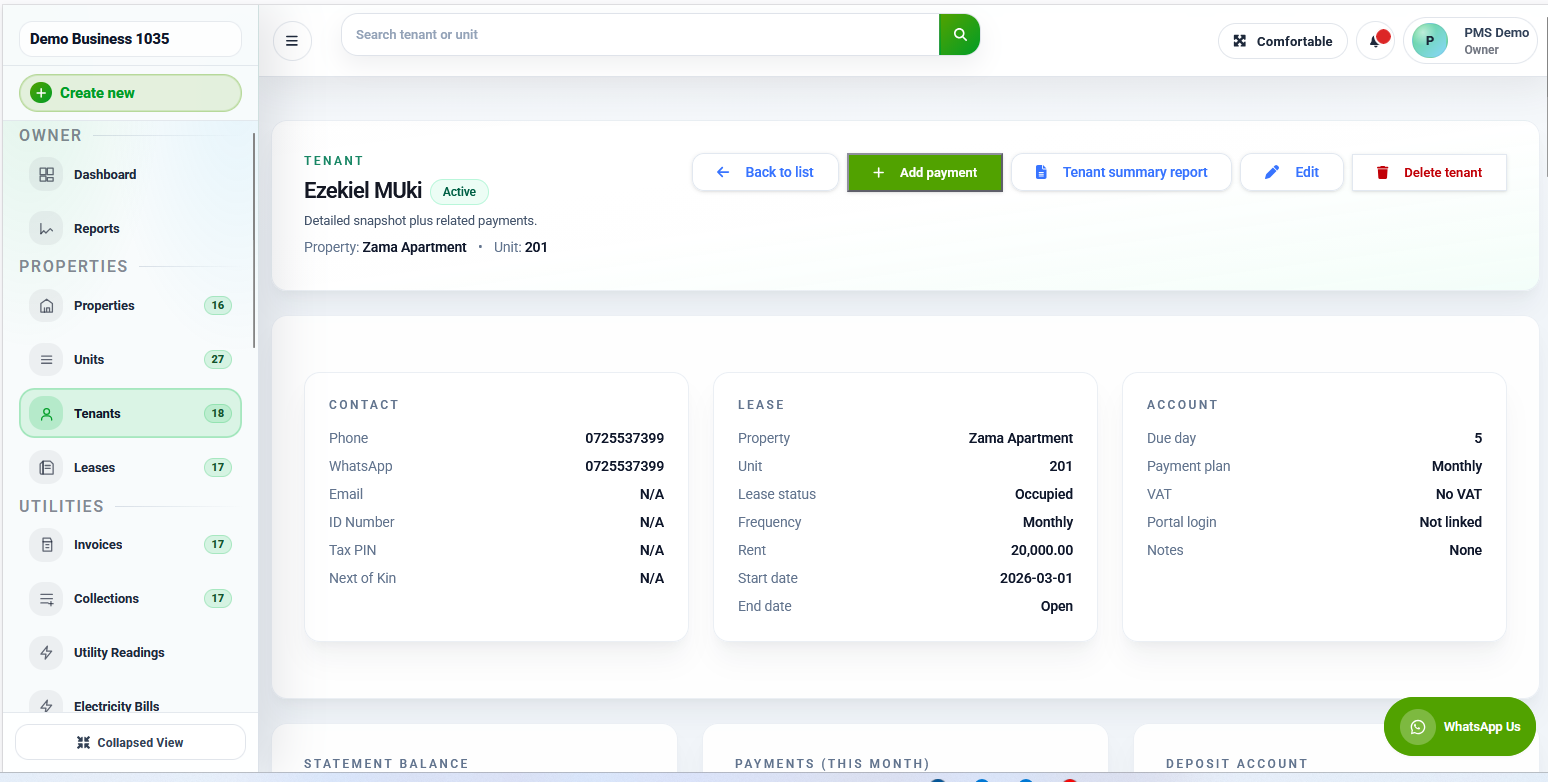
Go to the “Tenants” tab → “Add Tenant”
-
Enter name, email, phone, ID details
-
Send a custom welcome message
Upload Signed Lease
-
Attach the lease file to the tenant profile
-
Record key lease terms like start/end date, rent, and rules
Automated Notifications
RentalDesk can:
✔ Send lease reminders
✔ Notify tenants of upcoming renewals
✔ Track lease expiry dates
This helps you avoid lapses or last‑minute resignations.
6. Rent Collection & Financial Tracking
One of RentalDesk’s most powerful features is automated rent management.
Online Rent Payments
Enable tenants to pay rent online via:
-
ACH / bank transfer
-
Debit/credit card (if supported)
📌 Benefits:
-
Faster payments
-
Automated receipts
-
Less manual tracking
Set Reminders & Late Fees
Configure:
-
Rent due date reminders
-
Late fee rules and automatic application
Track Financials
Stay organized with:
-
Income reports
-
Expense tracking
-
Tax‑ready records
This makes end‑of‑year accounting a breeze.
7. Maintenance Requests & Workflow
Maintenance issues are inevitable — but managing them doesn’t have to be stressful.
Tenant Submits Ticket
Tenants can open maintenance requests with:
-
Description of issue
-
Photos or videos
-
Priority level
Manage & Track Tickets
RentalDesk lets you:
-
Assign requests to a vendor or team member
-
Set deadlines
-
Add internal notes
-
Track status (open, in progress, completed)
This ensures faster responses and fewer repeat issues.
8. Tenant Communication Tools
Communication is key to satisfaction.
With RentalDesk you can:
📩 Send bulk announcements
📞 Message individual tenants
📆 Schedule reminders
📄 Share documents (leases, addendums, notices)
All messages are stored in the tenant’s profile — so nothing falls through the cracks.
9. Reporting & Analytics
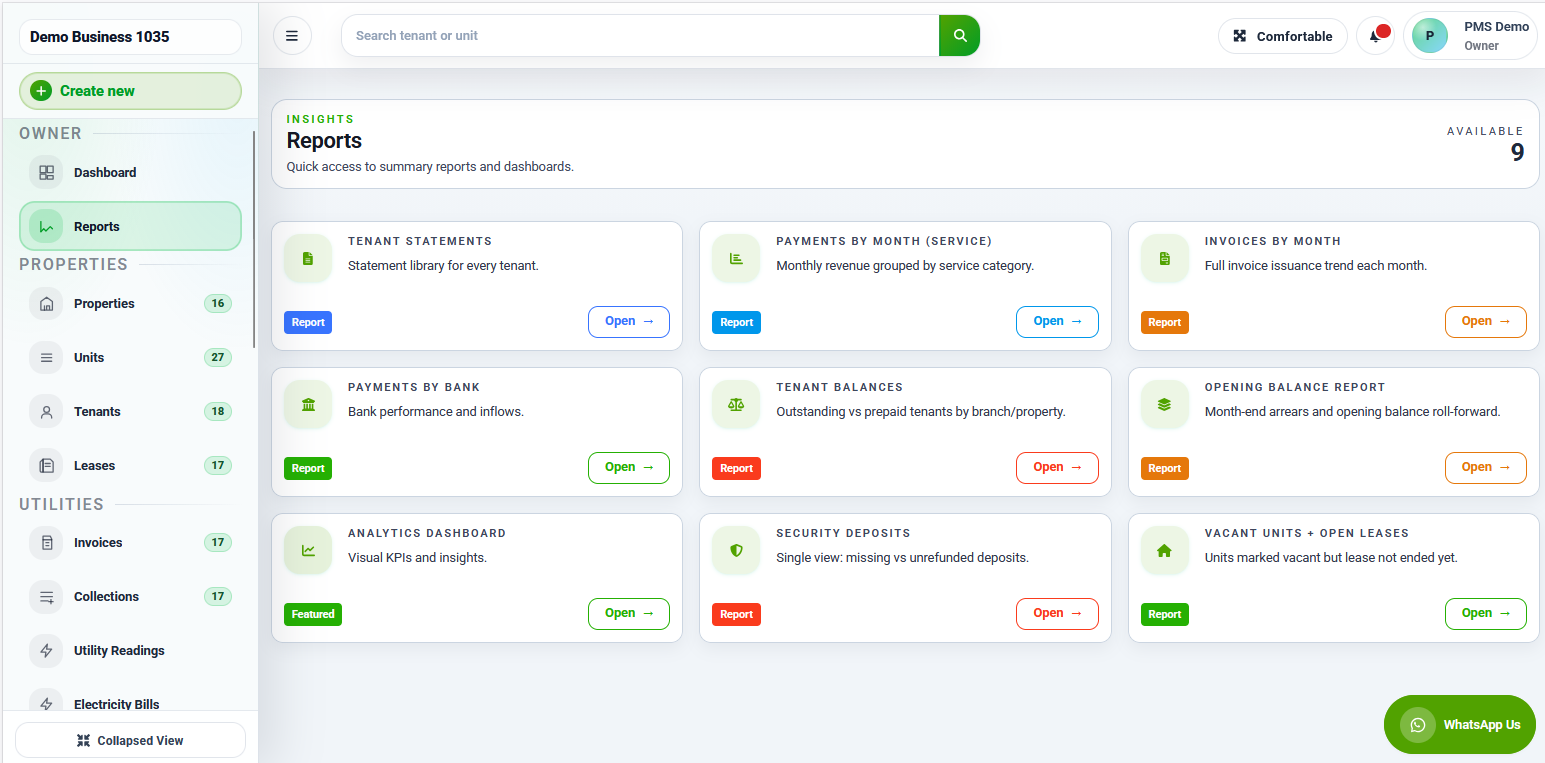
RentalDesk’s analytics give you insights such as:
-
Occupancy rates
-
Rent collection percentages
-
Maintenance costs
-
Tenant turnover rates
These metrics help you make data‑driven decisions and maximize your rental income.
10. Best Practices for Effective Tenant Management
Here’s how top landlords use RentalDesk successfully:
🔹 Be Consistent With Communication
Use templates to ensure clarity and professionalism.
🔹 Automate Everything You Can
From rent reminders to lease renewal alerts — automation saves time.
🔹 Track Everything
From repair costs to payment dates — records protect you legally and financially.
🔹 Respond Promptly
Quick responses to tenant issues increase satisfaction and retention.
11. Common Tenant Management Challenges (Solved)
Let’s tackle frequent landlord frustrations:
Late Payments
→ Solution: Automated reminders + online payments
Maintenance Overload
→ Solution: Use ticket tracking and priority queues
Record Keeping
→ Solution: Digital document storage
Tenant Disputes
→ Solution: Clear communication logs and documented agreements
RentalDesk helps you address these proactively before they escalate.
12. Final Tips — Maximize ROI with RentalDesk
To get the most out of your tenant management system:
✔ Keep your software updated
✔ Train staff on features
✔ Review reports monthly
✔ Ask tenants for feedback
A data‑driven, organized approach helps retain tenants longer, increase profitability, and reduce headaches.
Conclusion
Managing tenants doesn’t have to be chaotic or time‑consuming. With the right tools and processes — especially RentalDesk — landlords can centralize tenant data, automate essential tasks, and create a professional rental experience.
Whether you’re a new landlord or a seasoned property manager, applying the strategies in this guide will help you stay organized, protected, and profitable.