
Contractor appointment tracking helps property teams distinguish a requested visit from a confirmed appointment and a completed outcome. These are separate stages. Start with the underlying request, the correct unit reference and the person coordinating the next action. A calendar entry should not imply that approval, access and work completion have all been settled.
Map the process before choosing how to record it. Review RentalDesk features and confirm the relevant functions in a demonstration. Use fictional requests to test how the team will identify an appointment, update its status and hand the next action to a covering colleague.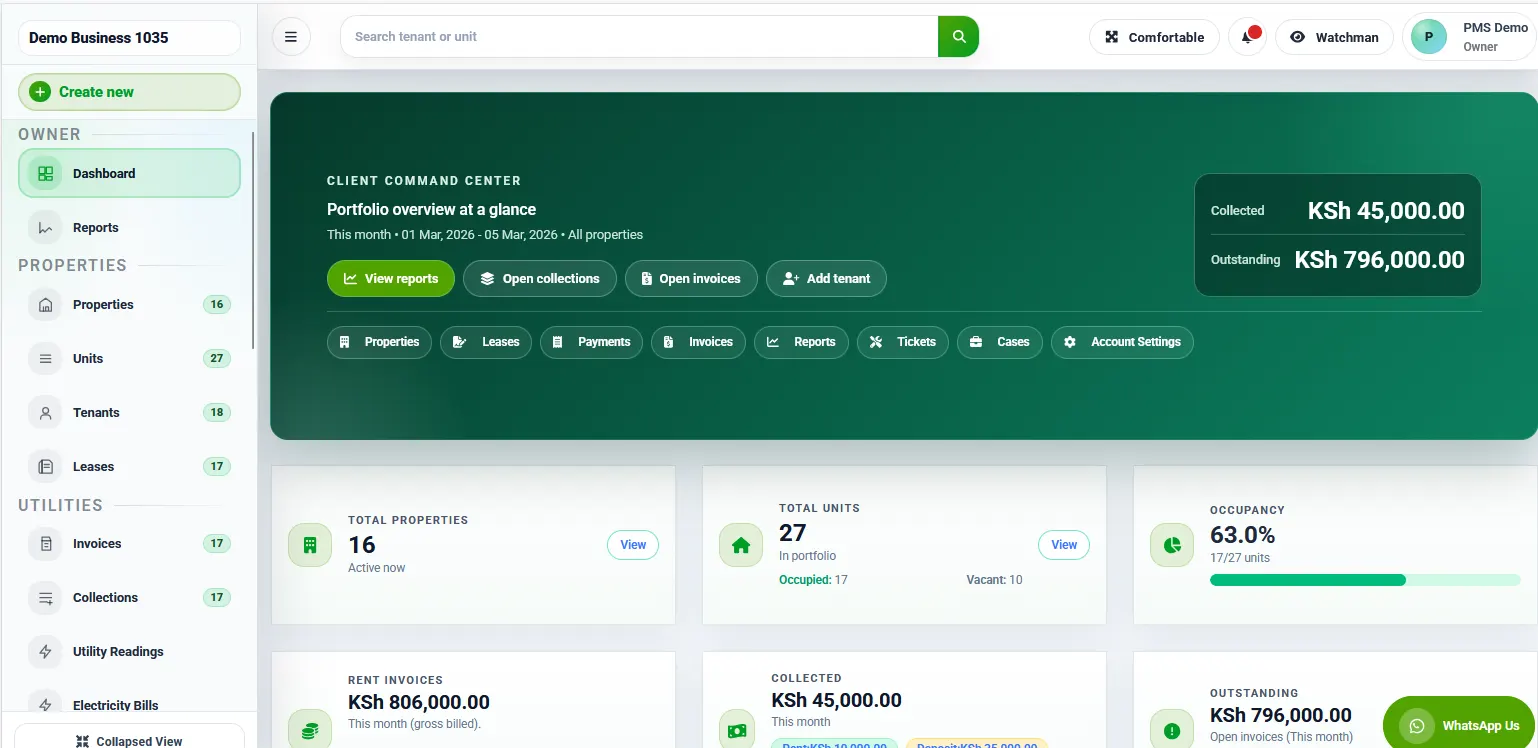
Contractor appointment tracking: Connect the appointment to its purpose
Record whether the visit concerns assessment, a quotation, approved work or a follow-up check. The same property may receive several visits, so a date and contractor name alone may be insufficient. Keep the request reference visible and distinguish what is agreed from what still needs a decision.
Contractor appointment tracking: Confirm the date rather than assume it
A message asking whether Friday is available is not a confirmed booking. Record the agreed arrangement and the person who confirmed it. If the date remains uncertain, assign a follow-up rather than presenting the request as scheduled. This helps staff plan without relying on an unanswered conversation.
For separate supplier or transport research, you may review Jaat and Dereva. Verify current availability, suitability and responsibilities directly. These links do not book a service or establish a RentalDesk integration.
Contractor appointment tracking: Check access and approval independently
Identify who arranges access and who can approve the scope. They may be different people. Keep keys, access codes and private contacts in the approved location instead of putting them in a broadly shared task description. The appointment record can confirm that an arrangement exists without exposing the information used to provide it.
Contractor appointment tracking should show what happens if additional work is proposed. A visit to assess an issue is not blanket approval for replacements. Record the recommendation, the decision-maker and the next review. Make the distinction clear to the colleague who meets the visitor.
Contractor appointment tracking: Record changes and cancellations
When an appointment changes, identify who communicates the update to the relevant parties. Keep the revised arrangement clear and distinguish it from the earlier date. A cancelled visit should not disappear if the underlying issue remains open. Assign the next action so the team knows whether to seek a new date or resolve another blocker first.
Contractor appointment tracking: Record the actual outcome
Attendance confirms that a visit happened, not that the original request was resolved. Note what was reported, what was checked and what remains outstanding. If another visit is needed, connect it to the request and explain its purpose. Close the operational action only through the agreed completion process.
Contractor appointment tracking: A useful appointment record
Include the request reference, property, purpose, appointment status, coordinator, access confirmation, outcome and next review date. Keep explanations short and factual. Avoid speculation about why another person was unavailable. The useful question is what happened operationally and what the responsible colleague needs to do next.
Contractor appointment tracking: How should a handover be checked?
Ask the receiving colleague to identify the next appointment and explain its first action. If they cannot tell whether to confirm access, obtain approval or wait for a response, improve the record. A handover is useful when responsibility is understood, not merely when a message has been forwarded.
Review checklist for contractor appointment tracking
Before a shift changes, ask the receiving colleague to identify the next confirmed visit and its purpose. Check whether the provider needs an approval, an access arrangement or only an arrival contact. If the record cannot answer those questions, update it while the coordinator is available. The next person should not need to search through several private conversations to understand an ordinary appointment.
Explore the RentalDesk operations guides and call 0725345345 to discuss contractor appointment tracking for your property team.
Start contractor appointment tracking with a precise request
A useful appointment record begins before a date is agreed. Identify the property, the exact location and the purpose of the proposed visit. Describe the reported issue in ordinary language and distinguish the report from a professional diagnosis. A note saying that a tenant reported an intermittent problem is more accurate than recording an unverified technical conclusion as the reason for the visit.
Include the person coordinating the request and the next action needed to arrange it. If the team is waiting for a contractor’s availability, say so. If access must first be confirmed, keep that as a separate requirement. Contractor appointment tracking becomes confusing when a request, a proposed time and a confirmed appointment are all represented by the same general status.
Use a fictional example during training. A property team requests a visit to inspect a reported door issue at Unit C4. The contractor suggests Tuesday morning, but the arrival contact has not yet confirmed availability. The record should show a proposed visit awaiting access confirmation. Calling it booked at that stage may cause staff to make promises that the current information does not support.
Contractor appointment tracking: Agree on a small set of understandable statuses
Status labels should describe what has actually happened. Request received, availability requested, time proposed, appointment confirmed, visit completed and follow-up required are examples of distinct operational stages. Use labels that fit the team’s existing process and actual software options. The important point is that colleagues understand the condition that must be met before moving a record from one stage to another.
Write a brief definition for any label that could be interpreted in different ways. For instance, confirmed might mean that the contractor, arrival contact and required internal coordinator have acknowledged the arrangement. Define the team’s own rule rather than relying on each person’s assumption. This keeps the next action visible and reduces the chance of a calendar entry being mistaken for a fully coordinated visit.
Do not use completed to cover every possible outcome. A contractor may attend but be unable to access the location. They may inspect the issue and recommend a separate follow-up. Contractor appointment tracking should preserve those distinctions. The visit taking place and the reported issue being resolved are related events, but they are not necessarily the same event.
Contractor appointment tracking: Keep the location and arrival instructions separate
For contractor appointment tracking, the property and unit reference identify where the work relates to. Arrival instructions explain how the visitor should meet the appropriate person and reach the agreed location. Keep both clear. A building name alone may not be sufficient for a portfolio with similar addresses, while directions such as ask the caretaker may be unsuitable when the named person is unavailable.
Confirm the arrival contact through the approved process and share only the information needed for the appointment. Avoid distributing an entire tenant or property file as an access instruction. If access depends on a separate permission or arrangement, identify who is responsible for confirming it. Do not assume that one person agreeing to a time also settles every requirement for entering the premises.
Review instructions when an appointment moves. A contact who could meet a contractor on Monday may not be available on Thursday. Contractor appointment tracking should make the current arrangement clear rather than carrying old instructions forward automatically. Keep any relevant change visible to the people whose actions depend on it, and use the team’s approved communication route for that update.
Contractor appointment tracking: Record confirmation without overloading the note
A contractor appointment tracking confirmation note can be short: the agreed date, arrival window, location, visit purpose, coordinating contact and any known condition that affects attendance. Include the source of the confirmation where the team’s process requires it. The note should allow another colleague to explain the arrangement without searching through a long conversation containing earlier proposals and discarded times.
Distinguish an arrival window from a guaranteed completion time. A visit may begin within a stated period without every task being finished by its end. Use the wording actually agreed with the provider. If a tenant asks when the issue will be resolved and that has not been established, explain the confirmed visit arrangement and refer the unresolved completion question to the appropriate person.
Contractor appointment tracking should also identify how changes will be reported. Confirm the contact route for a delay, cancellation or access problem. A well-prepared record helps the team respond to a change without guessing whom to call. It does not require the coordinator to promise technical outcomes or approve work beyond the responsibilities assigned to them.
Contractor appointment tracking: Make rescheduling visible to everyone who needs it
When a visit is rescheduled, record the current appointment and explain that it replaces the earlier arrangement. Keep enough history to understand the change through the approved workflow. A colleague should not have to compare two similar messages to discover which time is valid. Clear versioning of the arrangement is especially useful when several team members coordinate different parts of access.
Review the contractor, arrival contact and internal coordinator together. A change that suits one person may not suit the others. Confirm any dependent arrangement rather than assuming it remains valid. For example, an earlier visit window may have depended on a particular staff member being present. The new time should be checked against that requirement before it is described as confirmed.
Avoid interpreting a non-response as acceptance of the revised time. Record which confirmation is still outstanding and assign the next action. Contractor appointment tracking should make uncertainty visible early enough for the team to resolve it. A record that honestly says awaiting response is more useful than a confident label that causes someone to wait for an unconfirmed visit.
Contractor appointment tracking: Prepare a practical daily review
At the start of the working day, review the appointments that require action now. Focus on confirmed visits, proposals awaiting a response and changes that affect today’s arrangements. Check the arrival contact, location and open conditions. The purpose is to identify the next coordination task rather than read every historical note for every contractor in the portfolio.
For each exception, decide who will act and what information they need. An unconfirmed access arrangement may require a different response from a contractor running late. Keep the action linked to the specific appointment. A general message saying please follow up with contractors can leave several colleagues doing the same work while another appointment receives no attention.
End the review by confirming which items have been handed to another person. Contractor appointment tracking should support a colleague who takes over halfway through the day. Record the latest factual position and the next agreed step. This prevents the team from repeating calls or making conflicting statements because the previous coordinator’s update remained in a private notebook.
Contractor appointment tracking: Record the visit outcome accurately
After the appointment, confirm what happened through the appropriate source. Useful outcomes may include attended and inspected, unable to access, further information required or follow-up visit proposed. Record the relevant details in the team’s approved format. Avoid presenting a second-hand summary as a verified technical finding when the person providing it was not responsible for that assessment.
Separate the outcome from the next decision. A contractor’s recommendation may require review before further work is arranged. Identify the person responsible for that review and record the next action. The appointment coordinator should not silently convert a recommendation into an approval. Clear responsibility helps the team understand why an issue remains open after the initial visit has taken place.
If the issue is reported as resolved, record the basis for that statement according to the team’s process. Where further confirmation is needed, keep it visible. Contractor appointment tracking is most useful when the close-out note explains the actual outcome and any remaining responsibility. It should not simply remove the item from the list because the calendar date has passed.
Work through a realistic appointment example
Imagine a fictional inspection request at Building D. The coordinator records the reported issue, location and proposed contractor. A time is suggested, but the usual arrival contact will be away. The record remains at time proposed while another authorised contact is confirmed. Once the required people acknowledge the arrangement, the coordinator records the appointment as confirmed and shares the current arrival instructions.
On the visit day, the contractor reports a delay. The coordinator updates the arrival contact and checks whether the revised window still works. The record shows the new arrangement and the person who confirmed it. After attendance, the contractor recommends a separate follow-up. The visit is recorded as completed with follow-up required, and the next decision is assigned to the appropriate reviewer.
This example demonstrates why a single booked or done label is often insufficient. The team needs to distinguish coordination, attendance, findings and follow-up. Contractor appointment tracking does not have to be complicated, but it should preserve the distinctions that affect people’s next actions. A small number of clear fields can do that more reliably than a large unstructured history of messages.
Ask useful questions in a product demonstration
Bring a fictional appointment through the full sequence: request, proposed time, confirmation, reschedule, attendance and follow-up. Ask the provider to show which parts are supported in the product and which remain the team’s responsibility. Confirm the plan and configuration involved. Do not assume that a demonstration of one workflow guarantees a particular notification, calendar or integration feature in every account.
Ask how a colleague finds the current arrangement after taking over from someone else. Then introduce an exception, such as an unavailable arrival contact or a visit that ends without access. Watch how the record distinguishes the outcome from the next action. These questions reveal whether the proposed process fits daily coordination rather than merely looking organised in a sample screen.
For contractor appointment tracking, staff should also understand what they are allowed to update. Agree on the internal responsibilities for changing times, confirming access and recording outcomes. A clear operating process supports the software workflow. If a step is uncertain, record the question and resolve it with the appropriate person before expecting staff to use it consistently.
Frequently asked coordination questions
What should happen when a contractor does not attend?
Record the observed position factually and follow the agreed contact process. Distinguish no attendance confirmed from a verified cancellation or a known delay. Check whether the arrival contact has relevant information before creating a new arrangement. Assign the next action and keep the affected people informed through the approved route without guessing the reason for the missed appointment.
How should recurring visits be handled?
Keep each actual visit distinguishable from the general recurring arrangement. The team still needs to know whether a particular date was confirmed, attended or moved. Review access instructions and contacts when circumstances change. A repeating schedule can support planning, but it should not cause an old contact or an unresolved exception to be copied indefinitely into future appointments.
What belongs in a handover note?
Include the appointment reference, current arrangement, latest confirmed status, unresolved question and next action owner. Keep technical findings linked to their appropriate source. The receiving colleague should be able to explain what happens next without replaying the whole conversation. Contractor appointment tracking succeeds when that next step remains clear even when the original coordinator is unavailable.
Close the coordination loop
Before closing a record, confirm that the visit outcome and remaining actions are visible to the relevant team. Check whether another appointment, a review or an update to the reporting person is required. Completion should follow the team’s defined process. If the issue remains open, identify where it will be tracked next so it does not disappear between two lists.
Review a few recent records periodically to see where confusion occurs. Repeated rescheduling questions may point to unclear confirmation rules; repeated access failures may indicate weak arrival planning. Improve the relevant step rather than adding unrelated fields. The aim is dependable coordination: the right people understand the current visit arrangement, its actual outcome and the next responsibility.
For a separate discussion about business workflow tools, review Zama business systems information and confirm current capabilities directly. Compare any proposed arrangement with your contractor appointment tracking process. This reference does not establish an integration with RentalDesk or confirm that a provider supports a particular scheduling feature.