
Rental software training works best when staff practise the tasks they will actually perform. Begin with locating a unit, reviewing an invoice, checking a recorded payment, reporting uncertainty and finding the relevant owner report. Use fictional examples before giving learners responsibility for live operational information or financial records. Schedule a short follow-up session for questions from everyday use. Review regularly.
Prepare the session with the RentalDesk demonstration checklist. Ask each learner to explain the result of a sample task in ordinary language. This reveals unclear steps more effectively than simply asking whether everyone understood a general product presentation.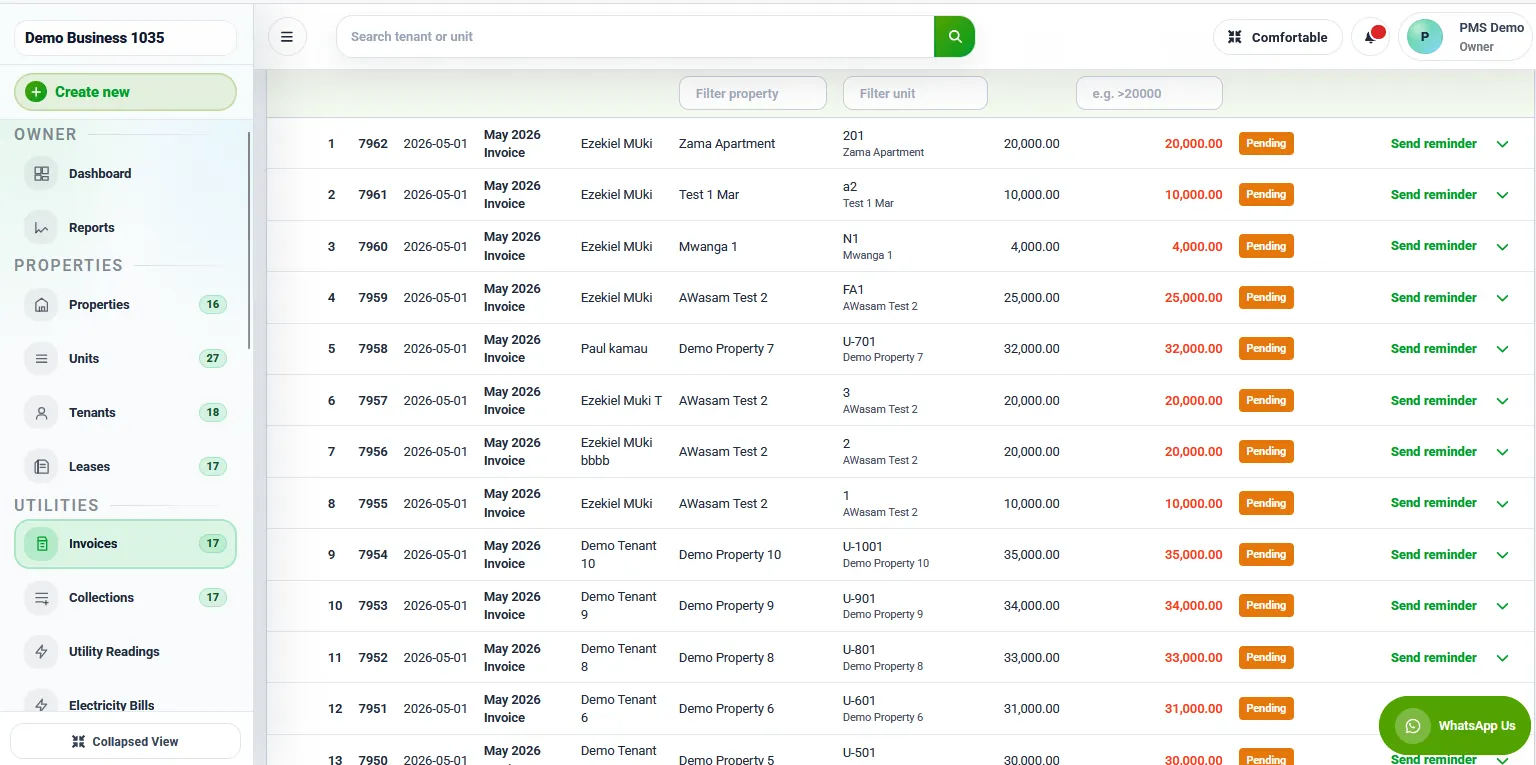
1. Start rental software training with actual responsibilities
Rental software training should begin with the work people need to perform, not a tour of every button. List the ordinary activities handled by the office, property manager and caretaker. Identify which activities each person performs, which they review and which require approval from someone else. This creates a practical learning plan without assuming everyone needs the same access or responsibilities.
Choose a small set of representative tasks for the first session. Examples may include finding a unit, locating an approved record, recording an operational update and reviewing an outstanding action. Confirm which functions the software and chosen plan actually support. A training outline should reflect the available workflow rather than imply that a demonstration feature is included in every arrangement.
For rental software training, ask staff where mistakes or delays occur in the current process. The answer may concern unclear unit references, duplicate notes or uncertainty about who reviews a change. Software instruction alone will not resolve those organisational questions. Record them as decisions to clarify alongside the training so people do not learn a new screen while retaining an ambiguous process.
Set an observable outcome for each exercise. “Understand reporting” is difficult to assess. “Find the agreed report, identify its period and explain who reviews it” is clearer. The learner should know what successful completion looks like and when to ask for help. This makes the session easier to evaluate without turning it into a test of technical vocabulary.
2. Prepare fictional records and an approved practice method
For rental software training, use fictional examples that resemble the structure of the portfolio without copying unnecessary personal information. Include more than one property if staff need to distinguish similar unit labels. Create ordinary examples and a few exceptions, such as a missing reference or an action awaiting approval. Ask the provider which practice environment or demonstration method is appropriate.
Rental software training should not create live charges, send real notifications or change tenant records merely to show that a button works. Confirm the effect of each exercise before learners perform it. A safe demonstration process lets staff explore the task while keeping business records accurate. If no separate practice environment exists, agree an alternative with the responsible provider.
Label sample information clearly. Learners should be able to distinguish a fictional example from an operational record, especially when screenshots or instruction sheets are retained. Avoid examples that resemble a real person closely enough to cause confusion. Keep the training material focused on the decision or action being learned rather than filling it with unnecessary detail.
Before rental software training begins, check that the devices, accounts and permissions needed for the session are ready through the approved process. Do not share one person’s credentials as a shortcut. If a learner cannot access the relevant screen, identify the responsible account administrator and resolve the access question separately from the content of the exercise.
3. Demonstrate the task, then let the learner perform it
Explain the purpose of the task before showing the screen sequence. Staff need to understand why they are selecting a property, checking a date or reviewing a status. A memorised series of clicks is fragile when the situation changes. Connect each important step to the record or decision it protects, using the team’s ordinary language.
During rental software training, demonstrate one complete example at a manageable pace. Show where the task starts, what must be checked before submission and how the result is reviewed. Avoid interrupting the example with every optional setting. Record unrelated questions for later so the learner can first see the whole ordinary workflow without losing the main thread.
Ask the learner to perform a similar fictional example themselves. Observe where they hesitate or make an assumption, then clarify the instruction. Do not take over immediately whenever they pause. The exercise should reveal whether the person can identify the next action and recognise uncertainty, not merely whether they can follow the trainer’s hand in real time.
Use a short explanation-back step in rental software training. Ask the learner to describe what they changed, how they checked it and when approval would be needed. This can reveal misunderstandings that a successful click sequence does not show. Correct the process gently and update the instruction sheet if the same confusion appears across several learners.
4. Teach exceptions and escalation as part of the workflow
Include an example that should not be completed immediately. A missing property reference, uncertain instruction or conflicting record can require review. Staff need to know how to stop, record the question and contact the appropriate person. A training programme that demonstrates only perfect examples may leave learners unprepared for the first ordinary exception.
Rental software training should distinguish a correction from an approval. Someone may have permission to enter information but not authority to decide a disputed value or change a business arrangement. Explain those responsibilities through the organisation’s process. Do not assume that access to a button automatically means the user should exercise it in every circumstance.
Show how to report an error without concealing the original issue. Confirm the software’s supported correction process with the provider and explain when an administrator or reviewer is needed. Avoid teaching improvised workarounds that create another record merely to hide an incorrect one. The objective is an understandable, approved correction that preserves the relevant context.
Add an escalation example to rental software training for an unavailable colleague. Learners should know who covers an approval or support question and where the current instruction is recorded. A workflow should not depend entirely on one person being present. Clarify the cover arrangement so staff do not guess or bypass review when a manager is away.
5. Use handovers and reviews to reinforce learning
After the first session, ask learners to use the instruction sheet during a supervised working cycle appropriate to their role. Review questions that arise from actual tasks without exposing private information unnecessarily. The initial session introduces the process; a short follow-up shows whether the guidance remains usable when work arrives in a less predictable order.
Rental software training should include how updates reach colleagues. A person may enter an operational note correctly but fail to communicate an action that another role must take. Demonstrate where the current record is found, how responsibility is assigned and what the receiving colleague should review. Keep the authoritative source clear when messages are used for notification.
Review a small sample of completed work with the responsible person. Look for understanding of the property reference, date, status and next action, rather than simply counting how many records were entered. If the same uncertainty appears repeatedly, revise the exercise or instruction. Additional practice should address the actual gap instead of repeating the entire session unchanged.
Keep rental software training material current when the approved workflow changes. Label the current version and remove obsolete instructions from ordinary use. Ask the provider about relevant interface or feature changes before rewriting guidance. Staff should know where to find the latest approved process and whom to ask when the screen no longer matches the instruction sheet.
Build a realistic first-session agenda
Open with the purpose of the session and the responsibilities being covered. Confirm that the examples are fictional and explain the approved practice method. Then demonstrate a complete ordinary task, allow practice and discuss a relevant exception. Close by reviewing the support route and the next supervised action. Keep the agenda centred on outcomes that matter to the team.
For rental software training, allow time for learners to explain what they see. A fast presentation can make the trainer appear efficient while leaving participants unable to repeat the task. The right pace depends on familiarity with the work and the system. Use the practice exercise to decide where further explanation is needed rather than assuming silence means understanding.
Separate role-specific detail from information everybody needs. All staff may need to recognise the property reference and support route, while only certain people review particular records. Confirm permissions and responsibilities before demonstrating restricted actions. Training should help each person perform their role without encouraging unnecessary access to information or functions outside that role.
At the end, record outstanding questions with an owner. Rental software training often reveals decisions about data sources, approvals or reporting that need management input. Do not present an unresolved process choice as a software limitation or invent an answer during the session. A clear follow-up list allows learning to continue while the responsible person resolves the question.
Prepare instruction sheets that remain useful at work
Write rental software training instructions around one task at a time. State the purpose, starting point, checks, completion step and review method. Include a short explanation of what to do when information is missing. A concise sheet that staff can use beside their normal work is often more helpful than a long document that mixes several unrelated activities.
Rental software training materials should describe the decision as well as the control. For example, explain why the selected property and period must be checked before a report is shared. Interface labels can change, but the underlying review remains important. Where screenshots are useful, use appropriate fictional records and keep private account details out of the image.
Avoid documenting passwords, access codes or unnecessary personal details in the guide. Refer staff to the approved account and support process. Keep the material accessible to the people who need it, but do not assume a general training sheet is the right place for every operational detail. Separate restricted information from ordinary procedural guidance.
Ask a colleague who missed the live session to try the sheet with an approved fictional example. This tests whether the rental software training instructions stand on their own. Note where clarification is needed and revise the wording. A guide that works only when its author explains it is not yet a reliable handover resource.
Worked example: finding the correct unit before updating a task
Imagine a fictional portfolio with two properties that both contain a unit labelled A1. The trainer first shows how to identify the property context before selecting the unit. The learner then performs a similar example in the approved practice setup. The expected outcome is the correct record and an explanation of the checks used to select it.
The rental software training exercise then introduces a maintenance note containing only “A1.” The learner should recognise the missing property reference and request clarification rather than choose the first result. This exception tests understanding of the task, not just navigation. The trainer records where the clarification should be requested and how the unresolved action remains visible.
During the follow-up, the learner explains how a receiving colleague would find the current task and identify its owner. If that part is unclear, the instruction sheet is revised. The example illustrates a learning method and does not claim that every plan has identical screens or task functions. Confirm the supported workflow with the provider before adopting it.
Check readiness before moving to unsupervised work
Review whether the learner can perform an ordinary example, identify an exception and explain the support route. A person may be ready for one responsibility while still needing supervision for another. Record that distinction rather than treating attendance at a session as blanket readiness for every function. Agree which tasks require further practice or review.
Rental software training should use practical evidence of understanding. Ask the learner to find the relevant record, describe the planned action and check the result. Include one situation where the appropriate response is to stop and ask. This helps confirm that the person understands the limits of their role as well as the ordinary task sequence.
If a gap appears, choose a focused next exercise. Difficulty interpreting a report period needs different support from difficulty finding the correct property. Repeating a broad product tour may not address either issue. Record the next practice task and reviewer so the learner knows what progress looks like and the manager can provide appropriate support.
Review readiness again after a workflow change or new responsibility. Rental software training is most useful when it follows the work people are expected to do. Keep the process proportionate: a minor label change may need a short note, while a new approval responsibility may need demonstration, practice and review.
Frequently asked questions
Should everyone receive identical training? Cover shared essentials together, then tailor practice to each person’s responsibilities. Rental software training should reflect the work and permissions relevant to the learner. Avoid granting additional access solely to make every participant’s screen look the same.
Can real tenant records be used for practice? Prefer fictional examples and a provider-approved method. If real information is necessary for an authorised working task, follow the organisation’s rules and avoid unnecessary changes or disclosure. Do not create live transactions simply to demonstrate a feature.
How do we know the session worked? Ask learners to complete a suitable example, explain their checks and identify when they should ask for help. Rental software training is more effective when understanding is observed through work rather than inferred from attendance alone.
What should we ask during a demonstration? Request an ordinary task, an exception, a correction and a handover using fictional information. Confirm the features and permissions included in the proposed plan. Ask how support is obtained when the team encounters a situation that the standard exercise did not cover.
Keep rental software training practical
Choose the next exercise from a real question the team has encountered, then translate it into an appropriate fictional example. Rental software training should help colleagues make clear decisions during ordinary work, including recognising when information is incomplete and another person must review the situation.
Record the question, exercise and agreed answer in the current training notes. Share the updated instruction with the relevant roles so different shifts do not learn conflicting methods. This small rental software training habit makes each follow-up session useful and keeps the approved workflow connected to the way staff actually perform their responsibilities.
Plan a RentalDesk demonstration
Keep unrelated platforms separate from the training dataset. If the organisation also reviews Zama or Saseni, do not assume those websites connect to RentalDesk. Confirm each service’s purpose directly and avoid uploading tenant information into unrelated tools.
Give staff a concise instruction sheet identifying the approved source of records, their responsibilities and the person handling questions. Include an example that requires review instead of automatic completion. Explore RentalDesk features and confirm available permissions and workflows for your plan. Review feedback after the first working cycle. Call 0725345345 to discuss a practical demonstration and the preparation your team needs before using live records.