
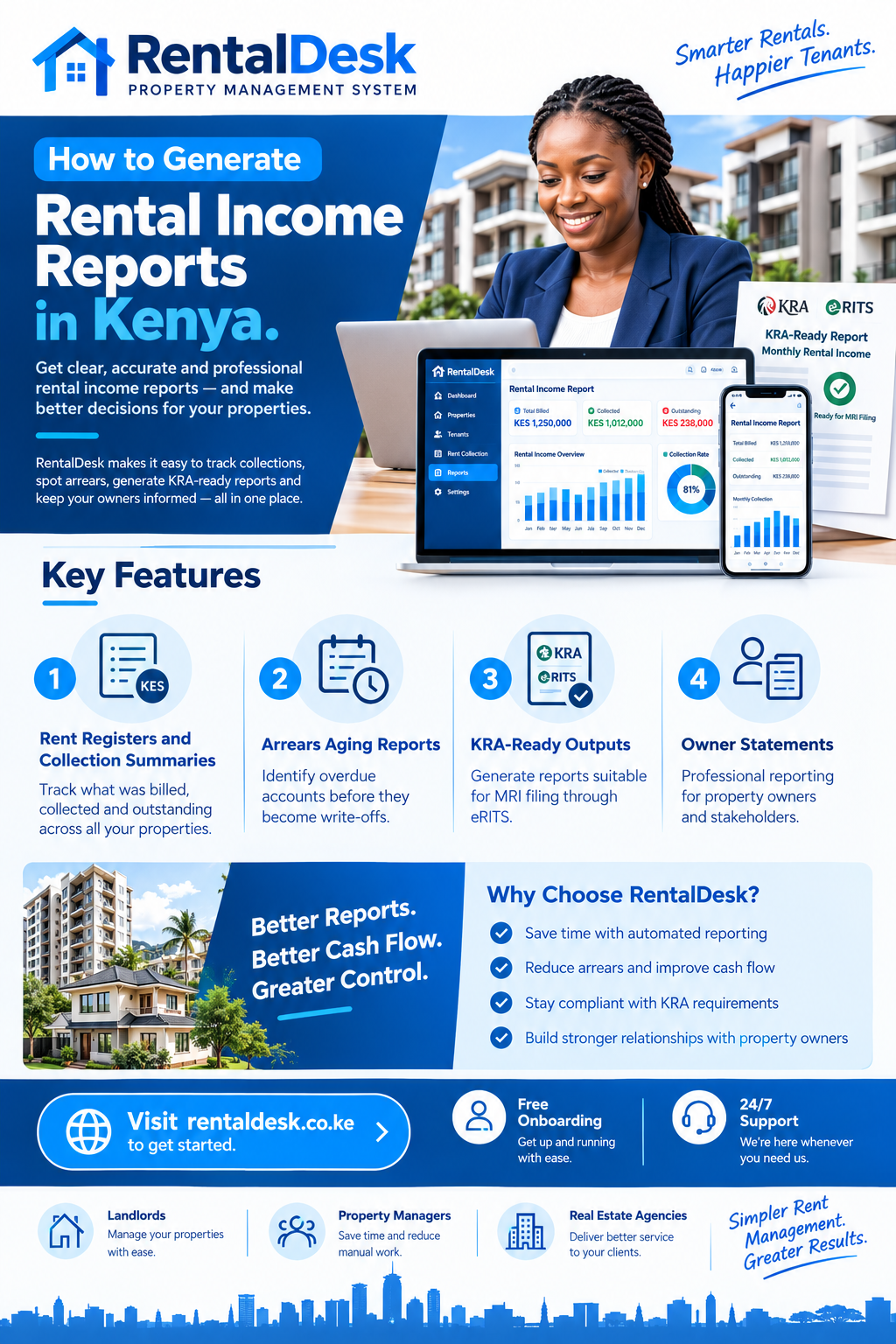
How to generate rental income reports in Kenya is the difference between a landlord who knows their business and one who is guessing. Rental income reports turn scattered M-Pesa messages, notebooks, and WhatsApp conversations into a single, reviewable account of what was billed, what was collected, what remains outstanding, and what requires a decision. A landlord who cannot produce a rent register on demand cannot demonstrate compliance to KRA, cannot answer an owner’s question with evidence, and cannot identify which tenant is slipping into arrears until the problem has already grown.
The shift from manual record-keeping to structured reporting is no longer optional—not when the Kenya Revenue Authority expects landlords to maintain records necessary for the determination and ascertainment of tax, and not when tenants increasingly expect digital receipts and accurate balances.
Why Rental Income Reports Matter in Kenya
The how to generate rental income reports in Kenya conversation is urgent because KRA has made record-keeping a compliance requirement. Under the Draft Income Tax (Residential Rental Income Tax) Regulations, 2026, persons subject to residential rental income tax are required to keep records necessary for the determination and ascertainment of the tax. They must submit a return and pay tax on or before the 20th day of the month immediately following the month in which the rent was received.
This is not a theoretical requirement. KRA launched the Electronic Rental Income Tax System (eRITS) in April 2025, a digital platform designed to simplify rental income tax compliance for property owners, landlords, and property managers. eRITS supports voluntary compliance by integrating with existing Kenyan government digital platforms like eCitizen and GavaConnect, with future integration with Ardhisasa anticipated to boost compliance through geo-referencing and data verification of rental properties aligned with taxpayer declarations.
Understanding how to generate rental income reports in Kenya is therefore not just about internal management. It is about being able to produce, on demand, the records that KRA expects: a rent register showing every tenant, every property, and every payment received in the period; eTIMS-compliant receipts issued to tenants; lease agreements for the tenancies that generated the rent; and bank statements or M-Pesa transaction logs showing the rent received.
What Rental Income Reports Should Show
The how to generate rental income reports in Kenya process begins with understanding what a proper report should contain. A useful reporting pack answers four broad questions: What happened financially—what was billed, paid, outstanding and spent? What happened operationally—which units changed occupancy, what maintenance occurred, and what remains open? What needs attention—which payment exceptions, arrears, vacancies, approvals, or disputes require action? Can the figures be explained—are supporting ledgers, receipts, expense records and source reconciliations available to authorised users?
A rent total alone cannot answer those questions. A folder of M-Pesa screenshots cannot answer those questions. A monthly report must be built on maintained operational records: properties and units organised consistently, tenants connected to the correct tenancies and charges, payments recorded and reconciled, maintenance and expenses entered with appropriate detail.
Key Reports Every Kenyan Landlord Should Generate
The how to generate rental income reports in Kenya process should produce a standard set of reports that serve different purposes.
Rent Register
The rent register is the foundational document for KRA compliance. KRA expects landlords to be able to produce a rent register showing every tenant, every property, and every payment received in the period. This register should list each tenant, their unit, the rent charged, the amount paid, the date paid, and the outstanding balance. RentalDesk generates this register automatically from reconciled payment records.
Rent Collection Summary
The rent collection summary shows total rent expected for the period, total rent collected, and the collection rate. It answers the question: how much of what was due actually came in? This report is essential for monitoring cash flow and identifying collection problems early. RentalDesk produces this summary by property, by portfolio, and by period.
Arrears Aging Report
The arrears aging report categorises outstanding balances by how long they have been overdue: 30 days, 60 days, 90+ days. This is one of the most important reports for Kenyan landlords because the longer a balance sits unpaid, the lower the probability of full recovery. A good system surfaces this on the dashboard so landlords can act on what matters—cleaning up the 60+ day cases before they become write-offs. RentalDesk tracks arrears by tenant, unit, and property, with aging analysis that supports structured follow-up.
Tenant Statements
A tenant statement shows the complete payment history for a single tenant: every invoice raised, every payment received, every adjustment made, and the current balance. This report is essential for resolving disputes and for demonstrating to a tenant exactly how their balance was calculated. RentalDesk generates tenant statements on demand, covering any date range.
Income and Expense Statement
The income and expense statement (often called a profit and loss statement) shows rent collected minus expenses incurred for a property or portfolio over a period. This is the report that tells you whether a property is actually profitable, not just whether rent is being collected. Expenses include maintenance, caretaker salaries, utilities, security, cleaning, and any other costs associated with the property. RentalDesk generates income vs expense reports per property and per portfolio.
Occupancy and Vacancy Report
The occupancy report shows which units are occupied, which are vacant, and the occupancy rate for each property. This report helps landlords identify underperforming properties and track the effectiveness of marketing efforts. RentalDesk tracks occupancy status in real time and generates occupancy and vacancy reports.
M-Pesa Reconciliation Report
The M-Pesa reconciliation report shows which payments have been matched to tenants and which remain unmatched or require review. This is the report that ensures no payment is lost in the reconciliation queue. RentalDesk provides a clear reconciliation dashboard showing matched, unmatched, and exception transactions.
Owner Statement
For property managers handling properties on behalf of owners, the owner statement summarises rent collected, expenses incurred, and net income for each owner’s property. This is the report that demonstrates transparency and justifies the management fee. RentalDesk generates owner statements that can be shared directly with property owners.
Step-by-Step Guide to Generating Rental Income Reports
The how to generate rental income reports in Kenya process follows a logical sequence from data capture to report generation.
Step 1: Set Up Your Property and Unit Register
Every report begins with a clean property structure. You need a complete list of every property, every unit within each property, and the rent charged for each unit. Without this foundation, reports will be incomplete or inaccurate. RentalDesk provides a structured property register that organises properties, blocks, and units under a consistent naming standard.
Step 2: Connect Tenants to Units and Charges
Every tenant must be linked to the correct unit and the correct charges. This includes rent, service charges, utility charges, and any other recurring fees. When a tenant pays, the payment must be matched to the correct unit and the correct charge. RentalDesk connects tenants to units, leases, charges, and payment records in one connected workflow.
Step 3: Capture and Reconcile All Payments
Every payment received must be recorded and reconciled. For M-Pesa payments, this means matching the payment to the correct tenant and unit using the account reference. For cash payments, this means recording the payment at the point of collection and issuing a receipt. RentalDesk integrates directly with M-Pesa, capturing payments automatically and matching them to the correct tenant.
Step 4: Record All Expenses
Rental income reports are incomplete without expense data. You need to record maintenance costs, caretaker salaries, utility payments, security fees, cleaning costs, and any other property-related expenses. RentalDesk allows landlords to record and categorise expenses by property or unit, attaching receipts and invoices.
Step 5: Close the Period
Before generating reports, you need to close the period. This means reconciling all payments, resolving unmatched transactions, confirming adjustments, entering all expenses, and checking that all balances are accurate. Once the period is clean, you can generate reports that are reliable and defensible.
Step 6: Generate the Reports
With clean data in place, report generation is automatic. RentalDesk produces rent collection summaries, arrears aging reports, income and expense statements, occupancy reports, and owner statements from the same verified records. Reports can be exported for sharing with owners, accountants, or KRA.
How RentalDesk Simplifies Rental Income Reporting
RentalDesk is built specifically for the Kenyan market, and its reporting capabilities are designed around the practical needs of Kenyan landlords and property managers.
Automatic Data Capture
The quality of any report depends on the quality of the underlying data. RentalDesk captures payment data automatically through M-Pesa integration, reducing the risk of manual entry errors. When a tenant pays via Paybill or STK Push, the system records the payment, matches it to the correct tenant, and updates the ledger in real time.
Real-Time Dashboards
RentalDesk provides real-time dashboards that show rent collected per property, outstanding balances by tenant and unit, monthly revenue and collection patterns, and property-level performance trends. These dashboards give landlords immediate visibility into portfolio performance without waiting for month-end.
Comprehensive Report Library
RentalDesk generates a comprehensive set of reports including rent collection reports, income vs expense reports, occupancy reports, arrears summaries, audit-ready financial statements, and annual income summaries. Reports can be exported in standard formats for sharing with stakeholders, accountants, or KRA.
Owner Reporting
For property managers, RentalDesk provides owner statements that summarise performance for each owner’s property. This transparency reduces owner follow-up questions and builds confidence in the management relationship. Owners can be given portal access scoped to their own properties, so they can review performance at any time.
KRA-Ready Outputs
RentalDesk generates KRA-ready reports that support MRI filing through eRITS. The platform tracks rental income, expenses, and arrears, providing the accurate records needed for monthly returns and avoiding penalties associated with inaccurate or late filings.
Multi-Property Reporting
For landlords with properties in different locations, RentalDesk provides a unified dashboard where all properties can be viewed at a glance. Reports can be generated per property, per portfolio, or per region, allowing landlords to compare performance across different locations.
KRA Compliance and eRITS Reporting
The how to generate rental income reports in Kenya process must include KRA compliance. The Monthly Rental Income (MRI) tax applies to residential rental income between KES 288,000 and KES 15 million annually, at a rate of 7.5% of gross income, effective 1 January 2024. The tax is due by the 20th of the month following the month in which rent was received.
KRA launched eRITS in April 2025 to simplify the registration, filing, and payment processes for landlords and property managers. eRITS is part of KRA’s Enterprise Integration and API Management (EAPI) initiative, which aims to enhance efficiency in registration, filing, and payment processes.
The introduction of eRITS does not change the current tax compliance requirements for taxpayers. Landlords must still keep accurate records, file monthly returns, and pay tax on time. What eRITS changes is the mechanism: filing and payment move to a digital platform that integrates with other government systems.
RentalDesk supports this workflow by generating KRA-ready reports that can be used to populate MRI returns. The platform tracks gross rent received, which is the basis for the 7.5% tax calculation, and provides the supporting records that KRA expects to see.
Common Mistakes in Rental Income Reporting
The how to generate rental income reports in Kenya process has predictable mistakes that undermine the value of reports.
Reporting on unverified data. A report built on disputed balances or inconsistent tenant records is worse than no report at all, because it creates false confidence. Clean your data before generating reports.
Waiting until month-end to reconcile. A payment with a wrong reference that sits unresolved for three weeks distorts every report generated in that period. Reconcile daily and close the period cleanly.
Confusing dashboards with reports. A live dashboard shows current summaries and exceptions. A monthly report covers a defined period and follows a close process. Figures on a live dashboard can change when late information is entered; a reviewed report needs an explanation when it is later corrected.
Omitting expenses. A rent collection report that shows KSh 500,000 collected but ignores KSh 200,000 in maintenance and caretaker costs presents a misleading picture of profitability. Always include expenses in income and expense reports.
Failing to retain supporting records. Reports are only as good as the records behind them. KRA expects landlords to be able to produce rent registers, eTIMS-compliant receipts, lease agreements, and bank or M-Pesa transaction logs. RentalDesk retains all of these in one system.
Best Practices for Rental Income Reporting
The how to generate rental income reports in Kenya process should follow established best practices.
Establish a Month-End Close Routine
A consistent month-end close ensures that reports are accurate and timely. The routine should include reconciling collections, reviewing unmatched payments, confirming adjustments, entering expenses, checking vacancies, and investigating unusual balances. Once the period is clean, reports can be generated with confidence.
Use Standard Report Formats
Standard formats make reports easier to review and compare across periods. RentalDesk provides standard report formats that cover the reports most landlords need.
Share Reports with Stakeholders
Reports are most valuable when they are shared. Owners should receive regular statements. Accountants should receive income and expense reports. Tenants should receive statements when requested. RentalDesk makes it easy to export and share reports with the right people.
Review Reports Regularly
Reports are not just for month-end. Reviewing collection summaries weekly and arrears aging reports daily helps landlords catch problems early and take action before they become serious.
Retain Records for Audit
KRA can request records going back several years. RentalDesk retains all records in a secure cloud environment, ensuring that audit-ready documentation is always available.
How to Get Started with Rental Income Reporting
Implementing the how to generate rental income reports in Kenya process is straightforward with RentalDesk .
Step 1: Sign Up for RentalDesk
Visit RentalDesk and create your account. Choose a plan that matches your portfolio size. The Free Lite plan supports one property with up to five units; Starter covers up to 99 units; Estate Manager supports 100–999 units.
Step 2: Set Up Your Property Portfolio
Add your properties, units, and tenants to the system. Include all relevant details—tenant contact information, lease agreements, rent amounts, and payment schedules.
Step 3: Configure M-Pesa Payment Collection
Set up M-Pesa Paybill or STK Push for rent collection. RentalDesk provides step-by-step guidance for this process.
Step 4: Record Expenses
Configure expense categories for your properties. This allows you to track maintenance costs, caretaker payments, utility bills, and other property expenses accurately.
Step 5: Activate Reporting
Once your data is in the system, RentalDesk automatically generates comprehensive reports. Use these reports to monitor performance and make informed decisions.
Step 6: Establish Your Review Routine
Set a daily, weekly, and monthly review schedule. Use the RentalDesk dashboard for daily exceptions and the report library for monthly close.
The Future of Rental Income Reporting in Kenya
The how to generate rental income reports in Kenya landscape is evolving rapidly. KRA’s eRITS system is designed to integrate with property management platforms, creating a seamless digital ecosystem for rental income tax compliance. The Draft Income Tax (Residential Rental Income Tax) Regulations, 2026 propose mandatory registration on eRITS for all landlords within the MRI band, moving from voluntary registration to mandatory listing.
As compliance requirements tighten, the quality of rental income reports will determine which landlords can demonstrate compliance and which cannot. Landlords who maintain accurate digital records will be better positioned to demonstrate their income and avoid penalties.
Modern rental income reporting is moving beyond static month-end statements to become a continuous governance process. Features like real-time dashboards, automated exception alerts, and integrated KRA filing are becoming standard. For Kenyan landlords, the choice is clear: adopt a structured reporting system like RentalDesk and gain control over your rental income, or continue with manual methods and risk compliance failures, missed arrears, and uninformed decisions.
The Financial Impact of Good Reporting
The how to generate rental income reports in Kenya process pays for itself. A landlord who reviews collection reports weekly and arrears aging reports daily will identify payment problems earlier and recover arrears faster. A landlord who produces professional owner statements will retain clients longer. A landlord who can demonstrate KRA compliance will avoid penalties and backdated tax claims.
The history generated by accurate reporting can also provide credible alternative credit histories, enabling property owners to access loans for renovations, bridge financing during tenant turnover, or mortgages for property expansion. A landlord with clean digital records is a more investable landlord.
How RentalDesk Fits the Reporting Framework
RentalDesk is built specifically for the Kenyan market, addressing the practical requirements of rental income reporting.
M-Pesa integration: RentalDesk connects directly to M-Pesa Paybill and STK Push, capturing and reconciling payments automatically.
Automated data capture: Payment data flows into the ledger without manual entry, reducing errors and ensuring report accuracy.
Comprehensive reports: RentalDesk generates rent registers, collection summaries, arrears aging reports, income and expense statements, occupancy reports, and owner statements.
KRA-ready outputs: Reports are suitable for MRI filing through eRITS, with accurate gross rent figures and supporting records.
Multi-property reporting: RentalDesk aggregates data across properties, allowing landlords to compare performance and identify trends.
Cloud access: RentalDesk is accessible from anywhere, which makes it suitable for diaspora landlords and managers overseeing multiple locations.
Real-World Impact of Rental Income Reporting
The how to generate rental income reports in Kenya process has delivered measurable results for Kenyan landlords. One property management company took over a troubled property where debts were soaring 117% above the monthly rent. Through structured reporting and consistent follow-up, they reduced the debt from Kshs 167,400 to Kshs 41,500—a 75% decrease.
A Lavington landlord managing 25 residential units reduced arrears from 35% to just 7% after implementing automated reminders and structured reporting. This translated to a KES 280,000 monthly reduction in outstanding rent and a KES 3.36 million annual improvement in cash flow.
These results come from reporting that turned scattered data into actionable information. The reports did not just record what happened—they identified what needed to happen next.
- How to generate rental income reports in Kenya
- How to generate rental income reports in Kenya
- How to generate rental income reports in Kenya
- How to generate rental income reports in Kenya
- How to generate rental income reports in Kenya
- How to generate rental income reports in Kenya
- How to generate rental income reports in Kenya
- How to generate rental income reports in Kenya
- How to generate rental income reports in Kenya
- How to generate rental income reports in Kenya
- How to generate rental income reports in Kenya
- How to generate rental income reports in Kenya
- How to generate rental income reports in Kenya
- How to generate rental income reports in Kenya
- How to generate rental income reports in Kenya
- How to generate rental income reports in Kenya
- How to generate rental income reports in Kenya
- How to generate rental income reports in Kenya
- How to generate rental income reports in Kenya