
Tenant Management Software vs Excel: Which Is Better for Modern Property Management?
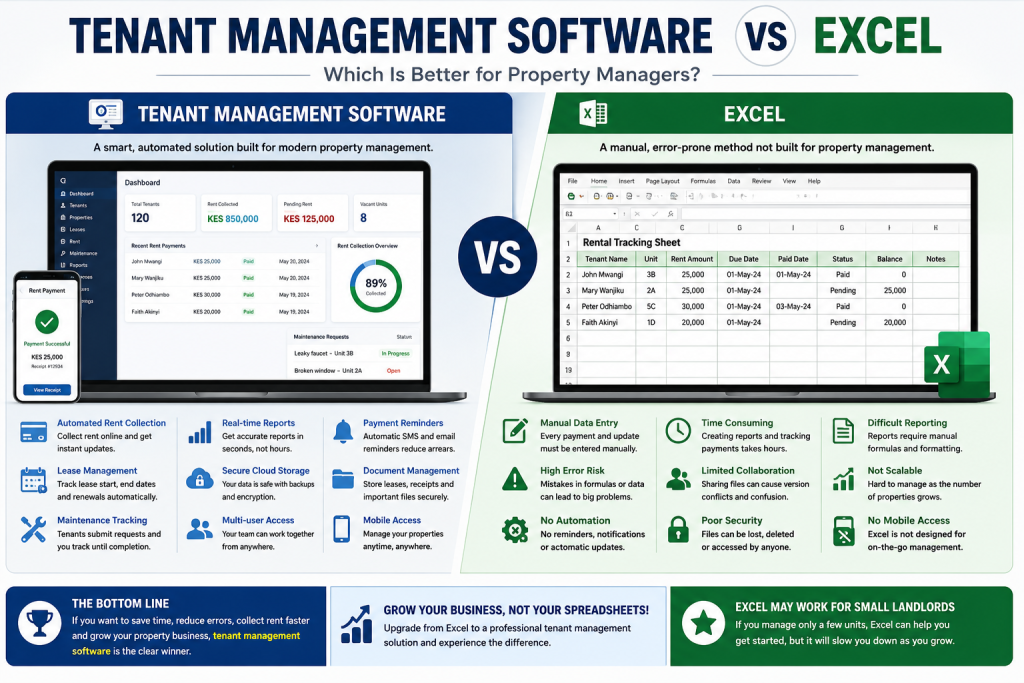
Managing rental properties has changed dramatically over the past decade. What was once a simple process of recording rent payments in notebooks or spreadsheets has evolved into a technology-driven operation where automation, cloud computing, and real-time reporting play a vital role. Today, landlords and property managers have two common options for managing their rental businesses: spreadsheets like Microsoft Excel or dedicated property management platforms. This raises an important question: Tenant Management Software vs Excel—which one delivers better results?
Many landlords begin with Excel because it is familiar, affordable, and readily available. However, as the number of tenants grows, managing leases, tracking rent, handling maintenance requests, and generating financial reports manually becomes increasingly difficult. Errors become more common, important information gets overlooked, and valuable time is spent on repetitive administrative work.
On the other hand, modern tenant management software offers automation, centralized records, secure cloud storage, and powerful reporting tools that simplify everyday property management tasks. Whether you manage ten rental units or a thousand, the right software can improve efficiency, reduce costs, and provide a better experience for both landlords and tenants.
This comprehensive guide explores Tenant Management Software vs Excel in detail, comparing features, benefits, costs, security, scalability, and overall value. By the end of this article, you’ll have a clear understanding of which solution best suits your property management business.
Understanding Tenant Management Software
Tenant management software is a specialized digital solution designed to help landlords, property managers, and real estate companies manage every aspect of their rental properties from one centralized platform.
Instead of maintaining multiple spreadsheets, paper files, and manual records, users can access all tenant information in a secure online system.
Typical features include:
- Tenant database
- Lease management
- Rent collection
- Automated payment reminders
- Maintenance request tracking
- Financial reporting
- Expense management
- Vacancy tracking
- Digital document storage
- User access control
- Mobile accessibility
Unlike spreadsheets, tenant management software performs many repetitive tasks automatically, reducing manual work while improving accuracy.
One of the biggest advantages in Tenant Management Software vs Excel is that software actively manages rental operations rather than simply storing data.
What Is Excel in Property Management?
Microsoft Excel is a spreadsheet application commonly used for organizing numerical data. Many landlords use Excel to record rental information because it is flexible and easy to customize.
A typical property management spreadsheet may contain:
- Tenant names
- Contact information
- Rent due dates
- Monthly rent
- Payment history
- Utility expenses
- Maintenance costs
- Deposit records
Excel provides formulas, filters, and charts that help landlords perform basic calculations.
Although Excel works well for small rental portfolios, it lacks the specialized functionality required by growing property management businesses.
This is why many landlords eventually compare Tenant Management Software vs Excel when deciding how to improve their operations.
Why Many Landlords Start with Excel
Excel remains a popular choice among first-time landlords for several reasons.
1. Low Initial Cost
Many computers already include Microsoft Excel, making it an inexpensive option for landlords managing only a few rental units.
There is little or no additional investment required to start recording rent payments and expenses.
2. Familiar Interface
Most people have used spreadsheets at school or work.
Basic tasks such as entering data, creating tables, and calculating totals require minimal training.
3. Flexibility
Excel allows landlords to customize their own tracking systems.
They can create:
- Rent payment logs
- Expense trackers
- Lease schedules
- Occupancy records
- Maintenance budgets
However, flexibility often comes at the cost of consistency.
Different spreadsheets may use different formats, increasing the risk of mistakes.
4. Quick Setup
A landlord can create a basic rental tracking spreadsheet within minutes.
No installation, implementation, or configuration is necessary.
For landlords with only one or two rental units, Excel may appear sufficient initially.
However, the comparison of Tenant Management Software vs Excel becomes more important as rental portfolios expand.
The Limitations of Excel
While Excel offers simplicity, it also has significant limitations that affect efficiency and accuracy.
Manual Data Entry
Every payment must be entered manually.
Every tenant update requires editing spreadsheets.
Every lease renewal must be monitored manually.
Every maintenance expense must be recorded individually.
As the number of tenants grows, this process becomes increasingly time-consuming.
Higher Risk of Errors
Typing mistakes happen frequently.
Examples include:
- Incorrect rent amounts
- Wrong payment dates
- Broken formulas
- Duplicate entries
- Deleted records
Even a small error can create inaccurate financial reports.
One major consideration in Tenant Management Software vs Excel is the reduction of human error through automation.
Difficult Version Control
When several employees access the same spreadsheet, multiple versions are often created.
Problems include:
- Outdated files
- Missing updates
- Conflicting information
- Lost formulas
Cloud-based tenant management software solves this issue by maintaining a single live database accessible to authorized users.
Limited Automation
Excel cannot automatically:
- Send rent reminders
- Notify tenants of overdue balances
- Track lease expirations
- Generate receipts
- Assign maintenance jobs
- Send SMS notifications
- Produce landlord dashboards
All these activities require manual effort.
Advantages of Tenant Management Software
Modern property management software provides much more than digital record keeping.
It helps landlords automate daily operations while improving decision-making.
Centralized Tenant Information
Every tenant has a complete digital profile containing:
- Personal information
- Lease agreement
- Payment history
- Security deposit
- Maintenance requests
- Communication records
- Uploaded documents
This makes retrieving information quick and effortless.
When discussing Tenant Management Software vs Excel, centralized records are one of the strongest advantages.
Automated Rent Collection
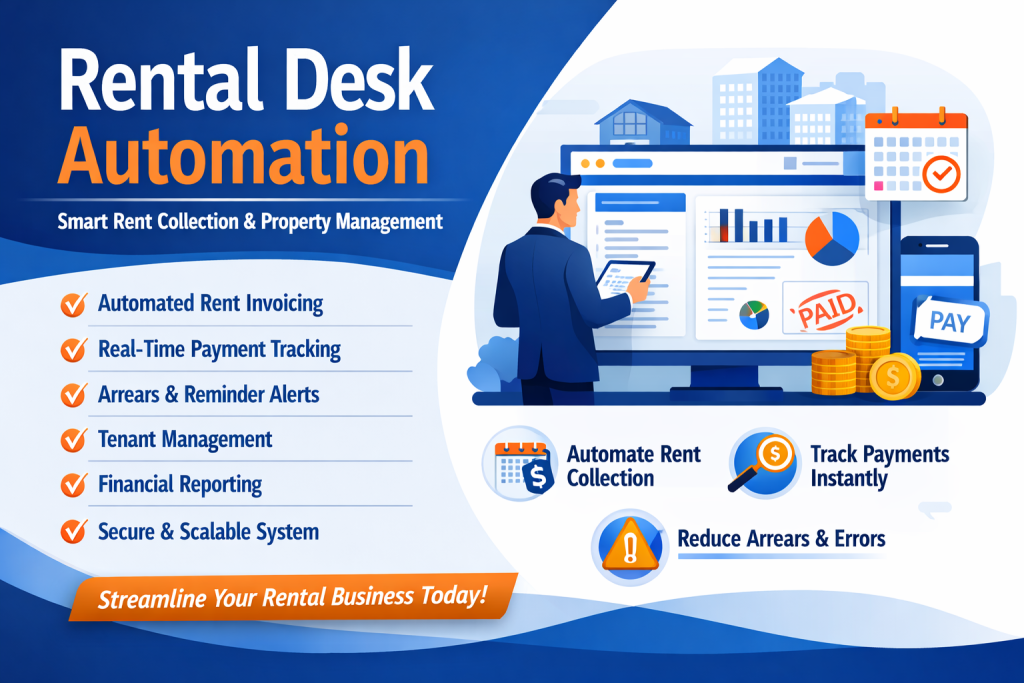
Instead of manually updating spreadsheets after every payment, software automatically records transactions.
Benefits include:
- Faster reconciliation
- Real-time balances
- Reduced errors
- Automatic receipts
- Better cash flow visibility
Some systems also integrate with digital payment methods, allowing tenants to pay online.
Lease Management
Managing lease agreements manually becomes difficult when dozens or hundreds of tenants are involved.
Tenant management software tracks:
- Lease start dates
- Expiry dates
- Renewals
- Rent increases
- Security deposits
Automatic reminders prevent missed renewals and reduce vacancy risks.
Maintenance Management
Maintenance is one of the most challenging aspects of property management.
With tenant management software, tenants can submit maintenance requests electronically.
Property managers can:
- Assign technicians
- Track work progress
- Monitor completion dates
- Store repair history
Excel provides no built-in maintenance workflow.
Tenant Management Software vs Excel: Feature Comparison
The table below highlights the differences between the two solutions.
| Feature | Tenant Management Software | Excel |
|---|---|---|
| Tenant Database | ✔ | Basic |
| Rent Collection | Automated | Manual |
| Payment Reminders | ✔ | ✘ |
| Lease Tracking | ✔ | Manual |
| Maintenance Requests | ✔ | ✘ |
| Financial Reports | Automatic | Manual |
| Cloud Storage | ✔ | Optional |
| Mobile Access | ✔ | Limited |
| User Permissions | ✔ | Limited |
| Document Storage | ✔ | ✘ |
| Notifications | ✔ | ✘ |
| Scalability | Excellent | Limited |
This comparison demonstrates why many landlords eventually move from spreadsheets to professional property management platforms.
Time Savings
Time is one of the most valuable resources for property managers.
Imagine managing:
- 20 tenants
- 75 tenants
- 150 tenants
- 500 tenants
Using Excel means manually:
- Recording payments
- Updating balances
- Calculating arrears
- Preparing monthly reports
- Tracking lease expirations
Each task consumes valuable hours every month.
Tenant management software automates many of these responsibilities, allowing property managers to focus on growing their businesses instead of performing repetitive administrative work.
This is one of the key reasons landlords choose Tenant Management Software vs Excel.
Better Accuracy
Property management requires accurate records.
Mistakes can lead to:
- Rent disputes
- Missed payments
- Incorrect financial reports
- Lost revenue
- Tenant dissatisfaction
Tenant management software significantly reduces these risks through automated calculations and centralized record keeping.
Unlike spreadsheets, software validates information before saving it, reducing the likelihood of duplicate or incorrect data.
When comparing Tenant Management Software vs Excel, improved accuracy directly translates into better financial management and greater confidence in business decisions.
Improved Tenant Experience
Today’s tenants expect convenience and fast communication.
Modern tenant management software allows tenants to:
- Pay rent online
- Receive automatic receipts
- Submit maintenance requests
- Track request progress
- Receive payment reminders
- Access lease information
Excel offers none of these tenant-facing features.
Providing a professional digital experience not only improves tenant satisfaction but also increases tenant retention and enhances your property’s reputation.
For this reason, many landlords conclude that Tenant Management Software vs Excel is no longer just about record keeping—it is about delivering a better rental experience for everyone involved.
Cost Comparison: Tenant Management Software vs Excel
One of the biggest factors landlords consider when choosing between software and spreadsheets is cost. At first glance, Excel appears to be the cheaper option because many people already have access to Microsoft Office. However, looking only at the purchase price does not reveal the true cost of managing rental properties.
When comparing Tenant Management Software vs Excel, it is important to consider hidden expenses such as time, human errors, missed payments, and inefficient processes.
Costs of Using Excel
Although Excel has a low upfront cost, landlords often incur indirect expenses, including:
- Hours spent entering rent payments manually
- Time preparing monthly financial reports
- Costs resulting from data entry mistakes
- Lost income from forgotten rent reminders
- Delayed maintenance due to poor tracking
- Difficulty collaborating with team members
As your property portfolio grows, these hidden costs increase significantly.
Costs of Tenant Management Software
Tenant management software usually operates on a monthly or annual subscription model. While this involves a recurring fee, the software saves money by:
- Reducing administrative work
- Automating repetitive tasks
- Improving rent collection
- Minimizing costly mistakes
- Increasing operational efficiency
- Improving tenant satisfaction
For many landlords, the savings generated through automation quickly outweigh the subscription cost.
When evaluating Tenant Management Software vs Excel, long-term value is far more important than the initial investment.
Automation Makes the Difference
Automation is one of the strongest reasons landlords move away from spreadsheets.
Excel stores information, but software performs actions automatically.
With tenant management software, you can automate:
- Rent reminders
- Payment confirmations
- Lease renewal notifications
- Maintenance assignments
- Financial reports
- Late payment alerts
- Occupancy reports
- Tenant communication
These automated processes reduce manual work while ensuring nothing is forgotten.
This is one of the biggest advantages in Tenant Management Software vs Excel.
Reporting and Analytics
Property management is not just about collecting rent—it is also about understanding your business.
Professional software provides real-time reports that help landlords make informed decisions.
Examples include:
Rent Collection Reports
See:
- Total rent due
- Total collected
- Outstanding balances
- Collection percentages
Without software, these reports require manual calculations in Excel.
Financial Reports
Generate reports showing:
- Monthly income
- Annual income
- Operating expenses
- Maintenance costs
- Net profit
- Cash flow
Instead of spending hours creating formulas, reports are generated within seconds.
Vacancy Reports
Identify:
- Vacant units
- Occupancy rates
- Lease expiry dates
- Available properties
These insights help landlords reduce vacancies and maximize rental income.
Tenant Reports
Property managers can quickly access:
- Payment history
- Outstanding balances
- Lease details
- Maintenance history
- Communication records
When comparing Tenant Management Software vs Excel, reporting capabilities alone often justify upgrading to specialized software.
Data Security
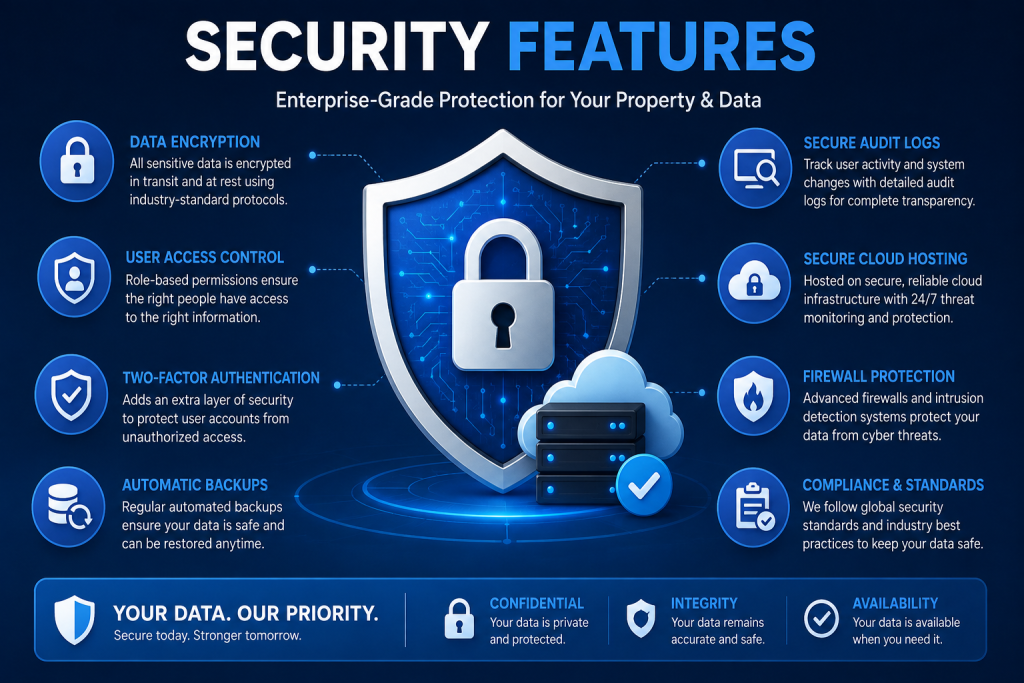
Property managers handle sensitive information, including:
- Tenant identification
- Phone numbers
- Lease agreements
- Financial records
- Payment history
- Bank information
Protecting this information is essential.
Security Risks with Excel
Excel files are vulnerable to:
- Accidental deletion
- Device theft
- Hard drive failure
- Virus attacks
- Unauthorized sharing
- Lost USB drives
Even password-protected spreadsheets can be copied and distributed.
Security Benefits of Tenant Management Software
Professional software typically offers:
- Secure cloud storage
- Automatic backups
- User permissions
- Encrypted data
- Activity logs
- Two-factor authentication
- Disaster recovery
These features significantly reduce the risk of losing valuable property data.
Security is another area where Tenant Management Software vs Excel clearly favors dedicated software.
Collaboration and Teamwork
Many property businesses involve multiple people.
For example:
- Property managers
- Accountants
- Maintenance staff
- Receptionists
- Property owners
Managing shared spreadsheets can become confusing.
Problems include:
- Multiple versions
- Missing updates
- Conflicting edits
- Deleted formulas
Tenant management software allows authorized users to work from the same database in real time.
Everyone sees updated information instantly.
This collaborative environment is another important consideration in Tenant Management Software vs Excel.
Scalability
A landlord with five rental units has different needs from a company managing five hundred apartments.
Excel may work well for very small portfolios, but growth introduces complexity.
As rental units increase, landlords need to manage:
- More tenants
- More leases
- More maintenance requests
- More expenses
- More financial reports
- More communication
Tenant management software scales effortlessly with business growth.
Whether managing 20 units or 2,000, the system remains organized and efficient.
Scalability is one of the strongest reasons businesses choose Tenant Management Software vs Excel.
Mobile Accessibility
Modern landlords rarely work exclusively from the office.
They travel between properties, meet tenants, inspect buildings, and attend maintenance appointments.
Cloud-based tenant management software allows users to:
- View tenant information
- Record payments
- Approve maintenance
- Generate reports
- Access documents
from smartphones, tablets, or laptops.
Excel files are often stored locally, making remote access less convenient.
Mobile accessibility is another area where Tenant Management Software vs Excel demonstrates clear advantages.
Compliance and Record Keeping
Maintaining accurate records is essential for audits, tax preparation, and dispute resolution.
Tenant management software stores:
- Lease agreements
- Payment receipts
- Inspection reports
- Maintenance records
- Communication logs
Having all documents in one secure location makes compliance much easier.
Excel usually requires separate folders for documents, increasing the risk of lost files.
This is another important difference in Tenant Management Software vs Excel.
Case Study: Growing Property Portfolio
James owned eight rental apartments and managed everything using Excel.
Initially, the spreadsheet worked well.
However, after expanding to 75 units, he experienced several challenges:
- Missed rent payments
- Forgotten lease renewals
- Duplicate tenant records
- Delayed maintenance
- Long hours preparing reports
He decided to implement tenant management software.
Within six months:
- Rent collection improved by 28%
- Administrative work reduced by 60%
- Maintenance response times improved significantly
- Monthly reporting took minutes instead of hours
- Tenant satisfaction increased
James concluded that Tenant Management Software vs Excel was no longer a close comparison for a growing property business.
Case Study: Property Management Company
A medium-sized property management company handled over 600 residential units.
Using Excel created several operational problems:
- Multiple spreadsheet versions
- Frequent reporting errors
- Difficulty tracking arrears
- Slow communication between departments
After adopting a cloud-based tenant management platform, the company achieved:
- Centralized tenant records
- Real-time reporting
- Automated rent reminders
- Better collaboration among staff
- Improved financial visibility
Management estimated administrative productivity increased by more than 40%.
This example further demonstrates why Tenant Management Software vs Excel becomes an easy decision as businesses expand.
Customer Testimonial
“We managed our rentals using Excel for years. As our portfolio grew, it became impossible to keep everything updated. After switching to tenant management software, rent collection became easier, reports were generated instantly, and our team worked much more efficiently. We wish we had made the change sooner.”
— Property Manager, Nairobi
Another Customer Experience
“The software transformed how we manage tenants. Instead of spending hours updating spreadsheets every week, everything is now automated. We have fewer errors, happier tenants, and much better financial visibility.”
— Landlord with 120 Rental Units
At this stage, the comparison of Tenant Management Software vs Excel clearly shows that while Excel remains useful for very small portfolios, dedicated tenant management software delivers superior automation, security, reporting, scalability, and collaboration for growing property businesses.
RentalDesk: A Smarter Way to Manage Tenants
If you are looking for a reliable tenant management solution, RentalDesk is designed to simplify every aspect of property management. Instead of juggling multiple spreadsheets and manual records, RentalDesk provides a centralized platform where landlords and property managers can manage tenants, properties, finances, and maintenance from one dashboard.
Whether you manage a few apartments or a large portfolio of residential and commercial properties, RentalDesk helps you save time, reduce errors, and improve tenant satisfaction.
Key Features of RentalDesk
Tenant Management
Store complete tenant profiles in one secure location, including:
- Contact details
- Lease agreements
- Payment history
- Security deposits
- Documents
- Communication records
No more searching through multiple Excel sheets to find information.
Rent Collection
RentalDesk helps you:
- Track rent payments
- Monitor outstanding balances
- Generate receipts
- View payment history
- Reduce rent arrears
This makes collecting rent faster and more accurate.
Lease Management
Never miss another lease renewal.
RentalDesk automatically tracks:
- Lease start dates
- Lease expiry dates
- Renewal schedules
- Rent adjustments
This reduces vacancies and ensures timely renewals.
Maintenance Management
Tenants can report maintenance issues, while property managers can assign tasks and monitor progress until completion.
Benefits include:
- Faster response times
- Better communication
- Complete maintenance history
- Improved tenant satisfaction
Financial Reporting
Generate professional reports instantly, including:
- Rent collection summaries
- Income reports
- Expense reports
- Cash flow statements
- Occupancy reports
- Arrears reports
Instead of spending hours building formulas, RentalDesk provides reports in just a few clicks.
Tips for Transitioning from Excel to Tenant Management Software
Moving from spreadsheets to specialized software may seem challenging, but with proper planning, the process is straightforward.
1. Organize Existing Data
Before migrating, review your Excel files and remove:
- Duplicate records
- Outdated tenant information
- Incorrect payment entries
- Expired leases
Clean data ensures a smooth transition.
2. Digitize Important Documents
Scan and upload:
- Lease agreements
- Tenant IDs
- Payment receipts
- Inspection reports
Keeping documents in one place improves accessibility.
3. Train Your Team
Ensure everyone understands how to:
- Record payments
- Update tenant information
- Generate reports
- Track maintenance requests
Proper training maximizes the benefits of the software.
4. Import Data
Most modern tenant management systems allow you to import tenant information directly from Excel, minimizing manual work.
5. Monitor Performance
After implementation, compare key metrics such as:
- Rent collection rates
- Administrative time
- Tenant satisfaction
- Maintenance response times
This helps measure the return on investment.
Frequently Asked Questions
Is Excel enough for managing rental properties?
Excel can work for landlords with only a few rental units. However, as portfolios grow, manual processes become inefficient and increase the likelihood of errors.
When should I switch from Excel?
Consider switching when you experience:
- Difficulty tracking payments
- Increasing administrative workload
- Missed lease renewals
- Frequent reporting errors
- Growing property portfolios
Is tenant management software expensive?
The cost depends on the provider and features offered. However, the time savings, improved rent collection, and reduced administrative costs often make it a worthwhile investment.
Can I import my Excel data?
Yes. Most modern tenant management systems support importing tenant information from Excel spreadsheets, making migration simple.
Is cloud-based software secure?
Reputable platforms use encryption, automatic backups, secure servers, and user permissions to protect sensitive data.
Conclusion
Choosing between Tenant Management Software vs Excel is one of the most important decisions a landlord or property manager can make. While Excel has served many property owners well over the years, today’s fast-paced rental market demands greater efficiency, automation, and accuracy. When comparing Tenant Management Software vs Excel, it becomes clear that dedicated software offers significant advantages for businesses that want to grow and operate professionally.
As your property portfolio expands, the debate around Tenant Management Software vs Excel becomes less about cost and more about long-term value. Manual spreadsheets may work for a handful of units, but they quickly become difficult to manage as tenant numbers, leases, maintenance requests, and financial records increase. This is where Tenant Management Software vs Excel clearly shows the strengths of modern technology.
Another important consideration in Tenant Management Software vs Excel is automation. Software can automatically collect rent, send payment reminders, generate financial reports, track lease renewals, and manage maintenance requests, while Excel relies almost entirely on manual data entry. These automation features save time, reduce errors, and improve overall productivity, making Tenant Management Software vs Excel an easy comparison for growing property businesses.
Security is another area where Tenant Management Software vs Excel highlights a major difference. Cloud-based software protects sensitive tenant information with secure backups, user permissions, and encryption, whereas spreadsheets are more vulnerable to accidental deletion, unauthorized access, and data loss. For landlords handling confidential information, Tenant Management Software vs Excel strongly favors dedicated software.
When evaluating reporting capabilities, Tenant Management Software vs Excel demonstrates how powerful real-time insights can improve business decisions. Instead of manually creating reports every month, property managers can instantly access rent collection summaries, occupancy reports, expense analysis, and cash flow statements. These features make Tenant Management Software vs Excel a practical choice for landlords who value efficiency and informed decision-making.
Ultimately, Tenant Management Software vs Excel is about choosing the right tool for your current needs and future growth. If you manage only a few properties, Excel may still meet your basic requirements. However, if your goal is to scale your rental business, improve tenant satisfaction, reduce administrative work, and increase profitability, Tenant Management Software vs Excel clearly points toward dedicated property management software. By investing in a solution like RentalDesk today, you’ll experience firsthand why Tenant Management Software vs Excel is a comparison that increasingly favors modern software. Make the switch now and discover how Tenant Management Software vs Excel can transform the way you manage your rental properties for years to come.
After comparing features, automation, reporting, security, collaboration, scalability, and overall efficiency, the conclusion is clear.
Excel remains a useful tool for very small landlords managing only a handful of properties. It is inexpensive, familiar, and flexible enough for basic record-keeping.
However, as rental businesses grow, spreadsheets become difficult to maintain. Manual data entry, reporting challenges, and the lack of automation can lead to costly mistakes and wasted time.
Dedicated tenant management software provides a far more efficient solution. By automating repetitive tasks, centralizing tenant records, improving communication, and generating instant reports, it allows landlords and property managers to focus on growing their businesses rather than managing paperwork.
When evaluating Tenant Management Software vs Excel, software delivers clear advantages in productivity, accuracy, security, and scalability. For landlords planning long-term growth, investing in a dedicated tenant management platform is a strategic decision that pays off through improved operational efficiency and better tenant experiences.
Why Choose RentalDesk?
RentalDesk is built specifically for landlords, property managers, and real estate companies seeking a modern and reliable property management solution.
With RentalDesk, you can:
- Manage unlimited tenant records
- Track rent payments with ease
- Reduce rent arrears
- Generate professional financial reports
- Monitor maintenance requests
- Store documents securely
- Access your data anytime through the cloud
- Improve communication with tenants
Whether you manage 10 units or 10,000, RentalDesk provides the tools needed to streamline operations and maximize profitability.
Call to Action
Stop wasting valuable time updating spreadsheets manually.
Upgrade from Excel to a modern tenant management solution that helps you work smarter, reduce administrative workload, and deliver a better experience for your tenants.
Try RentalDesk today and discover how automation can transform the way you manage your rental properties. Request a demo, explore its powerful features, and take the first step toward more efficient property management.