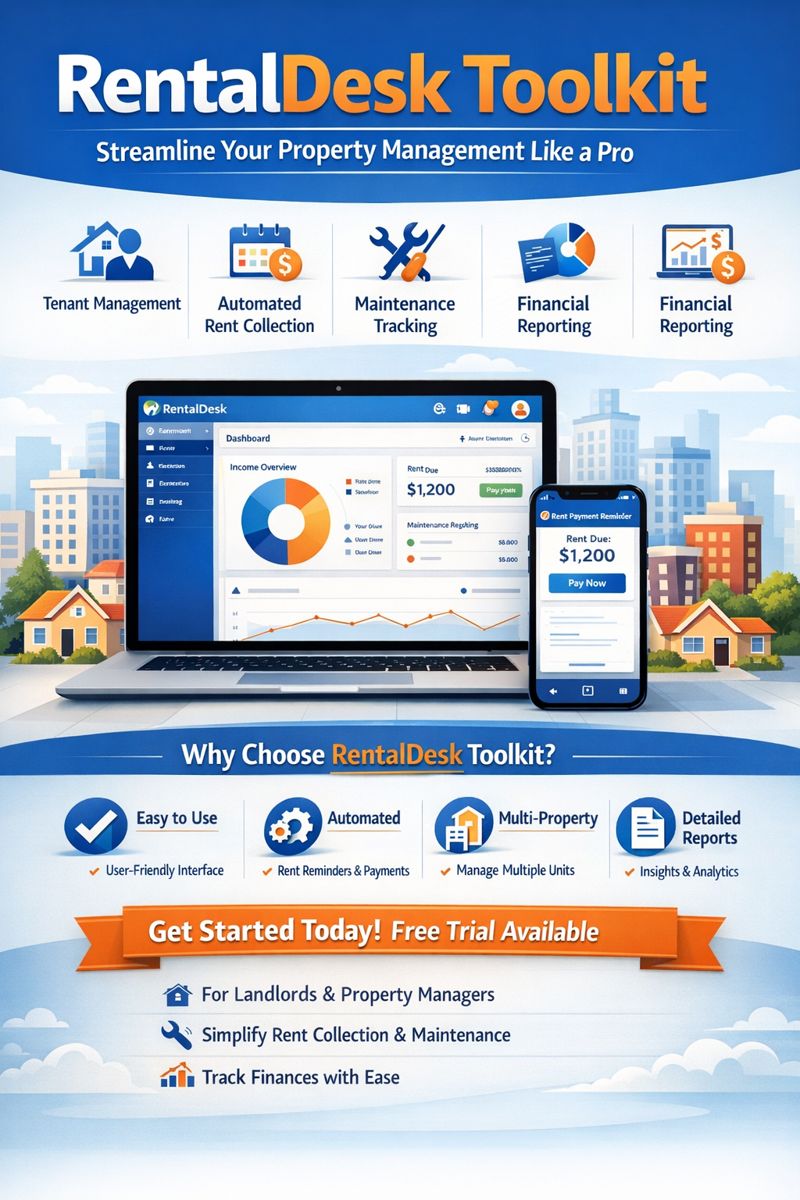
RentalDesk Toolkit: Streamline Your Property Management Like a Pro
Managing rental properties can be overwhelming without the right tools. The RentalDesk toolkit is designed to simplify every aspect of property management, from tenant tracking to rent collection, giving landlords and property managers the efficiency they need.
What is the RentalDesk Toolkit?
The RentalDesk toolkit is an all-in-one software solution tailored for landlords, property managers, and real estate professionals. It combines essential features like:
-
Tenant Management: Keep track of tenants, lease agreements, and contact details in a single dashboard.
-
Automated Rent Collection: Ensure timely rent payments with automated reminders and online payment options.
-
Maintenance Tracking: Record and schedule property maintenance requests efficiently.
-
Financial Reporting: Generate accurate financial reports for accounting and tax purposes.
With the RentalDesk toolkit, managing multiple properties becomes seamless, saving both time and effort.
Key Features of the RentalDesk Toolkit
1. Tenant and Lease Management
Efficient tenant management is the core of any rental business. The RentalDesk toolkit allows you to:
-
Track lease start and end dates
-
Store digital copies of rental agreements
-
Monitor tenant payment history
-
Set reminders for lease renewals
This ensures you never miss an important date or payment, helping you maintain positive tenant relationships.
2. Automated Rent Collection
Collecting rent has never been easier. With the RentalDesk toolkit, landlords can:
-
Set up recurring rent schedules
-
Send automated payment reminders
-
Accept multiple payment methods
-
Generate invoices and receipts instantly
Automated rent collection reduces late payments and simplifies accounting.
3. Maintenance and Work Order Management
Property upkeep is essential for tenant satisfaction. The RentalDesk toolkit enables landlords to:
-
Receive maintenance requests directly from tenants
-
Assign tasks to service providers
-
Track the status of work orders in real time
-
Maintain maintenance logs for each property
This ensures timely repairs and reduces tenant complaints.
4. Financial Reporting and Analytics
Understanding the financial health of your rental business is crucial. The RentalDesk toolkit provides:
-
Income and expense tracking
-
Profit and loss statements
-
Tax-ready reports
-
Insights into property performance
Landlords can make informed decisions and optimize revenue streams with accurate data.
5. Mobile Accessibility
Modern landlords need mobility. The RentalDesk toolkit is accessible via mobile devices, allowing you to:
-
Access property data on the go
-
Respond to tenant requests anytime, anywhere
-
Monitor payments and maintenance from your smartphone
This ensures you stay connected with your properties at all times.
Why Choose RentalDesk Toolkit Over Other Property Management Solutions?
The RentalDesk toolkit stands out for its simplicity, affordability, and comprehensive functionality. Unlike traditional property management software that can be complex and expensive, RentalDesk toolkit offers:
-
User-friendly interface: Easy to navigate, even for first-time users.
-
Affordable pricing plans: Suitable for small landlords and large property management firms alike.
-
Integrated ecosystem: All property management tasks in a single platform.
-
Reliable customer support: Dedicated support to resolve issues promptly.
These benefits make it the go-to solution for landlords looking to save time and maximize efficiency.
How to Get Started with RentalDesk Toolkit
Starting with the RentalDesk toolkit is quick and simple:
-
Sign up for an account on the official website.
-
Add your properties and tenants to the system.
-
Set up rent schedules and payment options.
-
Customize maintenance tracking and notifications.
-
Monitor your properties and generate reports effortlessly.
Within minutes, your property management process will become more organized and efficient.
Who Can Benefit from the RentalDesk Toolkit?
-
Individual landlords managing one or more rental units.
-
Property management companies handling multiple properties.
-
Real estate investors looking for streamlined portfolio management.
-
Housing associations seeking efficient tenant and maintenance tracking.
No matter the size of your rental business, the RentalDesk toolkit provides the tools you need to succeed.
SEO Tips for Using RentalDesk Toolkit Content
To optimize your website for search engines:
-
Use RentalDesk toolkit in headings (H1, H2, H3) and naturally in the content.
-
Include related keywords: property management software, rental property management, tenant management, rent collection software.
-
Add internal links to relevant pages (e.g., pricing, features, contact).
-
Include high-quality images or diagrams showing dashboard interfaces or workflows.
-
Use structured data for software products if applicable.
Advanced Features of RentalDesk Toolkit
Beyond basic property management, the RentalDesk toolkit offers advanced features designed for professional landlords and property managers:
1. Automated Communication with Tenants
Maintaining open communication with tenants is critical for smooth operations. The RentalDesk toolkit allows you to:
-
Send automated reminders for rent payments
-
Notify tenants of upcoming lease renewals
-
Share maintenance updates and notices
-
Provide instant receipts for payments
By automating communication, landlords save hours of manual follow-ups and reduce the risk of misunderstandings.
2. Document Management System
Keeping track of rental documents can be chaotic. The RentalDesk toolkit solves this with a secure document management system:
-
Store lease agreements, invoices, and receipts digitally
-
Organize documents by tenant, property, or date
-
Secure access with user permissions
-
Quickly retrieve documents for audits or legal purposes
This ensures that all important files are accessible and well-organized.
3. Multi-Property Management
For landlords or companies managing several properties, the RentalDesk toolkit makes multi-property management effortless:
-
View all properties on a single dashboard
-
Track rental income for each property separately
-
Manage tenants and maintenance across multiple locations
-
Generate property-specific reports for financial planning
With multi-property support, even large portfolios can be managed efficiently.
4. Customizable Reporting
Every landlord has different reporting needs. The RentalDesk toolkit allows you to:
-
Generate custom reports based on property, tenant, or time period
-
Export reports in PDF, Excel, or CSV formats
-
Analyze trends in rental income, occupancy rates, and maintenance costs
-
Track overdue payments and tenant compliance
Custom reporting empowers landlords with actionable insights to optimize their rental business.
Real-Life Example: How RentalDesk Toolkit Transforms Property Management
Meet Sarah, a landlord with 12 rental units across Nairobi.
Before using the RentalDesk toolkit, Sarah struggled with:
-
Missing rent payments
-
Losing track of lease renewal dates
-
Spending hours coordinating maintenance requests
After implementing RentalDesk toolkit:
-
Automated Rent Collection: Sarah now receives notifications whenever a rent payment is late, reducing late payments by 90%.
-
Maintenance Management: Tenants submit maintenance requests directly through the platform, allowing Sarah to assign tasks to contractors without manual follow-ups.
-
Financial Reporting: Sarah generates monthly income statements with a single click, simplifying tax filing and business planning.
The result? Sarah spends less time managing her properties and more time growing her rental business.
Step-by-Step Guide: Setting Up RentalDesk Toolkit
Getting started with RentalDesk toolkit is simple and intuitive. Here’s a step-by-step guide:
Step 1: Sign Up and Create Your Account
-
Visit the RentalDesk website
-
Choose the plan that fits your needs
-
Enter your personal and business details
Step 2: Add Your Properties
-
Enter property addresses, unit numbers, and types
-
Upload property photos and documents
-
Categorize properties for easy management
Step 3: Add Tenants
-
Input tenant details including contact information
-
Upload lease agreements and payment schedules
-
Assign tenants to specific properties
Step 4: Set Up Automated Rent Collection
-
Define payment amounts and due dates
-
Enable automated email or SMS reminders
-
Choose preferred payment methods (bank transfer, mobile money, card payments)
Step 5: Customize Maintenance Tracking
-
Create maintenance categories (e.g., plumbing, electrical, general repairs)
-
Assign contractors or staff members to tasks
-
Track work orders and completion status
Step 6: Generate Reports and Analytics
-
Access dashboards to view income, expenses, and occupancy rates
-
Export reports for accounting or investor presentations
-
Analyze trends and optimize property performance
Following these steps ensures your rental management process is fully automated and efficient.
Benefits of Using RentalDesk Toolkit
1. Time Savings
Automating repetitive tasks like rent collection, communication, and reporting saves landlords significant time.
2. Improved Tenant Relationships
Timely communication and quick maintenance response enhance tenant satisfaction and retention.
3. Increased Revenue
Efficient tracking of rent, occupancy, and maintenance costs ensures maximum profitability.
4. Compliance and Security
Digital record-keeping helps landlords stay compliant with regulations and reduces the risk of lost documents.
5. Scalability
The RentalDesk toolkit grows with your business, allowing you to manage more properties without additional stress.
RentalDesk Toolkit Pricing
The RentalDesk toolkit offers flexible pricing plans for landlords and property managers of all sizes:
-
Starter Plan: Ideal for small landlords with 1–5 units
-
Professional Plan: Suitable for medium-sized property portfolios
-
Enterprise Plan: Designed for property management companies with 50+ units
Each plan comes with a free trial, allowing users to test features before committing.
SEO Best Practices for RentalDesk Toolkit Content
To ensure your content ranks high for the keyword RentalDesk toolkit:
-
Use the keyword naturally throughout the content, including headings and meta tags
-
Incorporate long-tail variations: rental property management toolkit, RentalDesk property software, RentalDesk management system
-
Optimize images with alt text: e.g., “RentalDesk toolkit dashboard interface”
-
Use internal links to related content like pricing pages or user guides
-
Add external links to authoritative sources for credibility
Conclusion
The RentalDesk toolkit is a must-have solution for landlords and property managers looking to simplify operations, improve tenant satisfaction, and maximize revenue. With features like automated rent collection, maintenance tracking, and detailed reporting, it transforms property management from a tedious task into a seamless, efficient process.
Investing in the RentalDesk toolkit means saving time, reducing stress, and growing your rental business confidently.
-