Why Rental Management Needs a Smart Solution
Managing rental properties can be challenging. From keeping track of tenants, collecting rent, handling maintenance requests, to generating reports, landlords and property managers often struggle with organization. This is where the RentalDesk kit comes in—a comprehensive solution designed to simplify every aspect of rental management.
With the RentalDesk kit, property owners and managers gain access to tools that streamline operations, reduce human errors, and enhance tenant satisfaction.
What is the RentalDesk Kit?
The RentalDesk kit is a full-featured property management system that combines software and practical tools to help landlords and property managers handle all aspects of rental operations.
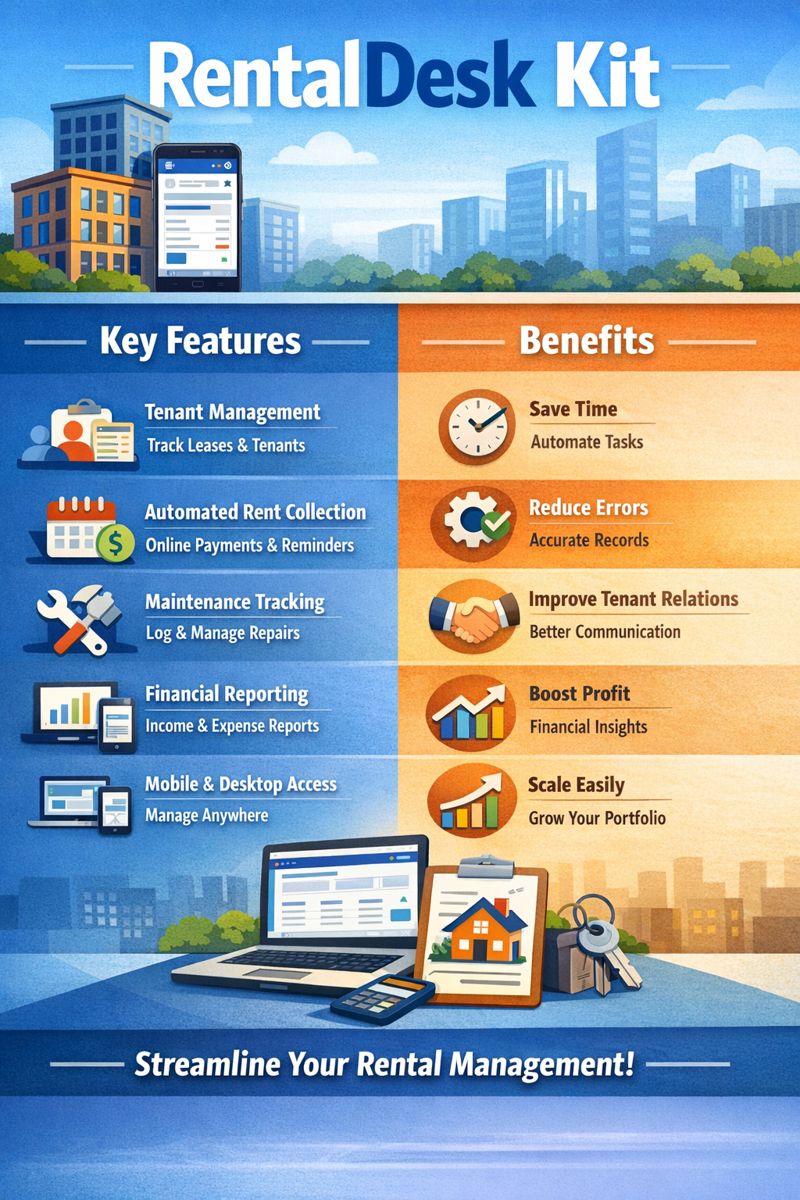
Key Components of the RentalDesk Kit
-
Tenant Management Tools: Maintain a centralized database of tenant information, lease agreements, and contact details.
-
Automated Rent Collection: Schedule automated reminders and payments to ensure timely rent collection.
-
Maintenance Tracking: Manage repair requests efficiently with a digital tracking system.
-
Financial Reporting: Generate detailed reports for income, expenses, and cash flow.
-
Mobile and Desktop Access: Monitor your properties anytime, anywhere with multi-device support.
Benefits of Using the RentalDesk Kit
1. Simplified Tenant Management
The RentalDesk kit allows you to organize tenant data efficiently. Track leases, contact information, and payment history in one secure platform. This reduces paperwork and ensures no detail is overlooked.
2. Automated Rent Collection
Never worry about late payments again. With automated reminders and online payment integrations, tenants can pay conveniently, and landlords can track payments in real-time.
3. Efficient Property Maintenance
Maintenance issues can be a headache if not properly tracked. The RentalDesk kit enables landlords to log repair requests, assign tasks to service providers, and monitor progress until resolution.
4. Accurate Financial Reporting
Generating financial statements manually can be tedious. The RentalDesk kit provides ready-made reports for rent, expenses, and property performance, making accounting simpler and more transparent.
5. Enhanced Communication
Effective communication with tenants is crucial. The RentalDesk kit offers messaging features, notifications, and updates, ensuring tenants are informed about payments, maintenance, or lease renewals.
Who Should Use the RentalDesk Kit?
The RentalDesk kit is suitable for:
-
Individual landlords managing multiple properties.
-
Property management companies overseeing hundreds of tenants.
-
Real estate agents looking for organized client and property management.
-
Estate managers seeking automated reporting and maintenance tracking.
How to Get Started with the RentalDesk Kit
Step 1: Install and Set Up
Download the RentalDesk kit software on your desktop or mobile device. Follow the setup wizard to input property details, tenant information, and lease agreements.
Step 2: Add Properties and Tenants
Input all your properties and tenants into the system. This creates a centralized hub for managing all rental operations.
Step 3: Automate Payments and Maintenance
Enable automated rent collection and maintenance tracking. Set reminders for rent payments and schedule routine property inspections.
Step 4: Generate Reports
Use the reporting tools to create financial and operational reports. These reports help you monitor property performance and make informed decisions.
Features That Make the RentalDesk Kit Stand Out
-
Customizable Dashboard: Visualize property performance at a glance.
-
Multi-User Access: Allow staff or co-managers to access the system securely.
-
Cloud-Based Storage: Keep your data safe with cloud backups.
-
Tenant Portal: Give tenants access to view their payment history and submit maintenance requests.
-
Integration Capabilities: Sync with accounting tools, payment gateways, and calendar apps.
Why Choose the RentalDesk Kit Over Other Solutions?
Unlike traditional property management methods that rely on spreadsheets and manual tracking, the RentalDesk kit offers:
-
Automation of routine tasks
-
Real-time data access
-
Reduced operational costs
-
Improved tenant satisfaction
-
Scalable solutions for growing property portfolios
With the RentalDesk kit, landlords and property managers can focus more on growing their business rather than dealing with administrative headaches.
Customer Success Stories
Many landlords and property managers have experienced improved efficiency after switching to the RentalDesk kit. For example:
-
Jane M., Nairobi: “Managing 20 rental units was overwhelming. The RentalDesk kit simplified everything, from rent collection to maintenance requests.”
-
Kenya Estates Ltd: “Our property management team reduced manual errors and improved tenant satisfaction by 40% using RentalDesk.”
Pricing and Packages
The RentalDesk kit offers flexible pricing options suitable for small landlords and large property management companies. Options typically include:
-
Starter Plan: Ideal for small property owners.
-
Professional Plan: Best for medium-sized property management teams.
-
Enterprise Plan: Comprehensive solutions for large estates with advanced reporting and multi-user access.
Conclusion: Take Control of Your Rental Business
The RentalDesk kit is more than just software—it’s a complete property management solution. By automating rent collection, centralizing tenant information, and simplifying maintenance tracking, it allows landlords and property managers to save time, reduce stress, and increase profitability.
Upgrade your rental management today with the RentalDesk kit and experience a smarter way to manage properties.
Core Features of the RentalDesk Kit
1. Tenant Management
Keeping track of tenants is essential. The RentalDesk kit allows landlords to store tenant details, lease agreements, payment history, and communication logs in one secure place.
Benefits:
-
Centralized tenant database
-
Easy access to lease agreements
-
Record of tenant communications
2. Automated Rent Collection
Late rent payments can impact cash flow. The RentalDesk kit allows landlords to set up automated reminders, notifications, and online payment options for tenants.
Advantages:
-
Ensures timely rent collection
-
Reduces manual tracking
-
Provides secure online payment options
3. Maintenance Management
Maintenance requests can pile up and cause frustration. The RentalDesk kit provides a digital system to track requests, assign tasks, and monitor progress until completion.
Features:
-
Ticketing system for repair requests
-
Assignment to service providers
-
Status tracking and updates
4. Financial Reporting
Managing finances manually can be complex and error-prone. The RentalDesk kit provides ready-to-use financial reports for rent, expenses, and cash flow.
Benefits:
-
Quick and accurate reports
-
Monitor property performance
-
Simplifies accounting and tax preparation
5. Multi-Device Access
Access your property data anytime, anywhere. The RentalDesk kit works on desktops, laptops, and mobile devices.
Advantages:
-
Real-time data updates
-
Manage properties remotely
-
Multi-user access for team members
Why the RentalDesk Kit is Ideal for Property Owners
1. Individual Landlords
Managing multiple units can be overwhelming. The RentalDesk kit centralizes all tenant and property data, making it easier to manage payments and maintenance.
2. Property Management Companies
Large property portfolios require efficient systems. With automated rent collection, maintenance tracking, and reporting, companies can handle dozens or hundreds of tenants efficiently.
3. Real Estate Agents and Estate Managers
Agents and estate managers benefit from improved organization and streamlined workflows, reducing time spent on administrative tasks and increasing client satisfaction.
Step-by-Step Guide to Getting Started with the RentalDesk Kit
Step 1: Installation and Setup
-
Download the RentalDesk kit on your desktop or mobile device.
-
Follow the setup wizard to input basic property and tenant details.
Step 2: Add Your Properties
-
Enter all properties you manage, including units, addresses, and lease terms.
Step 3: Input Tenant Information
-
Add tenant details such as name, contact info, lease start and end dates, and payment schedules.
Step 4: Automate Rent Collection
-
Enable automatic reminders and online payment integration.
-
Set up recurring payments and late fee policies.
Step 5: Track Maintenance Requests
-
Log maintenance issues and assign service providers.
-
Monitor progress and update tenants once issues are resolved.
Step 6: Generate Financial Reports
-
Access income, expense, and cash flow reports in one click.
-
Use reports to make informed business decisions.
Advanced Features of the RentalDesk Kit
-
Customizable Dashboard: Visualize property performance with graphs and metrics.
-
Tenant Portal: Tenants can view payment history, submit maintenance requests, and communicate with landlords.
-
Cloud Storage: Keep your data safe with secure backups.
-
Integration Options: Sync with accounting software, payment platforms, and calendar apps.
Common FAQs About the RentalDesk Kit
Q1: Can I manage multiple properties with one RentalDesk kit account?
Yes, the system supports multiple properties, units, and tenants, making it ideal for both individual landlords and property management companies.
Q2: Is the RentalDesk kit secure?
Absolutely. Data is encrypted and backed up on the cloud to ensure tenant and property information remains private and protected.
Q3: Can tenants make payments online?
Yes. The kit supports online payment integrations for convenience and timely collection.
Q4: Does it generate financial reports automatically?
Yes. You can generate rent, expense, and cash flow reports with a single click.
Q5: Is training required to use the RentalDesk kit?
No. The system is user-friendly, and setup wizards guide you through installation and configuration.
Benefits of Adopting the RentalDesk Kit
-
Time Savings: Automates repetitive tasks like rent collection and report generation.
-
Reduced Errors: Digital record-keeping eliminates mistakes from manual data entry.
-
Tenant Satisfaction: Quick responses to maintenance and online payment options improve tenant relations.
-
Scalability: Ideal for single-unit landlords or large property management firms.
-
Improved Decision Making: Access to analytics and financial insights supports strategic planning.
Customer Testimonials
-
James K., Nairobi: “The RentalDesk kit transformed how I manage my 15-unit apartment building. Rent collection is smooth, and tenants are happier.”
-
Elite Property Managers, Kenya: “We reduced administrative time by 50% after adopting RentalDesk. It’s efficient and reliable.”
Pricing Plans
The RentalDesk kit offers multiple plans:
-
Starter Plan: For small landlords managing 1–10 units.
-
Professional Plan: For medium property management companies.
-
Enterprise Plan: For large estates with multi-user access and advanced reporting.
Conclusion: Why Every Landlord Needs the RentalDesk Kit
The RentalDesk kit is more than just software—it’s a complete solution for property management. By automating rent collection, centralizing tenant data, and simplifying maintenance tracking, it helps landlords save time, reduce errors, and boost tenant satisfaction.
Investing in the RentalDesk kit is an investment in efficiency, profitability, and peace of mind. Whether you manage a single property or a large estate, this tool ensures that your rental operations run smoothly every day.