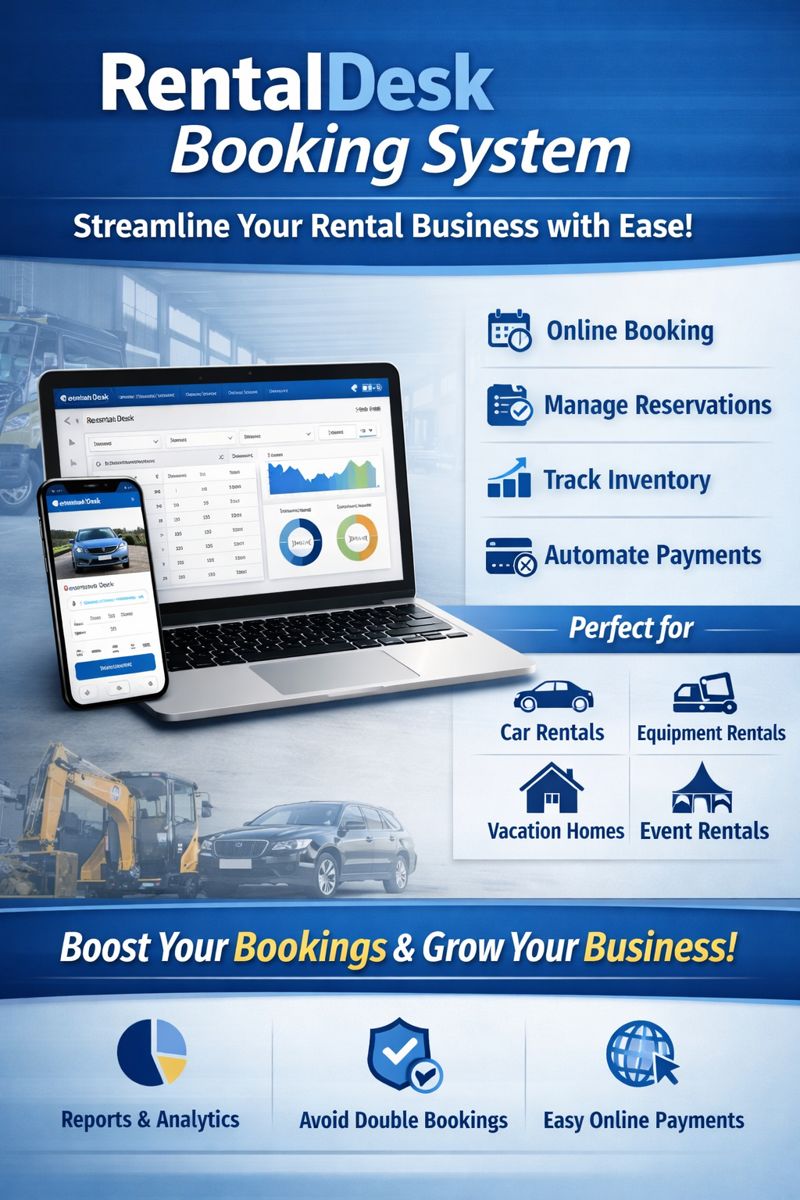
RentalDesk Booking System: The Ultimate Solution for Rental Businesses
In today’s fast-paced rental industry, efficiency and customer experience are everything. Whether you’re managing car rentals, equipment rentals, vacation homes, or any other rental business, a robust booking system can transform the way you operate. RentalDesk booking system is designed to simplify bookings, automate tasks, and improve customer satisfaction—all from one powerful platform.
If you’re looking for a seamless way to manage bookings, payments, inventory, and customer data, RentalDesk booking system is the ideal choice.
What is RentalDesk Booking System?
RentalDesk booking system is a cloud-based software solution that helps rental businesses manage their operations efficiently. It allows you to handle:
-
Online bookings
-
Reservation management
-
Inventory control
-
Customer profiles
-
Payments and invoicing
-
Reports and analytics
The system is designed to automate manual tasks, reduce errors, and give rental businesses a centralized dashboard for all operations.
Why RentalDesk Booking System is Perfect for Rental Businesses
1. Easy Online Booking for Customers
Customers can book your rental items online without calling or visiting your office. The RentalDesk booking system provides a simple booking interface that works on mobile devices, tablets, and desktops.
2. Centralized Booking Management
You can view all reservations in one dashboard. The system shows you:
-
Bookings by date
-
Available inventory
-
Customer details
-
Payment status
This makes it easy to manage multiple bookings at once.
3. Real-Time Availability Tracking
One of the biggest challenges for rental businesses is keeping track of inventory. The RentalDesk booking system updates availability in real time, preventing double bookings and customer disappointment.
4. Automated Invoicing and Payments
With RentalDesk, you can generate invoices automatically and accept payments online. This speeds up the payment process and reduces manual errors.
5. Powerful Reporting and Analytics
The system gives you detailed reports on:
-
Revenue
-
Occupancy rates
-
Customer trends
-
Most rented items
These insights help you make data-driven decisions and grow your business.
Key Features of RentalDesk Booking System
1. Booking Calendar
A visual calendar shows all bookings in one place. You can filter by date, location, or item type.
2. Multi-Channel Booking
Accept bookings from your website, social media, or through your sales team. The system integrates with multiple platforms to maximize bookings.
3. Customer Management
Create customer profiles and track their booking history. This helps you build better relationships and offer personalized services.
4. Inventory Management
Track all rental items, stock levels, and maintenance schedules. The system alerts you when items need servicing.
5. Payment Integration
Accept payments via mobile money, bank transfer, or card payments. RentalDesk supports multiple payment gateways for convenience.
6. Customizable Booking Forms
Create booking forms that match your business needs. You can add fields like driver’s license, ID number, or special requests.
Benefits of Using RentalDesk Booking System
1. Save Time and Reduce Manual Work
Automate tasks like booking confirmations, reminders, and invoicing. This frees up your staff to focus on customer service.
2. Improve Customer Experience
Customers enjoy fast, convenient booking. They can book anytime, anywhere, without waiting for office hours.
3. Increase Revenue
Real-time availability and online payments help you increase bookings and reduce lost revenue from double bookings.
4. Better Business Insights
Detailed reports help you understand your business performance and identify growth opportunities.
Who Can Use RentalDesk Booking System?
The RentalDesk booking system is ideal for:
-
Car rental companies
-
Equipment rental businesses
-
Vacation home rentals
-
Party supplies rental
-
Construction equipment rentals
-
Event rental services
If you manage rental items and need a reliable booking system, RentalDesk is the perfect fit.
How to Get Started with RentalDesk Booking System
Step 1: Sign Up
Create your account and set up your business profile.
Step 2: Add Your Rental Inventory
Add items, pricing, availability, and categories.
Step 3: Set Up Booking Rules
Define booking duration, deposits, cancellation policies, and payment options.
Step 4: Share Your Booking Link
Add the booking link to your website, social media, or share it directly with customers.
Step 5: Start Receiving Bookings
Your customers can now book online and receive instant confirmation.
FAQs (Frequently Asked Questions)
Q: Is RentalDesk booking system easy to use?
Yes. RentalDesk is designed for simplicity, so even non-technical users can manage bookings easily.
Q: Can I accept online payments?
Yes. RentalDesk supports multiple payment options, including mobile money and card payments.
Q: Can I manage multiple locations?
Yes. The system supports multi-location management and centralized booking control.
Q: Does RentalDesk prevent double bookings?
Yes. Real-time availability tracking prevents double bookings and conflicts.
Conclusion
The RentalDesk booking system is a powerful solution for rental businesses looking to improve efficiency, customer experience, and revenue. With features like online booking, real-time availability, automated invoicing, and reporting, RentalDesk helps you manage your rental business like a pro.
If you want to streamline operations and grow your rental business, is the best choice.